Webpage Demo displaying incorrectly on Firefox
Yeah thanks @Akira-Kuru fixed the issue here https://github.com/artf/grapesjs-preset-webpage/releases/tag/v1.0.2
Read full answer below ↓Question
GrapesJS version
- I confirm to use the latest version of GrapesJS
What browser are you using?
Firefox 105.0 (64-bit)
Reproducible demo link
https://grapesjs.com/demo.html
Describe the bug
How to reproduce the bug?
- Opening up the demo Page (https://grapesjs.com/demo.html) in Firefox.
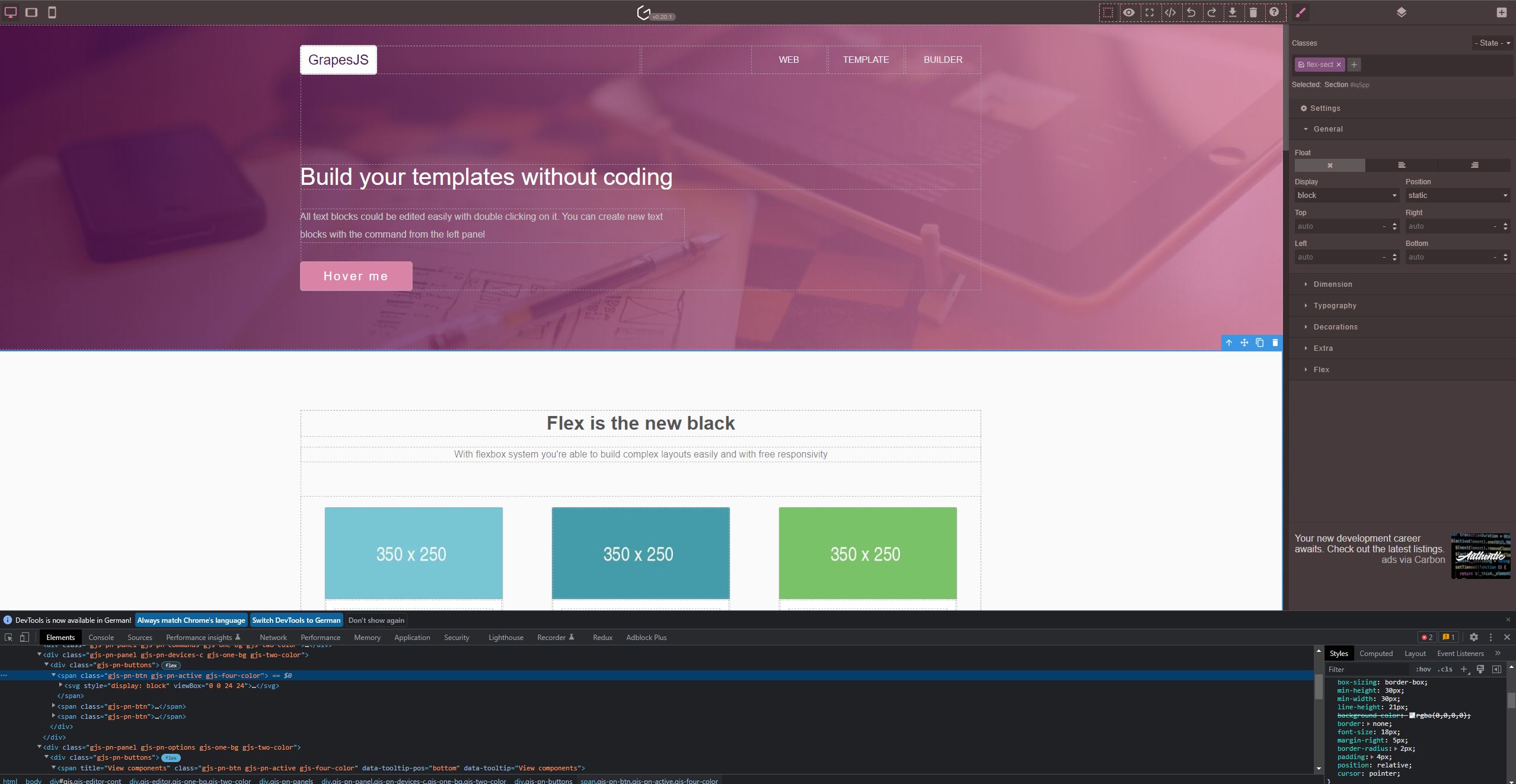
What is the expected behaviour? That the toolbar isn't zoomed in to the point you can't see the website.
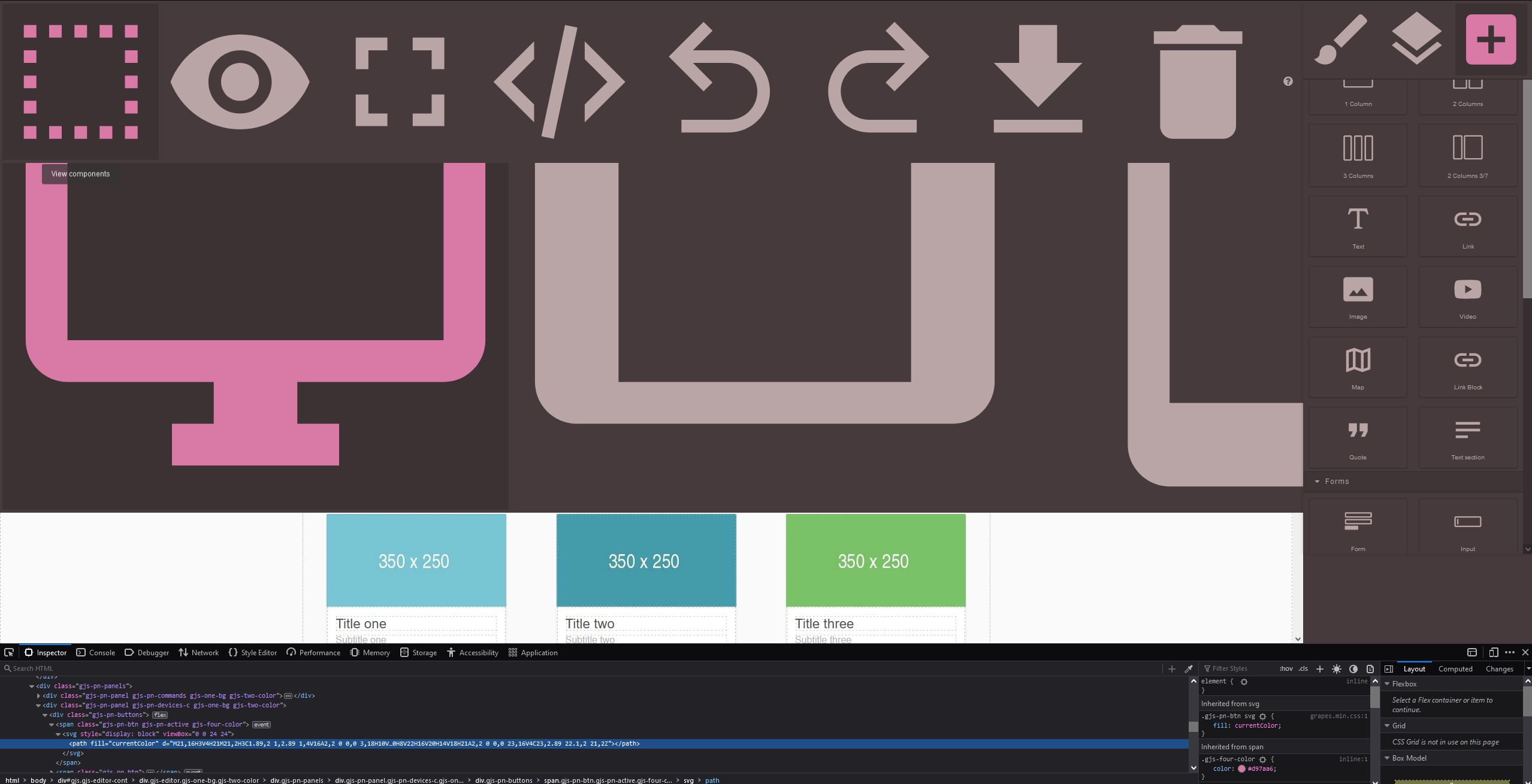
What is the current behaviour? The toolbar is zoomed in surely 300% more than usual.
Google Chrome Example:
Firefox Example:
Code of Conduct
- I agree to follow this project's Code of Conduct
Answers (2)
Yeah thanks @Akira-Kuru fixed the issue here https://github.com/artf/grapesjs-preset-webpage/releases/tag/v1.0.2
Thanks for reporting this, @Akira-Kuru.
Great question about Webpage Demo displaying incorrectly on Firefox. The recommended approach with GrapesJS is to use the event-driven API.
Start here:
- Check the GrapesJS documentation for your specific module
- Look for the
on()event listener method - Most operations can be achieved by listening to editor and component events
Common patterns:
// Listen for changes
editor.on('change', () => console.log('something changed'));

// Component lifecycle
editor.on('component:mount', (c) => console.log('component ready', c));
editor.on('component:update', (c) => console.log('component updated', c));
If you're still stuck:
- Share a minimal CodeSandbox reproduction
- Include what you've already tried
- Mention your GrapesJS version
- The community is here to help!
Related Questions and Answers
Continue research with similar issue discussions.
Issue #6445
The doc website has missing info
GrapesJS version [x] I confirm to use the latest version of GrapesJS What browser are you using? Firefox 136.0.1 (64 bits) Reproducible dem...
Issue #5746
ColorPicker Offset incorrect when Panels are outside of Editor Container
GrapesJS version [X] I confirm to use the latest version of GrapesJS What browser are you using? Chrome v122 Reproducible demo link https:/...
Issue #4732
Tabs behaviour after HTML import
GrapesJS version [X] I confirm to use the latest version of GrapesJS What browser are you using? Chrome 107 (MacOS) Reproducible demo link...
Issue #5898
Broken link on Asset Manager
GrapesJS version [X] I confirm to use the latest version of GrapesJS What browser are you using? FIrefox Reproducible demo link https://gra...
Paid Plugins That Match This Issue
Curated by issue keywords and label relevance to help you ship faster.
Loading paid plugin recommendations...
Check the open-source GrapesJS plugins on GitHub or run a quick search in our free catalog.
Browse free plugins →Premium plugins ship with support, regular updates, and production-ready features — save days of integration work.
Browse premium plugins →Related tutorials
In-depth guides on the same topic.
Tutorial
How to Build a Production GrapesJS Editor: The Complete Walkthrough of Brief, Preset, Plugins, and Services
A complete walkthrough of building a production GrapesJS editor: how to choose a preset, pick plugins, and scope setup services without burning a sprint.
Tutorial
Big Updates: TinyMCE 8 and Placeholder 2.0 for GrapesJS
In May we shipped major updates to two of our most popular GrapesJS plugins — TinyMCE Inline Text Editor and Placeholder.
Tutorial
Find the Right GrapesJS Plugin in Seconds: Smarter Discovery Is Live
We're shipping a set of discovery upgrades. New label filters, a proper compatibility switch for GrapesJS vs Studio, one-click and a smarter sort bar.
Browse Plugin Categories
Jump directly to plugin category pages on the marketplace.