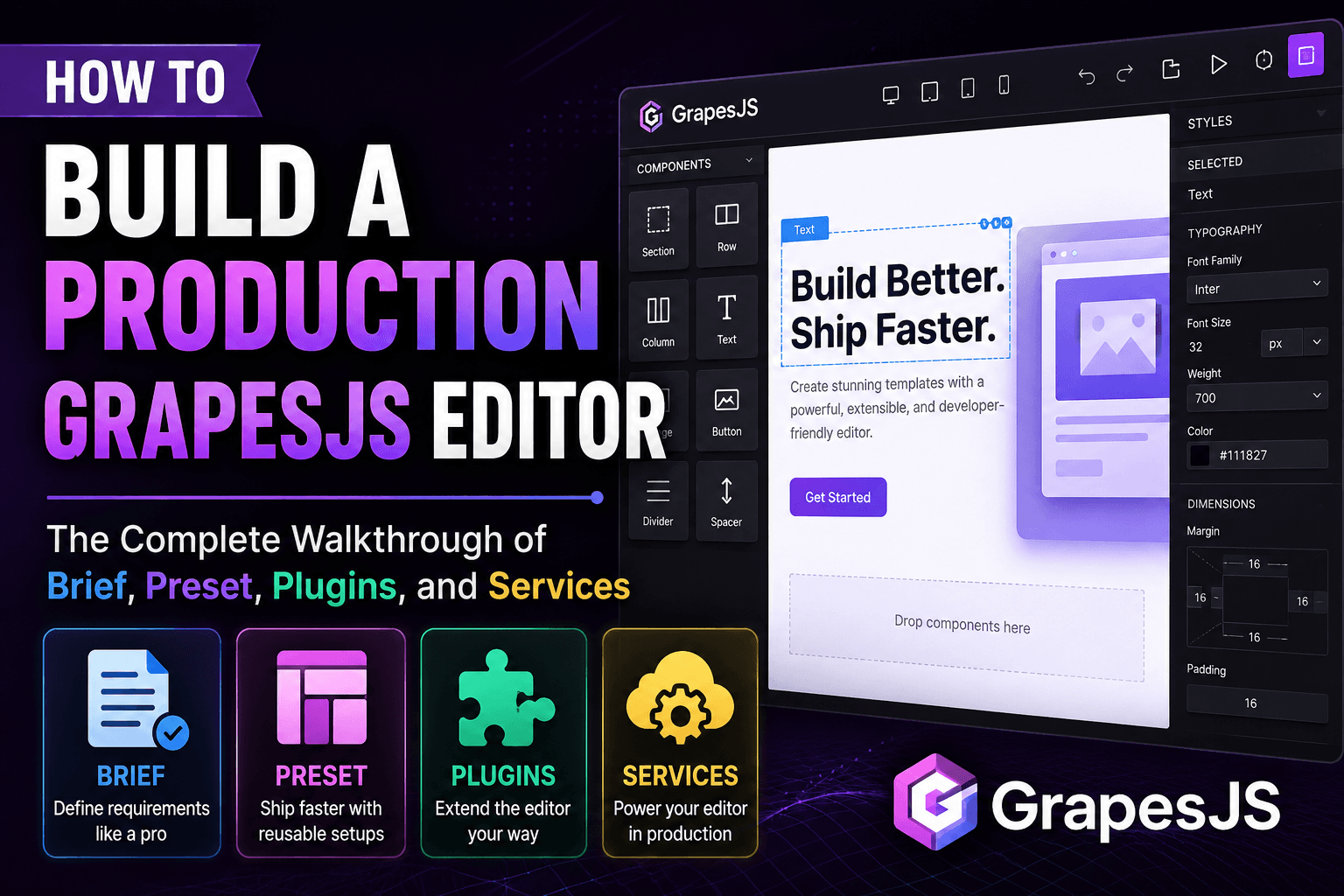

Most GrapesJS integrations don't fail at the code. They fail at the first sprint of decisions before the code.
You open the docs, glance at the plugin registry, scroll past three competing presets, find a Stack Overflow thread from 2022 about storage adapters, and realize the "embed a page builder in our product" project you scoped for two weeks has a hidden first sprint: figuring out which GrapesJS to build, with which plugins, on which preset, wired to which backend.
The GJS.Market build flow collapses that sprint into five steps: Brief → Preset → Plugins → Services → Checkout. Each step narrows the catalog, the running total updates live in the sidebar, and the build is delivered in 2–3 business days. This is the full walkthrough — what each step does, why each question is asked, and where teams overspend or under-scope.
Why a guided flow, and not just a marketplace?
GrapesJS itself is a blank canvas. That's its strength — and the reason starting from zero is painful. The same library powers Mailchimp's email designer, Mautic's campaign builder, hundreds of SaaS in-product editors, and headless CMS authoring tools. Each of those use cases needs a different preset, a different plugin bundle, and a different storage adapter.
Browsing 100+ plugins and picking five at random gets you a Frankenstein editor: a forms plugin that fights with your storage layer, a slider that ships 80 kB of polyfills, a custom-code block that breaks your CSP. The guided flow flips the order — instead of plugin → maybe it fits → debug, you describe the build, and the recommendations narrow to the combinations that have already shipped together across 300+ builds.
Step 1 — Brief: Four questions that filter everything down stream
The Brief step is two minutes of plain-language questions. Two are required, two are optional, and together they set the defaults for every step that follows.
Project type (required)
Six options:
- Landing / Marketing — sales pages, product pages, micro-sites
- SaaS / Web app — an embedded page builder inside your product
- Email builder — drag-and-drop transactional and campaign email
- Newsletter platform — authoring tool for editorial teams
- Headless CMS editor — visual layer on top of a content API
- Something else — described in the notes field
This is the single most important answer. The preset for an email builder (typically MJML-based, with strict inlining and table-layout components) has almost nothing in common with the preset for a landing page builder (block-based, with responsive flex/grid components and an image manager). Get the project type right and roughly 70% of the downstream decisions — which preset, which plugins, which storage adapter — narrow to a handful of viable options.
If your build sits between two categories, pick the dominant use case and use the notes field for the wrinkle.
Budget (required)
A ballpark — $500–$1,500, $1,500–$3,000, $3,000–$5,000, or $10,000+. You aren't held to it.
Why required: the budget tier determines whether the recommended stack is "preset + community plugins" or "preset + commercial plugins + custom storage integration + handoff documentation." A practical heuristic:
- $500–$1,500— starter preset, 2–3 community plugins, installed and smoke-tested. Best fit: a single landing page builder for a small SaaS.
- $1,500–$3,000— the most common range. Preset, 4–6 plugins (mix of commercial and community), storage adapter wiring, 30-day support.
- $3,000–$5,000+— adds custom plugin development, CMS integration, design-system tokenization, or multi-environment setup.
Timeline (optional)
ASAP, 1–2 weeks, 1 month, or "just exploring." Doesn't change which plugins are recommended — changes how the build is sequenced. Rush deliveries skip some optional polish.
Email (optional)
Not a sales hook. It's how your progress is saved. The brief, preset selection, plugin choices, and running total persist against your email — close the tab, come back tomorrow, pick up at the same step.
Common mistakes at the brief stage
- Picking "Something else" when the build fits a category.The notes field is for nuance, not for skipping the filter. A landing-page build with one unusual requirement is still a landing-page build.
- Setting budget below what's realistic.The brief uses budget to filter recommendations down to a stack you can afford. A too-low budget hides options you'd actually want.
- Skipping the email field.Costs nothing and saves the work if you close the tab.
Step 2 — Preset: The editor's UX, locked in one decision
Apresetconfigures the editor: which panels appear, which blocks are available, how the style manager is organized, what devices are simulated, which plugins are pre-wired. It is the editor's UX.
Atemplateis initial page content loaded into that editor — a landing page starter, an email layout. Templates are optional. Presets are not.
The Preset step offers three paid presets and three free presets, all with live demos.
The three paid presets
Grapesjs Paneless — $400.The minimalist option. Used in production by blocomposer.app — the floating GrapesJS panels are replaced by a clean sidebar-based layout. Marketing editors who find the default chrome overwhelming pick this almost every time. Ships with 40+ landing page blocks. Best fit: SaaS products that need an in-product page builder for non-technical authors.
GrapesJS Shadcn — $999.The premium option, and the one most often paired with React-based products. Built on@grapesjs/react, styled with shadcn/ui primitives, ships with dark mode. The UI matches the design language of most modern admin panels. Best fit: React-first SaaS that wants the editor to look native. Pairs well with the White-label & Theming service.
Grapesjs Wix Like — $260.The familiarity play. UI mimics Wix's editor — left-side blocks, contextual right panel, top device toggle. Non-technical users who have ever touched Wix recognize the layout instantly, collapsing onboarding time. Best fit: consumer-facing builders where the end user is a small-business owner.
The three free presets
Free presets exist because GrapesJS is open-source and several wrappers are maintained by the core team and the community. They cost nothing — you still pay for installation, plugins, and services if you want them — and they're the right starting point in two situations: you're prototyping, or you have engineering capacity to extend the preset yourself.
React UI for GrapesJS — $0.TheofficialReact wrapper from the GrapesJS team. Declarative components for every editor primitive. If your team has React engineers and a design system already in place, this is usually the right answer over a paid preset.
GrapesJS Vue 3 — $0.The Vue equivalent. Vue 3 wrapper components and composables (useEditor,useBlocks) for building editor UIs around GrapesJS in Vue apps.
DevFuture Preset 2.0 — $0.A community-maintained, "next-gen" preset with modern theming and a clean component model. Updated regularly, MIT-licensed. Popular starting point for headless CMS editors.
A three-question framework for picking
- Which framework wraps your product?React → React UI (free) or Shadcn (paid). Vue → Vue 3 (free). Framework-agnostic → Paneless, Wix Like, or DevFuture.
- Who is the end user?Marketing team → Paneless. Small-business owner → Wix Like. Developer → Shadcn. Editorial team → DevFuture or React UI.
- How much engineering can you spend?"Next week" → paid preset. "Three weeks and a frontend team" → free preset, custom-extended.
The free presets are not lower quality. They are lowerfinish. You finish them yourself or you pay someone to finish them — and at that point, the math often favors a paid preset.
Step 3 — Plugins: Where the editor stops being a demo
A fresh GrapesJS install gives you twelve blocks: a heading, a text node, an image, a link, a video, a few wrappers. Useful for a demo. Not useful for production.
Everything else — forms with validation, sliders that don't ship 80 kB of polyfills, icon libraries, code-injection blocks, a real grid system, tooltips, tabs, accordions — comes from plugins. The Plugins step is where the actual capability of your editor gets decided.
15 paid plugins in the catalog. A recommended subset is auto-applied based on your brief. Most builds settle on 6–10 plugins.
Add all, or hand-pick?
Top of the page:9 of 15 paid plugins in your build. Tap any card to add or remove.Next to that:Add allandClear all.
The catalog is curated — every plugin is version-aligned with the current GrapesJS core, and the bundle has been smoke-tested as a combination. The only reason tonotadd all is budget. Nine plugins typically lands around $490; fifteen lands closer to $750.
The recommended subset (auto-applied from the brief) is the cost-conscious default.
The plugins that ship every build
Placeholder 2.0 — Premium Drag Experience — $99.The single most-installed paid plugin. Default GrapesJS drag-and-drop is functional but unfriendly — the drop indicator is thin, the active state is vague, nested drops are easy to misfire. Placeholder 2.0 replaces the standard drag system with a more visible, animated drop target. The first thing non-technical authors notice when they switch from a stock GrapesJS demo to a real build.
Grapesjs Component Icon — $50.Adds an icon component and block: drop an icon anywhere, search by name, swap libraries (Lucide, Heroicons, Phosphor) per-project. Avoids the alternative — engineers shipping a custom icon picker every time someone wants a feature grid with checkmarks.
Plugin Blocky for Tailwind CSS — $59.Reads yourtailwind.config.jsand surfaces the design tokens (spacing, colors, typography) inside the style manager. Editors style components using your tokens instead of raw CSS values, which keeps the output on-brand.
GRID System GrapesJS — $49.A real 12-column responsive grid as drag-and-drop blocks, with breakpoint-aware columns. The default GrapesJS layout system is flex-based and works, but a true grid is what marketing teams expect after years of Webflow.
How recommendation works
The brief filters the catalog by project type and budget. The plugins flaggedRecommendedare the ones that have been shipped in ≥40% of the builds matching your brief over the last 12 months. It's a popularity metric, not an opinion — but the popularity comes from teams who already made the decision.
Pricing and licensing
Plugins cluster into three tiers:
- $29–$59— single-purpose components (tooltip, tabs, accordion, countdown)
- $60–$120— multi-component systems (grid, forms, image gallery, custom code)
- $150–$300— premium experience plugins
Every plugin is aone-time, per-project, perpetual license. No subscriptions, no renewals, no per-seat costs.
Common mistakes when picking plugins
- Installing free plugins from npm without checking compatibility.The registry has dozens of older GrapesJS plugins pinned to v0.18 or v0.19. The current major is v0.21. Most break silently.
- Buying overlapping plugins.Two slider plugins. Two form plugins. Check for category overlap if you also pull from outside the catalog.
- Buying every plugin "just in case."Editors with too many block categories become harder to use, not easier. Six to ten well-chosen plugins consistently outperforms fifteen.
Step 4 — Services: The work nobody scoped at the start
The editor compiles. It loads in your repo. It even renders. Then you discover that "save" writes to localStorage, your auth doesn't pass through, your CSP blocks half the plugins, and the editor branding doesn't match your product.
The Services step covers the work between "the editor runs" and "the editor ships." There are two ways to buy: a bundled package, or à la carte.
Launch Bundle — $599 (saves $49)
Drop the editor into your SaaS — installed in your stack, branded for your product, with 30 days of priority support. Bundled at a discount versus buying the pieces separately.
Includes:
- Installation into your React / Vue / Next stack
- Brand Kit applied to canvas + UI chrome
- 30 days priority support included
- One-time, delivered in 2–3 business days
The Launch Bundle is the right default for ~60% of builds. The à la carte path is the right call when you need more depth (white-label, multi-tenancy) or less (you'll install it yourself).
À la carte — the core required services
Installation & Setup — $199, REQUIRED, 4.9 stars, 287 installs.We install the editor as a module inside your existing app (React, Vue, Next.js, Nuxt, or plain TS), wire it to your auth and storage layer, and smoke-test it inside your product. This is the "you get a working editor, not a README" service.
Editor Embedding & Integration — $299, REQUIRED, 4.8 stars, 198 installs.Production-grade mount inside your host app: save/load API contracts, JWT/SSO bridge to your backend, CORS + CSP whitelists, and version pinning so upgrades stay safe. Need a bespoke wrapper or private npm package? That's Frontend Embed.
Auth & Multi-tenancy Setup — $399, REQUIRED, 4.9 stars, 152 installs.Per-user and per-org page isolation, role-based permissions, sign-in flows wired to your existing auth provider. Required for any multi-tenant SaaS — without it, "userA's pages" and "userB's pages" share a database table with no enforcement.
À la carte — polish
Brand Kit Integration — $249, 4.7 stars, 141 installs.Your fonts, colors, and logo wired into the editor canvas AND the editor UI — toolbars, panels, icons restyled to match your product. White-label without going full white-label.
White-label & Theming — $399, 4.7 stars, 89 installs.Goes deeper than Brand Kit — full editor UI repaint, GrapesJS branding removed from every visible surface, custom icon set, themed panel chrome. The editor reads as a native part of your product.
Training & Onboarding — $249, 4.8 stars, 58 installs.A 2-hour live session for your team plus recorded tutorials filmed against your specific setup. Cuts support churn in the first weeks after launch.
Commercial readiness
The "Make it commercially ready" section covers what your end customers need before they pay.
Editor API & Webhooks Integration — $349, MOST POPULAR, 4.8 stars, 164 installs.Productized save/load endpoints, autosave, page version history, and publish webhooks — wired to your backend or to Supabase / Directus / Strapi / Sanity. The plumbing that turns a working editor into a working product.
How to decide
A practical decision tree:
- First commercial release of the editor in your product?Launch Bundle covers the minimum.
- Multi-tenant SaaS?Add Auth & Multi-tenancy. Non-negotiable.
- End users will see your brand, not GrapesJS's?Brand Kit for surface-level, White-label for full repaint.
- End users will save pages and your backend needs to react?Editor API & Webhooks.
- Non-technical team launching this?Training & Onboarding cuts the first month of support tickets.
The "You've covered X of 3 critical needs for launch" indicator at the bottom of the page tracks the required services. Skipping them is allowed but flagged.
Step 5 — Checkout: One payment, perpetual keys
The final step is short. Pay once via Visa / Mastercard, receive license keys by email instantly, and the setup team starts on the build. Delivered in 2–3 business days.
No subscriptions. No renewal fees. No per-seat costs. Every license is perpetual and per-project — you own the software for the life of the project.
FAQ
How long does the entire flow take to fill out?Five to ten minutes if you know your project. Twenty if you want to compare presets in live demos. Progress is saved against your email, so you can split it across sessions.
Can I change my mind between steps?Yes. The Back button works on every step, and the running total updates live as you swap items in or out. Plugin compatibility with your preset is enforced — the flow won't let you pair a React-only preset with a Vue-only plugin.
What if my project doesn't fit any of the project types?Pick the closest match and describe the wrinkle in the notes field. The recommendations get reviewed manually before delivery, and you'll usually hear back the same business day.
Do plugins and presets come with source code?Most plugins ship as compiled, minified bundles under a per-project perpetual license. Some vendors offer source-code licenses for an additional fee — listed on each individual product page. Paid presets typically include source.
Is GrapesJS production-ready?Yes. GrapesJS has been production-deployed by companies including Mailchimp, Mautic, and hundreds of SaaS products. The core repository has over 22,000 GitHub stars and an active maintainer team. GJS.Market has delivered 300+ commercial builds since 2021.
Can I self-host and own the data?Absolutely. GrapesJS is fully open-source (BSD-3-Clause), runs in the browser, and stores page data as JSON in whichever backend you choose — PostgreSQL, MongoDB, S3, or a headless CMS. No vendor lock-in.
What's covered by the 30-day support?Bug fixes, minor configuration tweaks, and one round of plugin version updates at no extra charge. Longer support is available as a monthly retainer.
Can I migrate from Webflow, Unbounce, or Elementor?GrapesJS solves a different problem: it's a library you embed in your own product, not a hosted page builder. If you're migrating landing-page content, our setup service includes a one-time import script for basic HTML/CSS exports.
Is anything billed before the final step?No. Payment only happens at Checkout, after you've reviewed the preset, plugins, and services.
What if I need to add plugins or services later?Plugins are licensed per-project and can be added incrementally. Services can be booked as one-off engagements after delivery. Most teams expand their build twice in the first six months as the product matures.
The most expensive part of a GrapesJS integration isn't the code — it's the week your team spends researching which version of GrapesJS to build, which plugins compose without conflict, and which storage adapter survives your CSP. Ten minutes in the build flow replaces that week.