When copying a text from anywhere the style manager is not working right.
If you paste a text with its own inner style, you have to change it for each pasted component, as their style overrides the parent one.
Read full answer below ↓Question
GrapesJS version
- I confirm to use the latest version of GrapesJS
What browser are you using?
Chrome v92
Reproducible demo link
https://grapesjs.com/demo.html
Describe the bug
When I take any text from Microsoft Office word or any websites it is coming with it’s own css and font-color, and the font-color attribute is not working for the text.
Second bug is when I try to change font-size, it’s changing the ‘text box’ size, not the font-size.
I tried to add !Important in StyleManager, but did not work
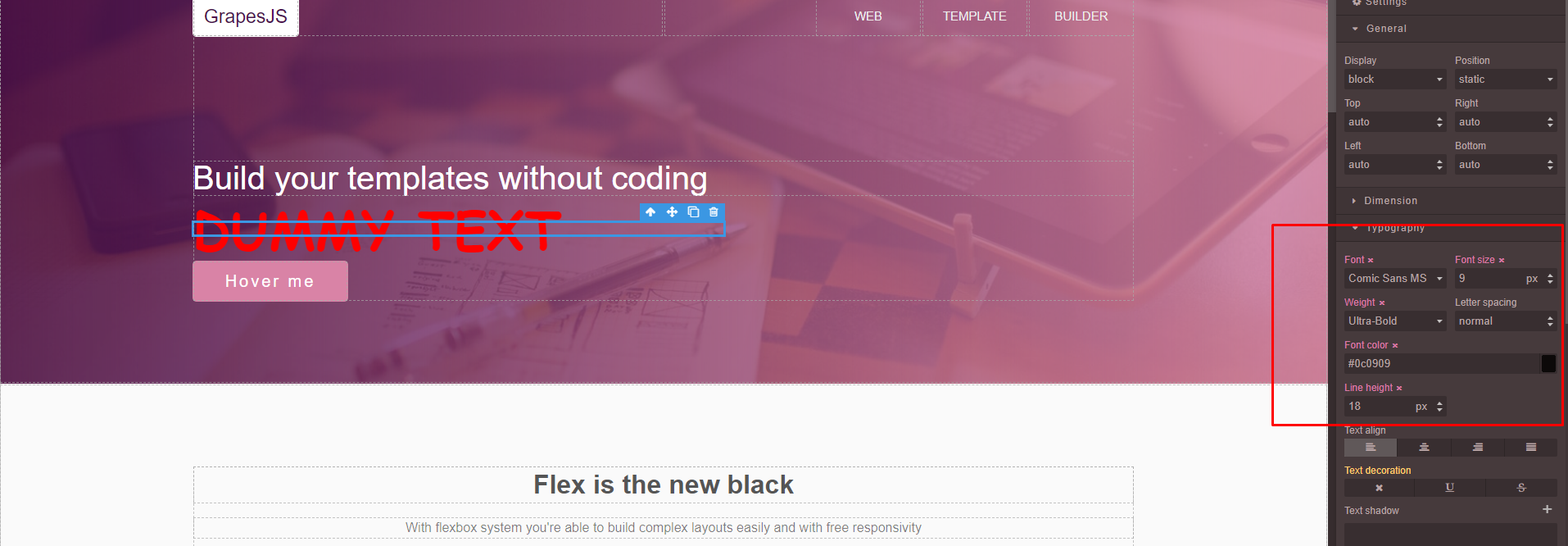 This photo is from your demo
Code of Conduct
- I agree to follow this project's Code of Conduct
Answers (3)
If you paste a text with its own inner style, you have to change it for each pasted component, as their style overrides the parent one.
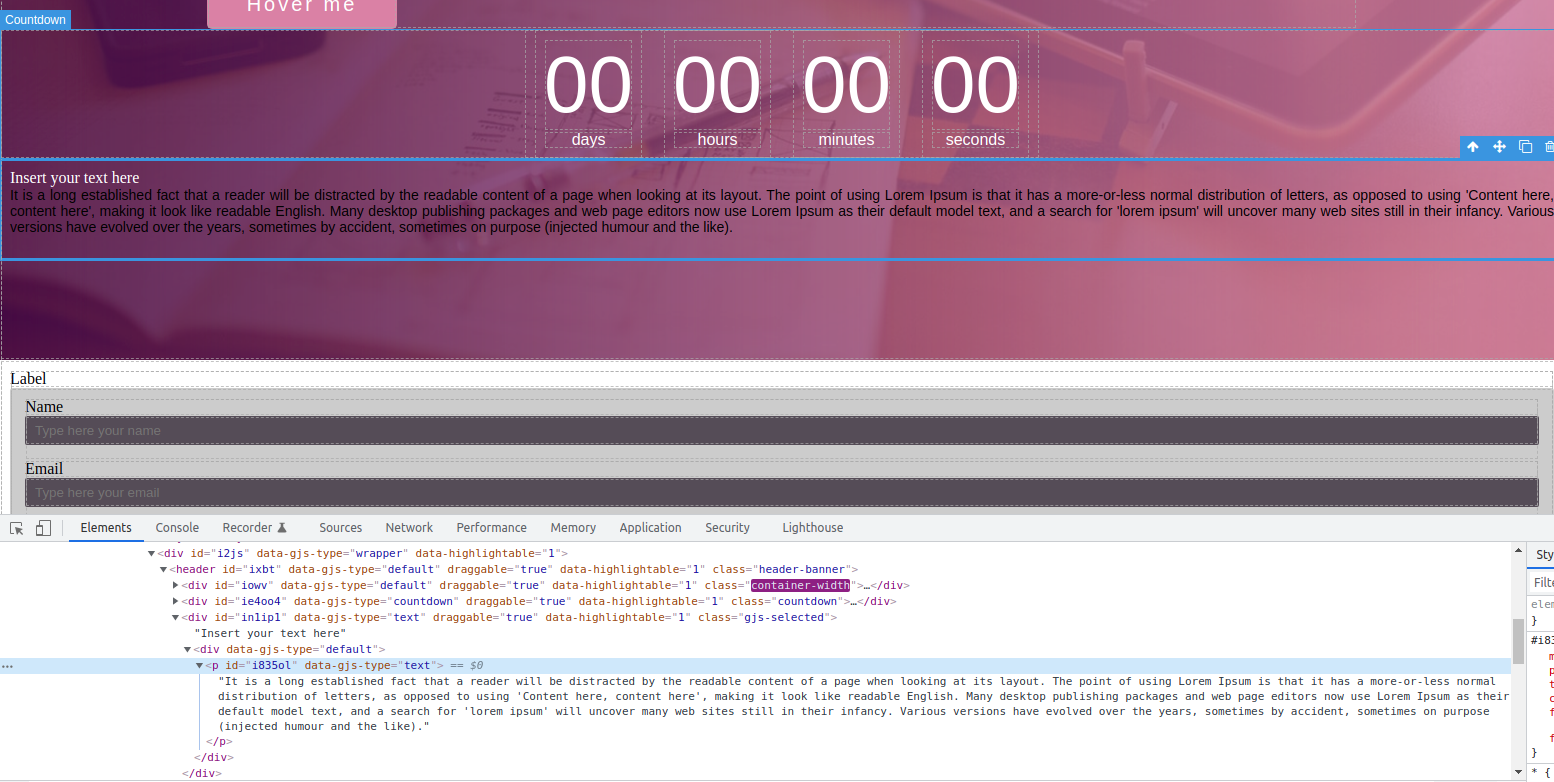
@artf , Even We are not able to change any pasted component. I have added lorem ipsum text from the lorem ipsum site. When I paste the text grapesJs wrap text with the "P" tag with id="i835ol".
I am not able to change the styling of the "P" tag. I have tried in GrapesJs demo too. Please check the screenshot attached.
Thanks for reporting this, @migokcek.
The issue with When copying a text from anywhere the style manager is not working right. appears to be a race condition or state management timing problem. This typically happens when component lifecycle events and DOM modifications overlap, creating an inconsistent state.
What to try:
- Add a setTimeout wrapper to ensure the DOM has settled:
setTimeout(() => {
  // your operation here
}, 0);
-
Check initialization order — make sure components are fully loaded before you interact with them
-
Use the editor's event system — listen to completion events:
editor.on('component:mount', (component) => {
  // safe to interact with component here
});
Recommended next steps:
- Test with the latest GrapesJS version if you haven't
- Provide a minimal reproducible example (CodeSandbox) — this helps the team identify the root cause faster
- Include GrapesJS version, browser, and console errors in your report
Related Questions and Answers
Continue research with similar issue discussions.
Issue #4257
Background modification doesn't work for non-images
GrapesJS version [X] I confirm to use the latest version of GrapesJS What browser are you using? Chrome v100 Reproducible demo link https:/...
Issue #6039
Cannot set Block display value
GrapesJS version [X] I confirm to use the latest version of GrapesJS What browser are you using? Chrome 126 Reproducible demo link https://...
Issue #4208
Style click state bug in every element
GrapesJS version [X] I confirm to use the latest version of GrapesJS What browser are you using? Brave Last, tested on chrome last and Safa...
Issue #4116
Flex Property not working in style manager
GrapesJS version [x] I confirm to use the latest version of GrapesJS What browser are you using? Version 1.34.81 Chromium: 97.0.4692.99 (Of...
Paid Plugins That Match This Issue
Curated by issue keywords and label relevance to help you ship faster.
Loading paid plugin recommendations...
Check the open-source GrapesJS plugins on GitHub or run a quick search in our free catalog.
Browse free plugins →Premium plugins ship with support, regular updates, and production-ready features — save days of integration work.
Browse premium plugins →Browse Plugin Categories
Jump directly to plugin category pages on the marketplace.