
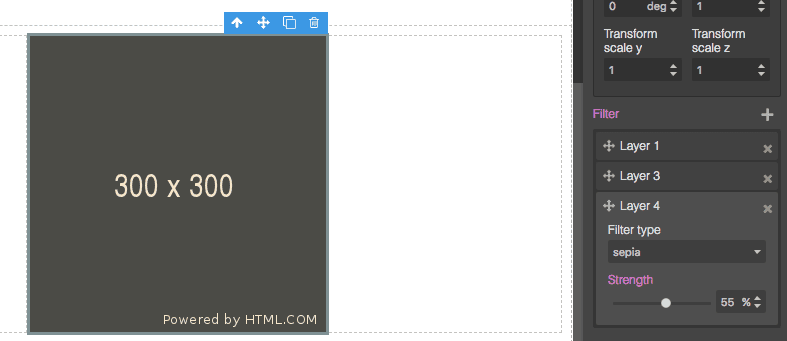
Style Filter

What's Included
- Free to download & use
- Open for personal & commercial use
Support The Creator
Use one-time or monthly support to thank the creator for this free product.
GrapesJS Compatible
Tested with GrapesJS 0.16.x, 0.17.x, 0.18.x, 0.19.x, 0.20.x
Open Source on GitHub
Free to use, fork, and contribute
Editor Compatible
Designed for the GrapesJS open-source editor
Free to Use
Open for personal and commercial projects
CSS filters — blur, brightness, saturate, drop-shadow — are how modern interfaces get depth and glass effects. The GrapesJS Style Manager has no control for them out of the box. This plugin adds one.
What it adds
A new built-in style property called filter. Because it is registered as a built-in, you extend it rather than redefining it, and the same definition serves two different CSS properties.
Using it
Add it to a Style Manager sector at init with { extend: 'filter' }, then add a second entry with { extend: 'filter', property: 'backdrop-filter' } to get a separate control for backdrop effects. The same works at runtime through the API: editor.StyleManager.addProperty('extra', { extend: 'filter' }).
Why it matters
Without it, filters can only be applied by hand-writing CSS, which puts them out of reach of anyone using the editor visually — exactly the people a page builder exists for.
Requirements
GrapesJS v0.18.3 or higher. Install as grapesjs-style-filter. BSD-3-Clause.
Ratings:
No reviews yet. Be the first to share your experience.
Questions & Answers
No questions yet. Have something to ask?
Common problems this plugin can help fix
Real community questions on the same topic — see how others worked around them.