
Plugin Basic Blocks

What's Included
- Free to download & use
- Open for personal & commercial use
Support The Creator
Use one-time or monthly support to thank the creator for this free product.
GrapesJS Compatible
Tested with GrapesJS 0.19.x, 0.17.x, 0.18.x, 0.16.x
Open Source on GitHub
Free to use, fork, and contribute
Editor Compatible
Designed for the GrapesJS open-source editor
Free to Use
Open for personal and commercial projects
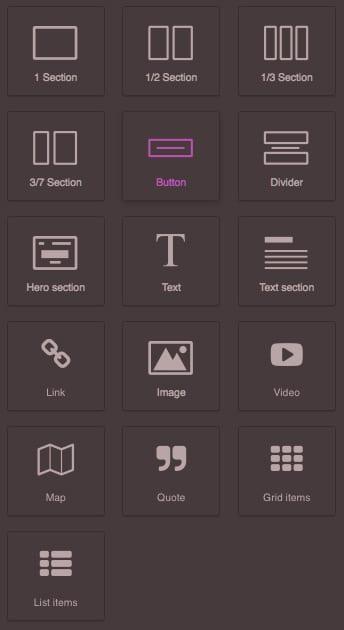
GrapesJS core ships no blocks at all — an editor built straight from the library starts with an empty Block Manager. grapesjs-blocks-basic is the official set that fills it, and it is the fastest way to get a usable canvas.
The nine blocks
- Layout:
column1,column2,column3andcolumn3-7— a two-column 30/70 split. - Content:
text,link,image,videoandmap.
Options
blocks— register a subset instead of all nine.flexGrid— build the column blocks with flexbox rather than floats. Off by default for backward compatibility.addBasicStyle— whether the plugin injects its own CSS for the blocks. On by default; turn it off when your design system owns the styling.category— the Block Manager category the blocks land in, defaulting toBasic.stylePrefix— the class prefix, defaulting togjs-.rowHeight— the initial row height in pixels, defaulting to 75.labelColumn1throughlabelMap— every block label can be overridden, which is how you localise the Block Manager.
Good to know
The plugin registers under the name gjs-blocks-basic while the npm package is grapesjs-blocks-basic. BSD-3-Clause.
Ratings:
No reviews yet. Be the first to share your experience.
Questions & Answers
No questions yet. Have something to ask?
Common problems this plugin can help fix
Real community questions on the same topic — see how others worked around them.