
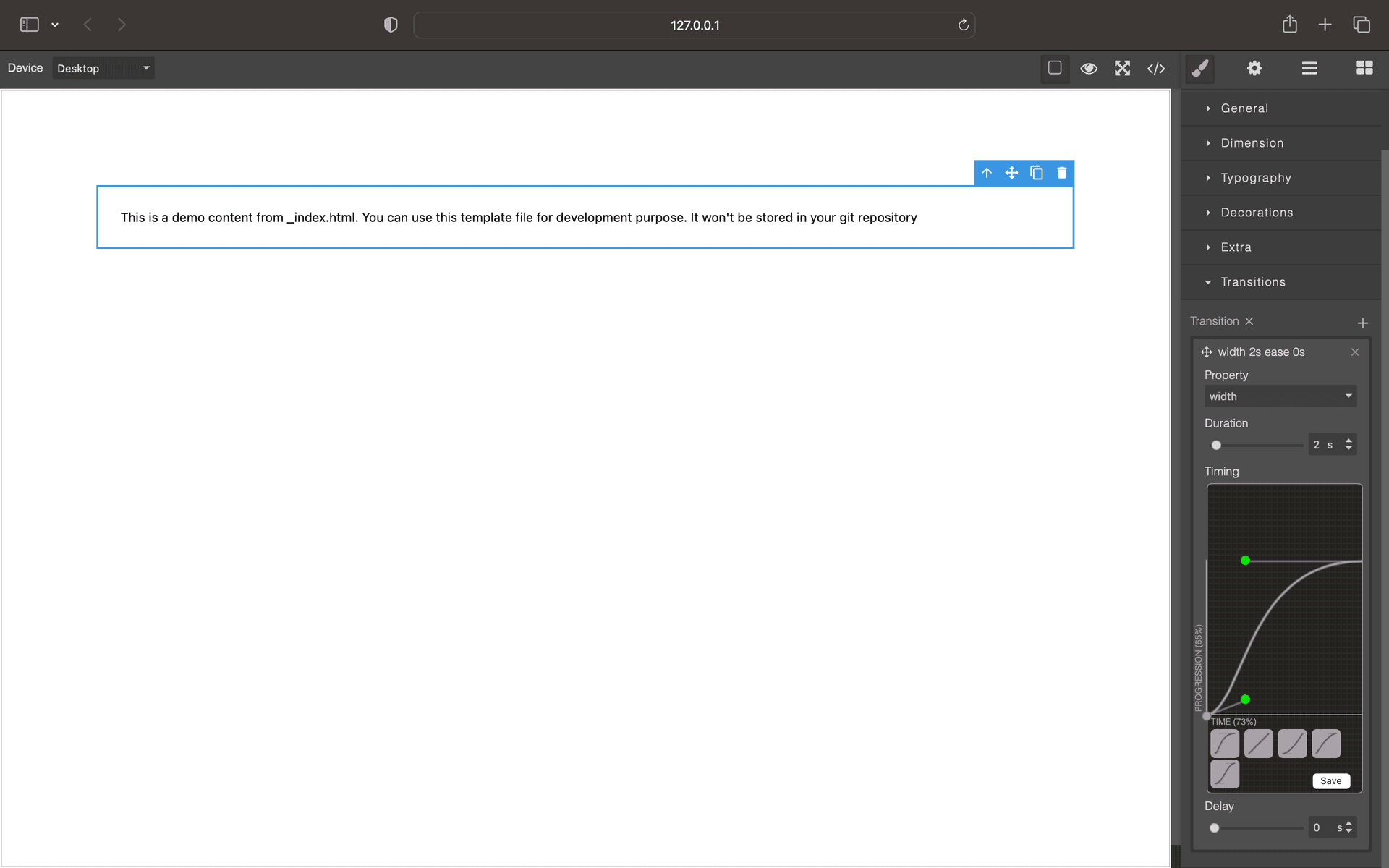
Grapesjs Style Easing

What's Included
- Free to download & use
- Open for personal & commercial use
Support The Creator
Use one-time or monthly support to thank the creator for this free product.
GrapesJS Compatible
Tested with GrapesJS 0.18.x, 0.19.x, 0.20.x, 0.21.x
Open Source on GitHub
Free to use, fork, and contribute
Editor Compatible
Designed for the GrapesJS open-source editor
Free to Use
Open for personal and commercial projects
A CSS timing function is four numbers describing a curve. Nobody reads cubic-bezier(0.68, -0.55, 0.27, 1.55) and pictures the motion it produces. This plugin adds the editor that makes it legible: a draggable curve inside the GrapesJS Style Manager.
What it adds
A cubic-bezier control for editing timing functions, so transitions and animations can be shaped visually — pulled into an ease-out, given an overshoot — with the resulting value written straight into the stylesheet.
Why it matters
Motion is one of the clearest signals of a polished interface, and it is also the part most often left at ease, because tuning it by hand means editing numbers and reloading. Putting the curve in front of the person styling the page turns that into direct manipulation.
Options
bezierEditorOpts passes configuration through to the underlying cubic-bezier editor.
Setup
The repository's index.html carries a complete working example, including how the property is registered into a Style Manager sector.
Good to know
Install as grapesjs-style-easing. One of the Blocomposer Style Manager plugins, alongside the gradient picker and the per-side border controls.
Ratings:
No reviews yet. Be the first to share your experience.
Questions & Answers
No questions yet. Have something to ask?
Common problems this plugin can help fix
Real community questions on the same topic — see how others worked around them.