
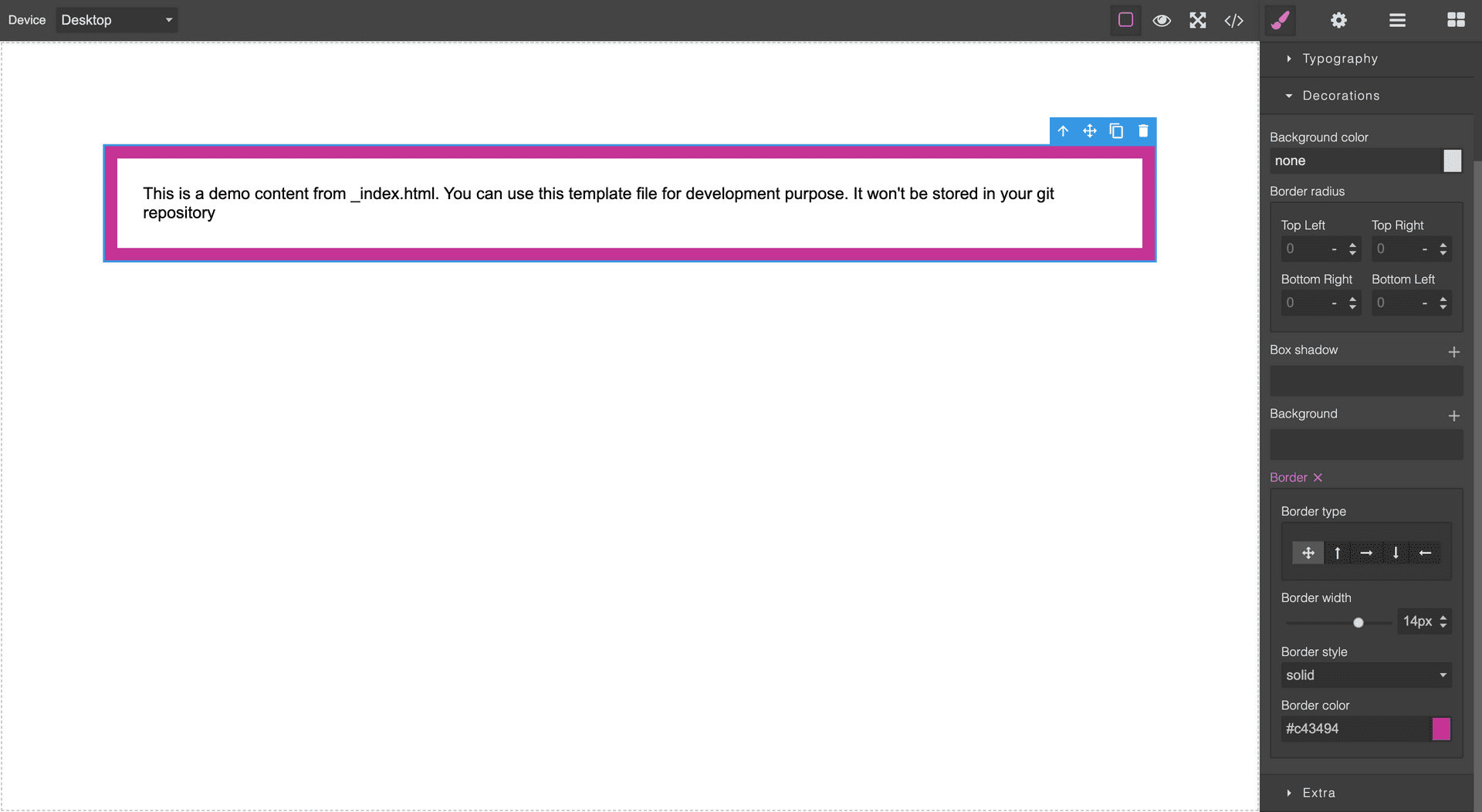
Grapesjs Style Border

What's Included
- Free to download & use
- Open for personal & commercial use
Support The Creator
Use one-time or monthly support to thank the creator for this free product.
GrapesJS Compatible
Tested with GrapesJS 0.18.x, 0.19.x, 0.20.x, 0.21.x
Open Source on GitHub
Free to use, fork, and contribute
Editor Compatible
Designed for the GrapesJS open-source editor
Free to Use
Open for personal and commercial projects
The GrapesJS Style Manager exposes border as one control, which means a design needing a line on only one edge — a table rule, an underlined heading, a left accent bar — cannot be expressed visually. This plugin splits it apart.
What it adds
Five separate properties replace the single one: border plus border-top, border-right, border-bottom and border-left. Each carries its own width, style and color sub-controls, and the original combined property is removed so the panel does not show two competing controls for the same CSS.
Options
sector— which Style Manager sector the properties are appended to. Defaults todecorations.originalBorder— the sector and name of the stock border property to remove, so the plugin still works if you renamed it.at— an index, for when the properties need to sit at a specific position rather than at the end of the sector.extendType,extendWidth,extendStyleandextendColor— extend the shared sub-properties.extendBorder,extendBorderTop,extendBorderRight,extendBorderBottomandextendBorderLeft— extend each side individually.
Good to know
Install as grapesjs-style-border.
Ratings:
No reviews yet. Be the first to share your experience.
Questions & Answers
No questions yet. Have something to ask?
Common problems this plugin can help fix
Real community questions on the same topic — see how others worked around them.