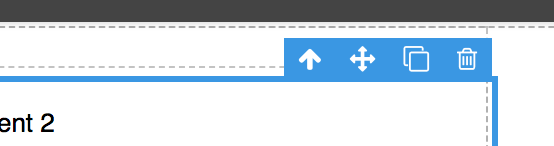
Add button to selected element panel
Check this https://github.com/artf/grapesjs/issues/266
Read full answer below ↓Question
How to add custom button to that panel:
Answers (3)
Check this https://github.com/artf/grapesjs/issues/266
Toolbar buttons are component-specific, so you can have a different set of buttons for each element. Here you can see how the toolbar is created by default: Component.initToolbar
@artf ?
Related Questions and Answers
Continue research with similar issue discussions.
Issue #987
Dropdown indicator not displayed for a custom trait
Hello, the dropdown (select) element arrow indicator icon is not rendered when adding a custom trait to a component: I'm using following co...
Issue #417
Add Setting button to custom component.
Hello, How can I create a setting or you can say edit button for my custom component? LIke 4th option on this image:
Issue #1000
How to show plain text as trait
I want to show plain text within the trait under the setting button. In the above image 'Configuration_Type' I want to show as plain text....
Issue #1402
Translate Panel options and DeviceManager buttons
Helllo @artf , How to translate the Panels and DeviceManager button titles to other languages? Please write example for me. 'FullScreen' ->...
Paid Plugins That Match This Issue
Curated by issue keywords and label relevance to help you ship faster.
Loading paid plugin recommendations...
Check the open-source GrapesJS plugins on GitHub or run a quick search in our free catalog.
Browse free plugins →Premium plugins ship with support, regular updates, and production-ready features — save days of integration work.
Browse premium plugins →Related tutorials
In-depth guides on the same topic.
Browse Plugin Categories
Jump directly to plugin category pages on the marketplace.