Is the video component on the webpage demo working?
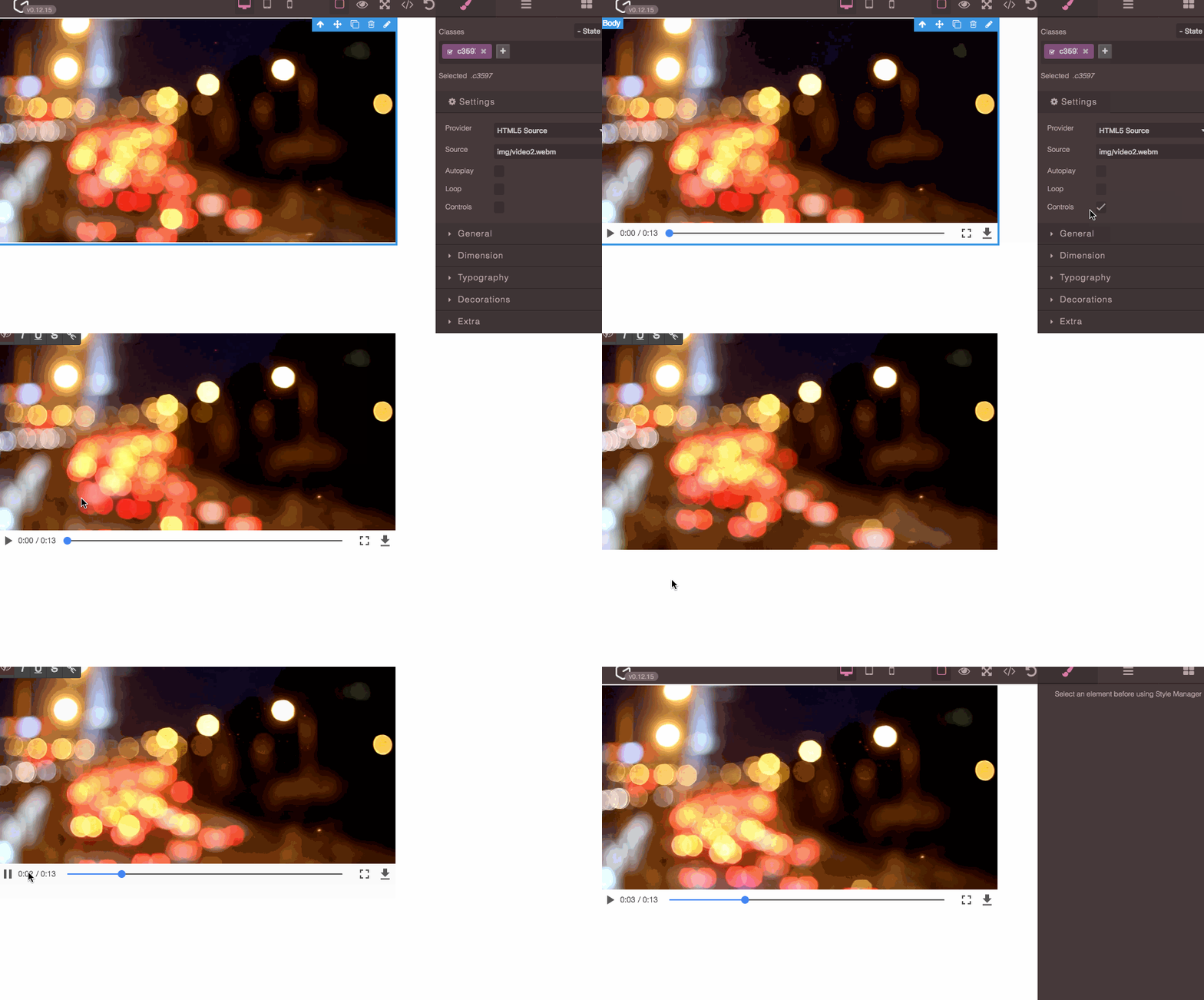
It's not a photo but actually, a video (I just turned off autoplay), if you toggle controls and turn on the preview you should be able to see it play. About the edit button, I think it's a bug, should not be there, I'll check it later
Read full answer below ↓Question
I wanted to study how to use the video component but the one on the demo website (http://grapesjs.com/demo.html) doesn't seem to be working?
Dropping a video component into the canvas shows a still photo with some lights. If I click the edit icon, the photo editor opens with no content and no toolbar and a bunch of JS errors in the console.
Answers (3)
It's not a photo but actually, a video (I just turned off autoplay), if you toggle controls and turn on the preview you should be able to see it play. About the edit button, I think it's a bug, should not be there, I'll check it later
How to toggle controls and turn on the preview?
Related Questions and Answers
Continue research with similar issue discussions.
Issue #1563
Trait - Change Video Provider issue
Version: 0.14.40 Bug: When you change "Provider" field -> all settings gone. It happens in Chrome, Safari and Firefox, last versions. How t...
Issue #1606
Input disappear on clear
How to reproduce it:Goto https://grapesjs.com/demo.htmlDrag a form in Forms category into canvasType something => focus out => focus in =>...
Issue #5268
Autoplay for youtube or vimeo doesn't work
GrapesJS version [X] I confirm to use the latest version of GrapesJS What browser are you using? Chrome v115 Reproducible demo link https:/...
Issue #1512
Undo/Redo not working in Countdown and Navigation element
Hi @artf, when i drag countdown and navigation in live demo and click on undo/redo button then nothing happens.can you please provide some...
Paid Plugins That Match This Issue
Curated by issue keywords and label relevance to help you ship faster.
Loading paid plugin recommendations...
Check the open-source GrapesJS plugins on GitHub or run a quick search in our free catalog.
Browse free plugins →Premium plugins ship with support, regular updates, and production-ready features — save days of integration work.
Browse premium plugins →Related tutorials
In-depth guides on the same topic.
Tutorial
Introducing Search on GJS.Market
GJS.Market now has one search across everything we publish — plugins, articles, community questions, guides, authors and services. Press ⌘K from any page.
Tutorial
How Much Does It Cost to Build a SaaS Page Builder in 2026?
How much does it cost to build a SaaS page builder in 2026? Explore realistic development costs, timelines, features, and how using GrapesJS can reduce
Tutorial
PageKit: the GrapesJS application you'd have to build anyway
A source-available Next.js app around the open-source GrapesJS core — publishing, custom domains, leads, checkout and a plugin loader.
Browse Plugin Categories
Jump directly to plugin category pages on the marketplace.