
Building a SaaS page builder sounds simple at first.
You need a canvas, some drag-and-drop components, a few templates, and a Publish button.
Then you start building it.
Suddenly you need user accounts, projects, autosave, media storage, responsive layouts, reusable blocks, templates, permissions, billing, custom domains, publishing, analytics, security, backups, and an admin panel.
And if you're building a real SaaS product rather than an internal tool, you also need to make sure hundreds or thousands of users can use the editor without breaking each other's projects.
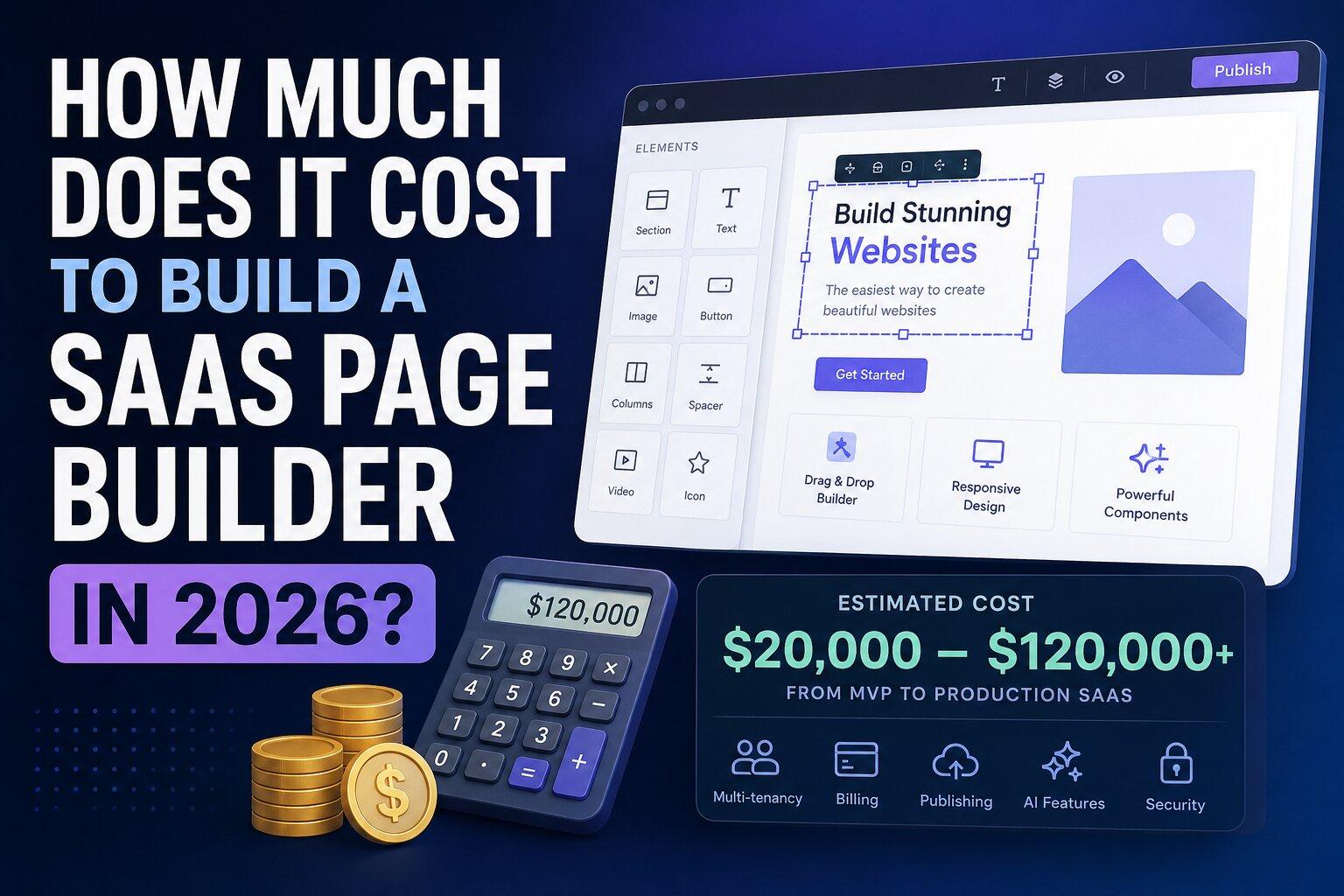
So, how much does it actually cost to build a SaaS page builder in 2026?
A realistic answer is:
| Product level | Typical development cost | Approx. timeline |
|---|---|---|
| Prototype / proof of concept | $5,000–$15,000 | 2–6 weeks |
| Lean MVP | $20,000–$50,000 | 6–12 weeks |
| Production SaaS | $50,000–$120,000 | 3–6 months |
| Advanced SaaS builder | $120,000–$250,000+ | 6–12 months |
| Webflow/Canva-class platform | $250,000–$500,000+ | 12+ months |
The important part is that the visual editor itself is only one part of the product.
The SaaS infrastructure around the editor is often where most of the development budget goes.
What Are You Actually Building?
A SaaS page builder usually consists of several different systems:
Visual editor
Component and block system
Project storage
User authentication
Multi-tenancy
Template management
Asset management
Publishing infrastructure
Subscription billing
Admin dashboard
Permissions
Analytics
Integrations
Security and backups
AI features
A modern visual editor can already provide many of the difficult editing primitives.
For example, the GrapesJS ecosystem supports projects, pages, blocks, assets, storage and dynamic data sources. The Studio SDK is specifically designed to embed a white-label visual builder inside an existing application.
That changes the economics considerably.
Instead of spending months building a visual editor from scratch, your team can focus on the SaaS product surrounding it.
Three Ways to Build a SaaS Page Builder
There are essentially three approaches.
Option 1: Build Everything From Scratch
You create your own:
canvas
component tree
drag-and-drop engine
CSS/style system
responsive controls
undo/redo
asset manager
pages manager
template system
project serialization
code export
plugin architecture
This gives you maximum control.
It also gives you maximum development cost.
Estimated cost
$150,000–$500,000+
For a serious production product, this approach can easily require a team of several engineers for many months.
The biggest problem isn't the first prototype.
It's everything that comes after it.
Every new browser issue, component type, responsive behavior, import/export edge case and editor interaction becomes your responsibility.
Option 2: Use an Open-Source Editor
This is where technologies such as GrapesJS become interesting.
Instead of building the editor engine yourself, you integrate an existing visual editor and build your SaaS around it.
Your architecture might look like:

The editor becomes one component of your product rather than the entire product.
Estimated development cost
$30,000–$120,000
depending on the complexity of the SaaS layer.
This can be dramatically cheaper than developing an editor engine from scratch.
Option 3: Use a Commercial SDK
The third option is to use a ready-made visual editor SDK.
This can make sense when your priority is getting to market quickly.
The GrapesJS Studio SDK, for example, is designed specifically as an embeddable, white-label visual builder that can be integrated into an external web application.
It also provides functionality around projects, pages, assets, blocks and data sources rather than requiring the application team to implement every editing primitive themselves.
The trade-off is that you're adding a commercial dependency and license cost to your stack.
For many startups, however, saving three to six months of engineering time can be worth considerably more than the SDK license itself.
SaaS Page Builder Cost Breakdown
Let's look at where the budget actually goes.
1. Visual Editor
This is the part everyone thinks about first.
Typical features include:
drag and drop
components
blocks
layers
styles
typography
spacing
responsive design
reusable components
undo/redo
keyboard shortcuts
device previews
code export
From scratch
$40,000–$120,000+
Using an existing editor
$5,000–$25,000
The difference can be enormous.
2. User Authentication
A SaaS needs:
registration
login
password reset
email verification
social login
sessions
account management
Estimated cost
$3,000–$10,000
Using an authentication provider can reduce development time significantly.
3. Multi-Tenant Architecture
This is one of the most underestimated costs.
Imagine:
Company A creates a website.
Company B creates a website.
Company C has five team members.
All three companies need to use the same SaaS without ever seeing each other's data.
You need:
organizations
users
roles
permissions
project ownership
team invitations
isolation between tenants
subscription limits
Estimated cost
$10,000–$30,000+
For a serious B2B SaaS, this is not something you want to bolt on at the end.
4. Project Storage
The editor needs to save projects.
A production system should not simply save the generated HTML and CSS.
The editor's project data contains structural information that may be required to reconstruct the project later.
For example, Studio SDK documentation explicitly recommends using project JSON as the persistence layer rather than relying on exported HTML/CSS.
A production storage layer may include:
PostgreSQL
project JSON
version history
autosave
drafts
published versions
backups
project duplication
Estimated cost
$5,000–$20,000
5. Asset Management
A page builder isn't much use without images, fonts and other media.
You may need:
image upload
image optimization
thumbnails
folders
deletion
CDN
external asset providers
file limits
storage quotas
Modern visual-builder SDKs can provide asset-management primitives, but SaaS products still need to integrate storage, permissions and billing around them.
Estimated cost
$5,000–$20,000
6. Templates
Templates are extremely important commercially.
You might allow users to create:
landing pages
websites
email campaigns
portfolios
product pages
dashboards
documentation pages
A template system requires:
template storage
categories
previews
duplication
versioning
permissions
marketplace functionality
Estimated cost
$5,000–$25,000
7. Publishing
This is where a simple editor becomes a real website builder.
You need to transform:
User → Editor → Project into:
User → Editor → Project → Published Website Possible publishing features include:
static HTML generation
CDN
custom domains
SSL
subdomains
deployment
caching
rollbacks
Estimated cost
$10,000–$40,000+
Custom domains alone can introduce DNS, SSL, verification and infrastructure complexity.
8. Subscription Billing
If you're selling the SaaS, you'll probably need:
Free plan
Pro plan
Team plan
Enterprise
monthly billing
annual billing
usage limits
invoices
failed-payment handling
upgrades
downgrades
cancellations
Stripe or another billing provider can handle much of the payment infrastructure, but your application still needs to implement product entitlements.
Estimated cost
$5,000–$15,000
9. Admin Dashboard
You will eventually need to answer questions like:
How many users do we have?
Which plan are they using?
How many projects have they created?
Why is this user's project failing?
How much storage are they using?
Which templates are most popular?
A production SaaS usually needs an internal administration system.
Estimated cost
$5,000–$20,000
10. AI Features
AI changes the economics again.
A modern page builder might support:
"Create a landing page for a Spanish real estate company."
The system can generate:
page structure
sections
copy
images
styles
responsive layouts
More advanced implementations can generate editor-native components instead of simply returning HTML.
AI features can range from a simple prompt-to-content feature to a complete AI website-generation pipeline.
Estimated cost
$10,000–$75,000+
depending on how deeply AI is integrated into the editor.
Realistic SaaS Page Builder Budgets
Now let's put the pieces together.
$10,000–$20,000: Prototype
You can build:
authentication
basic editor
project saving
a few blocks
basic templates
simple dashboard
But this is primarily for validating the idea.
Don't expect a polished commercial SaaS.
$25,000–$50,000: Lean MVP
A realistic MVP could include:
authentication
visual editor
projects
pages
templates
assets
basic publishing
Stripe
user dashboard
basic admin
This is enough to launch with your first customers.
$50,000–$120,000: Production SaaS
Now you're looking at:
multi-tenancy
teams
permissions
project versioning
asset management
template marketplace
publishing
custom domains
billing
analytics
monitoring
backups
production security
This is where many serious SaaS products should budget.
$120,000–$250,000+: Advanced Platform
At this level you might add:
AI website generation
collaboration
real-time editing
advanced data sources
white-labeling
custom domains
advanced publishing
integrations
APIs
webhooks
advanced analytics
enterprise permissions
Now you're building a platform rather than simply an editor.
How Much Could You Save With GrapesJS?
This is the interesting question.
Suppose you estimate:
$80,000 to build the editor engine.
If you can replace a large part of that work with an existing editor, your budget might instead look like:
| Component | Build from scratch | Existing editor |
|---|---|---|
| Editor engine | $80,000 | $10,000 |
| SaaS backend | $30,000 | $30,000 |
| Authentication | $7,000 | $7,000 |
| Billing | $10,000 | $10,000 |
| Publishing | $25,000 | $25,000 |
| Assets | $15,000 | $10,000 |
| Templates | $15,000 | $10,000 |
| Admin | $15,000 | $10,000 |
| Total | $197,000 | $112,000 |
These aren't fixed market prices—they are an illustrative planning model.
The important insight is that reusing the editor layer can potentially save tens of thousands of dollars and several months of development.
Build vs Buy: The Real Question
The decision shouldn't be:
"Is an editor SDK expensive?"
It should be:
"How much does it cost us to build and maintain the same functionality ourselves?"
For example, if an SDK costs $X but saves four months of development, you should compare it with:
four months of engineering salaries
opportunity cost
delayed launch
infrastructure work
QA
browser compatibility
maintenance
bug fixing
future feature development
A startup that launches four months earlier can potentially learn from real customers while a competitor is still building their editor.
Don't Forget the Cost After Launch
The initial development budget isn't the total cost of ownership.
You should also budget for:
Infrastructure
database
object storage
CDN
image processing
email
monitoring
backups
Third-party services
Stripe
authentication
AI APIs
analytics
transactional email
error monitoring
Development
A common planning rule is to reserve roughly 15–25% of the original build budget per year for maintenance, updates and ongoing development.
So a $100,000 SaaS isn't necessarily a $100,000 project.
It can become:
$100,000 initial build
$15,000–$25,000+ annual maintenance
infrastructure
third-party services
new features.
A Better Architecture for 2026
For many startups, a modern stack could look something like:

The exact stack doesn't matter as much as keeping the editor, SaaS backend and publishing infrastructure conceptually separated.
That makes the system easier to scale and replace components later.
What Should You Build Yourself?
A good rule is:
Build yourself:
your SaaS logic
user experience
business model
billing rules
templates
integrations
analytics
publishing workflow
AI workflows
domain-specific components
Reuse:
editor engine
drag-and-drop infrastructure
basic component architecture
undo/redo
asset management primitives
project serialization
existing UI primitives
Your competitive advantage usually isn't:
"We implemented drag and drop."
It's:
"We built the best product for a specific customer."
Can You Build a Page Builder for Under $50,000?
Yes.
But you need to control the scope.
A $40,000 MVP might include:
React/Next.js application
authentication
GrapesJS-based editor
20–30 custom blocks
project storage
templates
basic assets
Stripe
simple publishing
dashboard
It probably shouldn't include:
real-time collaboration
AI generation
enterprise SSO
advanced permissions
custom domains
marketplace
advanced analytics
dozens of integrations
Those features can come later.
Can You Build a Webflow-Like Product for $50,000?
Probably not.
At least not a mature one.
The editor is only the beginning.
A product competing with Webflow or similar platforms needs years of product development across:
editor UX
hosting
CMS
forms
SEO
collaboration
publishing
templates
integrations
analytics
billing
infrastructure
Trying to build all of that in an MVP usually results in a product that is simultaneously expensive and unfinished.
A better strategy is:
Pick one use case.
For example:
"The easiest white-label landing page builder for SaaS companies."
Then build exactly that.
The Cheapest Way to Build a SaaS Page Builder
The cheapest solution isn't necessarily the one with the lowest developer quote.
It's the architecture that minimizes the amount of code you have to own.
A strong 2026 strategy is:
Existing editor
managed authentication
managed database
Stripe
object storage/CDN
your SaaS logic
your unique product experience
This allows a small team to build something that previously required a much larger engineering organization.
Final Cost Estimate
If you're planning a SaaS page builder in 2026, here's the range I'd use for initial budgeting:
Prototype
$5k–$15k
MVP
$20k–$50k
Production SaaS
$50k–$120k
Advanced SaaS builder
$120k–$250k+
Webflow/Canva-class platform
$250k–$500k+
The biggest variable isn't the number of pages or buttons.
It's how much of the editor infrastructure you decide to build yourself.
If you can reuse an existing visual editing engine, your team can spend its budget on the things customers actually pay for: templates, workflows, publishing, integrations, AI, collaboration and the product experience.
Want to Build Your Own SaaS Page Builder?
If you're planning a page builder, website builder, email builder or white-label visual editor, start by defining the minimum product you actually need.
A useful architecture is:
Editor → Projects → Templates → Assets → Publishing → Billing → Users
Then add:
Teams → Custom Domains → AI → Collaboration → Integrations
in that order.
GrapesJS can provide the foundation for the visual editing layer, while GJS.Market provides plugins, blocks, templates and extensions that can reduce the amount of custom functionality you need to build.
The goal isn't to build another editor.
The goal is to build a SaaS product that happens to have a powerful visual editor inside it.