Hide style manager if no component selected
Yeah, that logic is handled in this command which is not included with a custom UI, so you have to add it on your own
Read full answer below ↓Question
Hi, i want to reproduce default gjs behavior, when style-manager is hidden if no component selected.
like this:
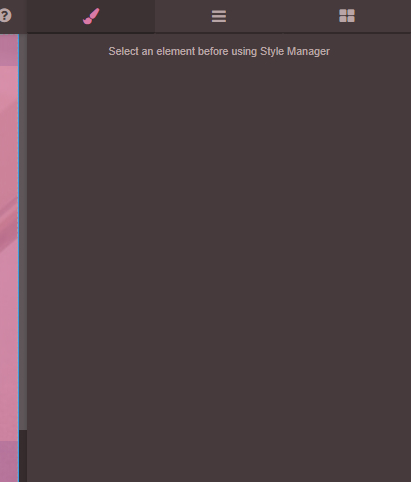
But it seems like this doesnt work by default, if markup is custom, like in artf example here: https://codepen.io/artf/pen/MQpZPj
Answers (1)
Yeah, that logic is handled in this command which is not included with a custom UI, so you have to add it on your own
Related Questions and Answers
Continue research with similar issue discussions.
Issue #3380
Default properties not selected in styleManager
Hello dear, can you know why default properties is not selected in style manager ?? What event can I trigger to update this ??
Issue #3389
MultiSelect some elements and change styles only work on the last selected element
Hi, when I MultiSelect some elements using shift, and change style in styleManager. Only the last clicked element will update the style. Ca...
Issue #3404
Style Manager Issue.
Hi @artf I want to hide and show style properties for specific component. After referencing this issue https://github.com/artf/grapesjs/iss...
Issue #4350
Style Manager don't update background when component is selected
GrapesJS version [X] I confirm to use the latest version of GrapesJS What browser are you using? Brave Browser V1.39.111 Reproducible demo...
Paid Plugins That Match This Issue
Curated by issue keywords and label relevance to help you ship faster.
Loading paid plugin recommendations...
Check the open-source GrapesJS plugins on GitHub or run a quick search in our free catalog.
Browse free plugins →Premium plugins ship with support, regular updates, and production-ready features — save days of integration work.
Browse premium plugins →Browse Plugin Categories
Jump directly to plugin category pages on the marketplace.