Disable focus of panel view container on selected element in editor
When you select a component in the canvas When you start dragging a block onto the canvas
Read full answer below ↓Question
Hi
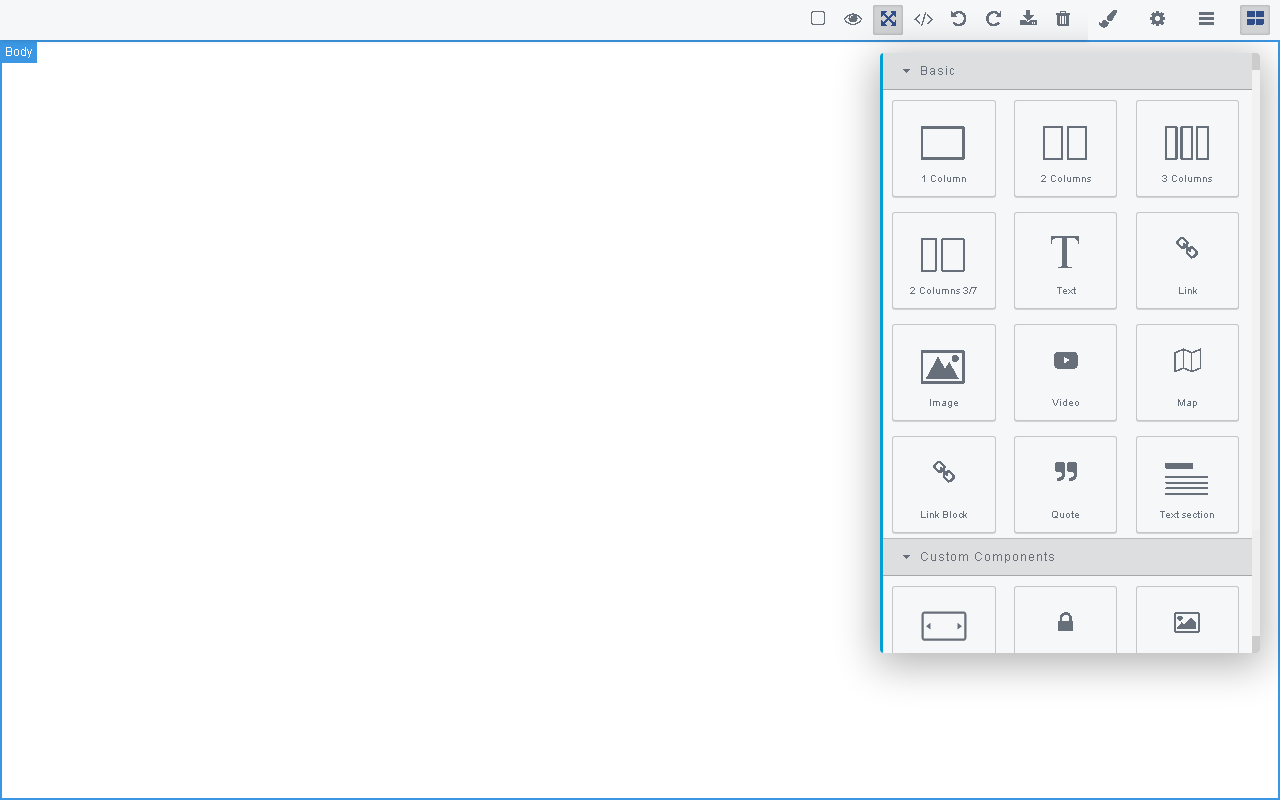
i am using grapejs for our project and my editor design is below.
My question is how to stop autofocus panel views container.
it only show when i click the panel buttons.
It always open when we drop a element to canvas or click a element in canvas.
Answers (1)
When you select a component in the canvas
editor.on('component:selected', () => {
  //unfocus panel
});
When you start dragging a block onto the canvas
editor.on('block:drag:start', () => {
  //unfocus panel
});
Related Questions and Answers
Continue research with similar issue discussions.
Issue #2350
How do I add elements/sectors to views container using a custom button in the Panel
I have added a custom button to the Panel as below: const pm = editor.Panels; pm.addButton('views', { id: 'customButton', className: '', co...
Issue #818
Open different Panel's view on click text element
How can I make "click" event on texts open different panel's view than StyleManager? I'm trying this:
Issue #956
How to load a new trait I added in a built-in component?
Hi guys I added a trait for my Link element which is a built-in component for gjs-blocks-basic. When I drag a new link component to the can...
Issue #3135
How to easily override existing component ?
For example, I want to add a double click event handler on the default video component to open the assets manager. My basic idea was to get...
Paid Plugins That Match This Issue
Curated by issue keywords and label relevance to help you ship faster.
Loading paid plugin recommendations...
Check the open-source GrapesJS plugins on GitHub or run a quick search in our free catalog.
Browse free plugins →Premium plugins ship with support, regular updates, and production-ready features — save days of integration work.
Browse premium plugins →Related tutorials
In-depth guides on the same topic.
Tutorial
GrapesJS DevTools: A Developer Panel Inside Your Editor
If you've ever debugged GrapesJS with console.log(editor.getSelected()) and a dozen throwaway event listeners — this post is for you.
Tutorial
GrapesJS Inline RTE Plugins Update: CKEditor 5 v0.1.4 and Froala Inline Text Editor
CKEditor 5 Inline for GrapesJS v0.1.4 fixes Studio SDK toolbar clipping, iframe injection and link balloon bugs. Compare with Froala Inline — both $69.
Tutorial
GrapesJS vs Gutenberg: How to Build a Custom WordPress Page Builder
Compare GrapesJS and Gutenberg, learn when to use each, and follow a step-by-step guide to build a production WordPress page builder with GrapesJS.
Browse Plugin Categories
Jump directly to plugin category pages on the marketplace.