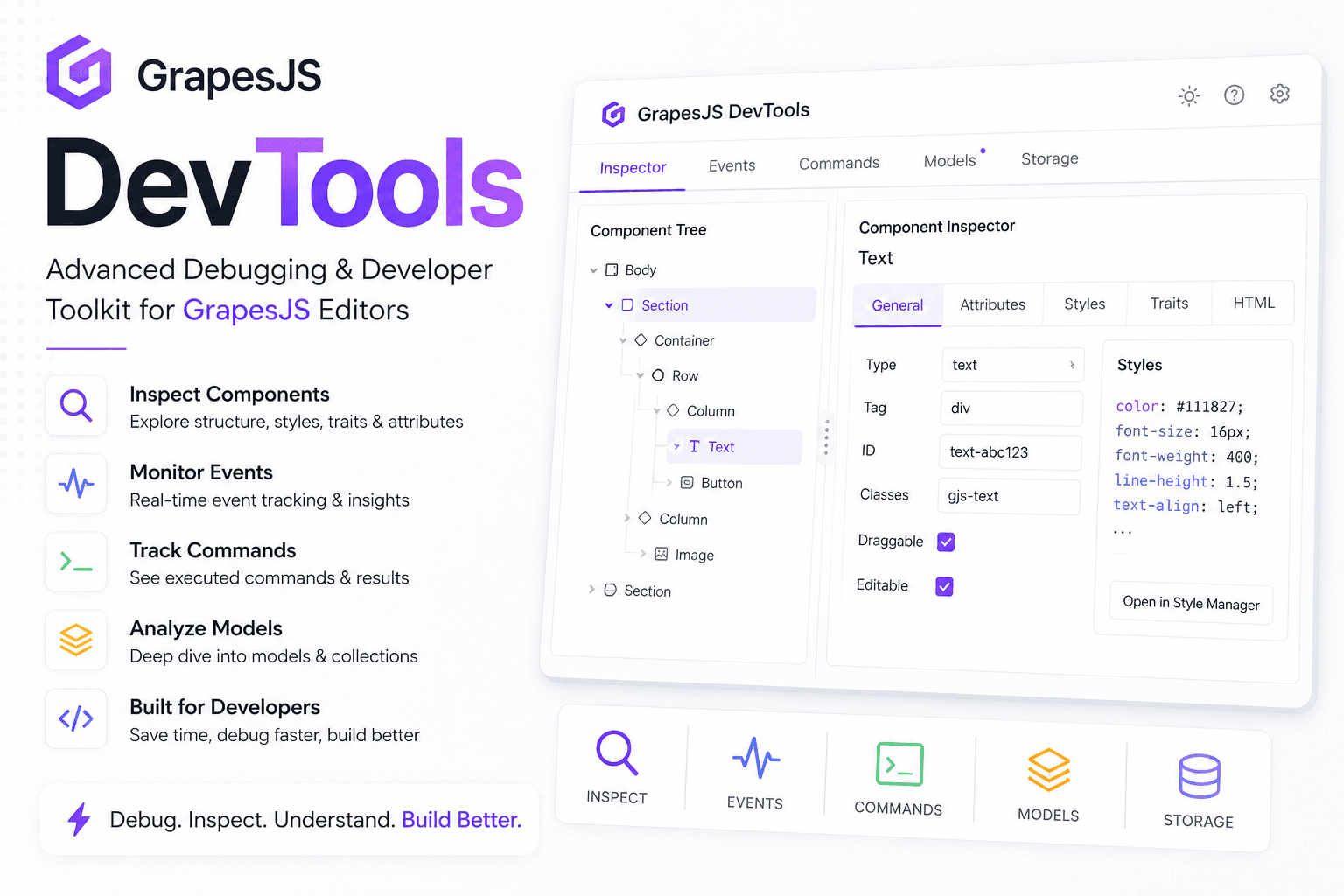

We've released grapesjs-devtools an open-source (MIT) plugin that adds a dockable developer panel to the editor. The idea is simple: like your browser's DevTools, but instead of inspecting the page, you inspect the internal state of the editor itself. HitCtrl+Shift+D(CMD+Shift+Don macOS) and the whole editor opens up: the component tree, applied styles, the event stream, a REPL, and even an AI assistant that answers GrapesJS questions with working code examples.
Live demo switch between the standard Webpage preset and GrapesJS Studio right in the header, open the panel with the hotkey, and poke around.
Why This Exists
GrapesJS is a powerful tool, but most of its internal state is invisible. Components, traits, CSS rules, managers, the event bus all of it lives inside Backbone models, and when something goes wrong, you end up excavating it by hand from the browser console. Anyone who has written a plugin or a custom component knows the loop: subscribe to an event, log the payload, tweak, unsubscribe, repeat.
DevTools removes that grind. Everything that used to require manual digging is now visible live, in one panel.
What's Inside
The panel is built from modules each one can be disabled in the config if you don't need it.
Components a live component tree with two-way selection sync with the canvas. Click a node in the tree and the component gets selected on the canvas, and vice versa. Attributes and traits are editable right in the panel, and any component can be copied as JSON.
Styles see which CSS rules actually apply to the selected element, with cascade-overridden properties struck through and inline editing. Plus project-wide rule search and a dead-rule scanner that finds rules matching nothing.
Events a log of every editor event through a single listener: group and text filters, pause, frequency stats, and payload inspection for each event. The list is virtualized, so even a noisy project won't freeze the panel.
Console a REPL witheditorand$0(the selected component) in scope, history, autocomplete oneditor., and ready-made snippets. No more keeping browser DevTools open just to "ask" the editor something.
Storage a JSON tree of your project data, structural diffs between snapshots, export/import, and live HTML/CSS with syntax highlighting.
Managers an overview of blocks, traits, selectors, devices, and loaded plugins. Clicking a selector jumps straight to filtering it in the Styles module.
Perf live metrics (component count, CSS rule count, editor listener count, undo stack size), a canvas re-render timer, and a leak detector built on a simple principle: take a baseline, compare later.
Canvas overlays on top of the canvas: highlight all components color-coded by nesting depth, box model of the selected element, apointer-eventstoggle for the canvas body, and scroll-to-selected.
Snapshots capture and restore the full project state (data + selection + device), with export/import and optional localStorage persistence.
The AI Assistant
The AI tab deserves its own section. It's not a "chat for chat's sake": the assistant understands the editor's context. Hit "Pick element", click any part of the UI a panel, a button, a manager or just select a component on the canvas, and ask something like "how do I add another button here?". You get an explanation plus a ready-to-use GrapesJS code example, streamed, in Markdown, with copyable code blocks.
Claude, ChatGPT, and Gemini are supported. By default, requests go straight from the browser (handy for development the UI warns you about it honestly), but for production there are two smarter modes:
- Proxy mode point it at your own endpoint and the API key never leaves your server. The browser sends the provider's native request body to your proxy, which adds the key and streams the response back. A minimal proxy is literally a dozen lines of Express there's an example in the README.
- OpenAI-compatible backends OpenRouter, Ollama, LM Studio, Together, and any other gateway. Want a free local assistant via Ollama? Done.
Being a Good Guest in Your Editor
We worked hard to make devtools behave like a polite houseguest:
- No leaks.All event subscriptions go through a single
EditorBridgethat tears them down when the panel closeseditor._eventsreturns to its baseline. - Lazy.Modules mount on first tab open; timers and RAF loops stop on deactivation.
- Non-invasive.The panel is a
position: fixedoverlay and never writes into the canvas iframe (the only exception is the explicitpointer-eventstoggle). - Zero runtime dependencies.The UI is plain DOM, large lists are virtualized, and the tree renders children lazily projects with 1000+ components stay responsive.
Where we do peek into private APIs (the Perf listener metric reads Backbone's internal structure), it's isolated intry/catchand degrades ton/arather than crashing the panel.
Try It
npm install grapesjs-devtools import grapesjs from 'grapesjs'; import devtools from 'grapesjs-devtools'; import 'grapesjs-devtools/dist/style.css'; const editor = grapesjs.init({ container: '#gjs', plugins: [devtools], }); Compatible with GrapesJS>= 0.21.0. Everything is configurable: dock position (bottom/right/left), sizes, theme (dark/light/auto), hotkey, modules.
The panel is also extensible: a custom module is just a class withmount/deactivate/destroythat receives a context with theEditorBridgefor safe subscriptions.