
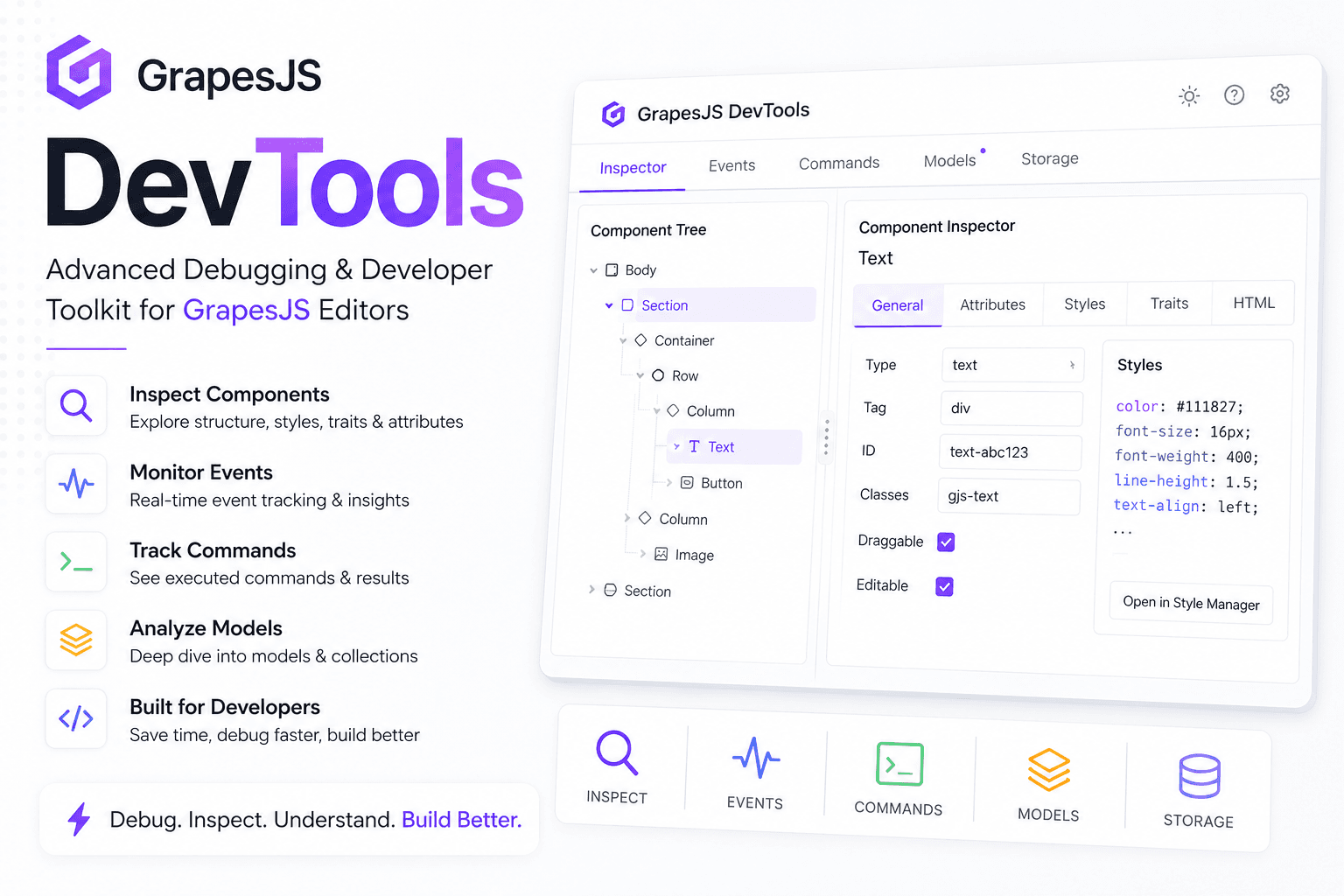
GrapesJS DevTools – Debugging & Developer Toolkit

What's Included
- Free to download & use
- GrapesJS Studio compatible
- Open for personal & commercial use
Support The Creator
Use one-time or monthly support to thank the creator for this free product.
GrapesJS Compatible
Tested with GrapesJS 0.23.x, 0.22.x, 0.21.x
Open Source on GitHub
Free to use, fork, and contribute
Studio Ready
Fully compatible with GrapesJS Studio
Free to Use
Open for personal and commercial projects
GrapesJS DevTools
Developing custom GrapesJS editors can quickly become challenging when working with complex components, commands, events, traits, plugins, and custom integrations.
GrapesJS DevTools provides a powerful set of debugging and inspection utilities designed specifically for GrapesJS developers. Whether you're building page builders, email editors, template editors, SaaS products, or custom visual builders, this plugin helps you understand what's happening inside your editor in real time.
Why Use GrapesJS DevTools?
When building advanced GrapesJS applications, developers often spend hours debugging:
- Component hierarchy issues
- Event execution flows
- Command behavior
- Trait updates
- Style changes
- Block interactions
- Plugin integrations
- Canvas rendering problems
GrapesJS DevTools gives you visibility into the editor's internal state, helping you identify issues faster and develop with greater confidence.
Key Features
Component Inspector
Inspect selected components and view their structure, attributes, styles, traits, and configuration.
Event Monitoring
Track GrapesJS events in real time and understand exactly what happens inside the editor.
Command Debugging
Monitor command execution and identify command-related issues quickly.
Model Analysis
Explore component models, collections, and internal data structures.
Plugin Development Support
Perfect for developers building custom GrapesJS plugins and integrations.
Real-Time Diagnostics
Instantly inspect editor activity without manually adding console logs throughout your project.
Development Productivity
Reduce debugging time and accelerate feature development.
Perfect For
- GrapesJS plugin developers
- SaaS page builder teams
- No-code platform builders
- Email editor developers
- Internal website builder projects
- Custom CMS solutions
- Template editor development
- Agency development teams
Benefits
✓ Faster debugging
✓ Better visibility into editor internals
✓ Easier plugin development
✓ Improved development workflow
✓ Reduced troubleshooting time
✓ Enhanced productivity
✓ Better understanding of GrapesJS architecture
Use Cases
- Debug custom components
- Validate editor events
- Troubleshoot trait behavior
- Inspect dynamic content
- Analyze plugin interactions
- Monitor editor state changes
- Build advanced GrapesJS extensions
- Improve development efficiency
If you're serious about building professional GrapesJS applications, GrapesJS DevTools becomes an essential part of your development workflow.
Ratings:
No reviews yet. Be the first to share your experience.
Questions & Answers
No questions yet. Have something to ask?
Common problems this plugin can help fix
Real community questions on the same topic — see how others worked around them.