Making the actions toolbar and rte toolbars follow the text zone on "enters"
Works as expected on my side... version of GrapesJS? Browser?
Read full answer below ↓Question
I don't know if this is an issue on my side (some custom modifications) or if this is an known issue with GrapesJs: in a text zone, when I type "enter" characters, the actions and rte toolbars don't follow the bottom of the zone. I have to type some other characters for the toolbars to reposition themselves correctly:
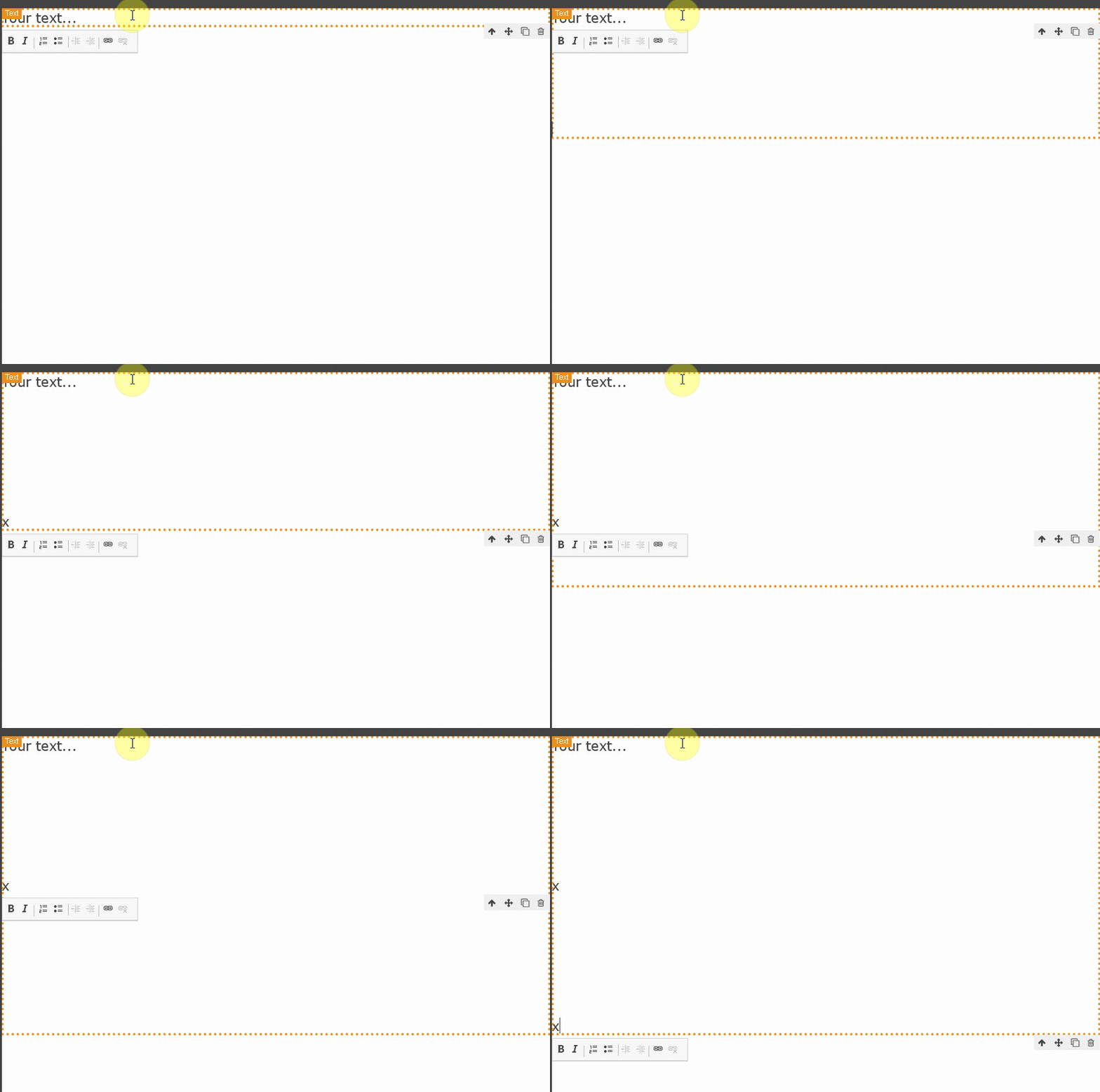
Is there something I can do to improve this?
Answers (2)
Works as expected on my side... version of GrapesJS? Browser?
GrapesJs 0.15.9. Tested on the latest versions of Firefox and Chrome. But I tweaked a lot of things/css... I probably broke something! Thanks for that validation it does work for you.
Related Questions and Answers
Continue research with similar issue discussions.
Issue #2170
Custom component - how to set editable to true
Hi, I've created a custom component type, but I am having some trouble making it editable. The component is a "span" with component type "t...
Issue #4699
Undo not working properly on InsertHTML in text block
GrapesJS version [X] I confirm to use the latest version of GrapesJS What browser are you using? chrome v107 Reproducible demo link https:/...
Issue #3546
How can I add the custom left toolbar for Image component similar to text
We want to add a custom toolbar to the image component to be shown at left side (similar to what we show for text component). Please let me...
Issue #1706
How to get href from rte?
I have this rte toolbar where you can type and click 'save' and it's going to create a link for the selected text. but the problem is that...
Paid Plugins That Match This Issue
Curated by issue keywords and label relevance to help you ship faster.
Loading paid plugin recommendations...
Check the open-source GrapesJS plugins on GitHub or run a quick search in our free catalog.
Browse free plugins →Premium plugins ship with support, regular updates, and production-ready features — save days of integration work.
Browse premium plugins →Related tutorials
In-depth guides on the same topic.
Tutorial
GJS.Market Is Now Available for India 🇮🇳
GJS.Market is expanding its global presence with a dedicated experience for developers, agencies, SaaS companies, and digital creators in India
Tutorial
UnStudio for GrapesJS: 4 Plugins to Build Better Visual Editors
Meet UnStudio, a new GrapesJS plugin studio with four tools, safer and better editor: Command Palette, Responsive Pack, Autosave & Restore, and Autofill
Tutorial
Claude Skill for GrapesJS: How AI Is Changing the Way We Build Visual Editors
We've released the Claude Skill for GrapesJS Development — a free, open-source skill that turns Claude into a developer who actually knows GrapesJS
Browse Plugin Categories
Jump directly to plugin category pages on the marketplace.