Mobile device view is not working well.
@Excellent-Developer what exactly is the problem in the UI? If you're suggesting that the button for the device selection don't have the resolutions you need,then you can change that from the config file inside editor forlder. If you're suggesting that the UI inside the canvas is not auto-aligned according to the smal...
Read full answer below ↓Question
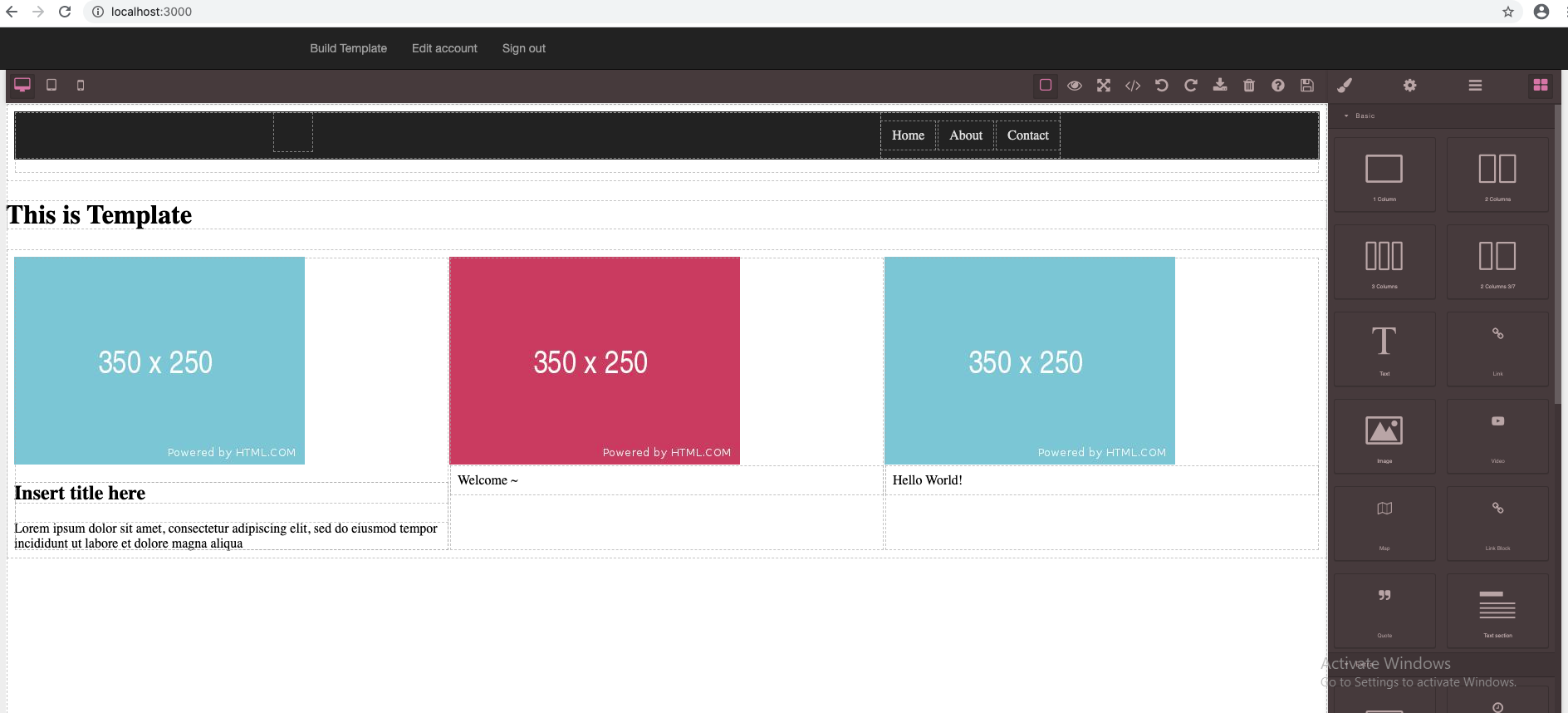 This is for Desktop
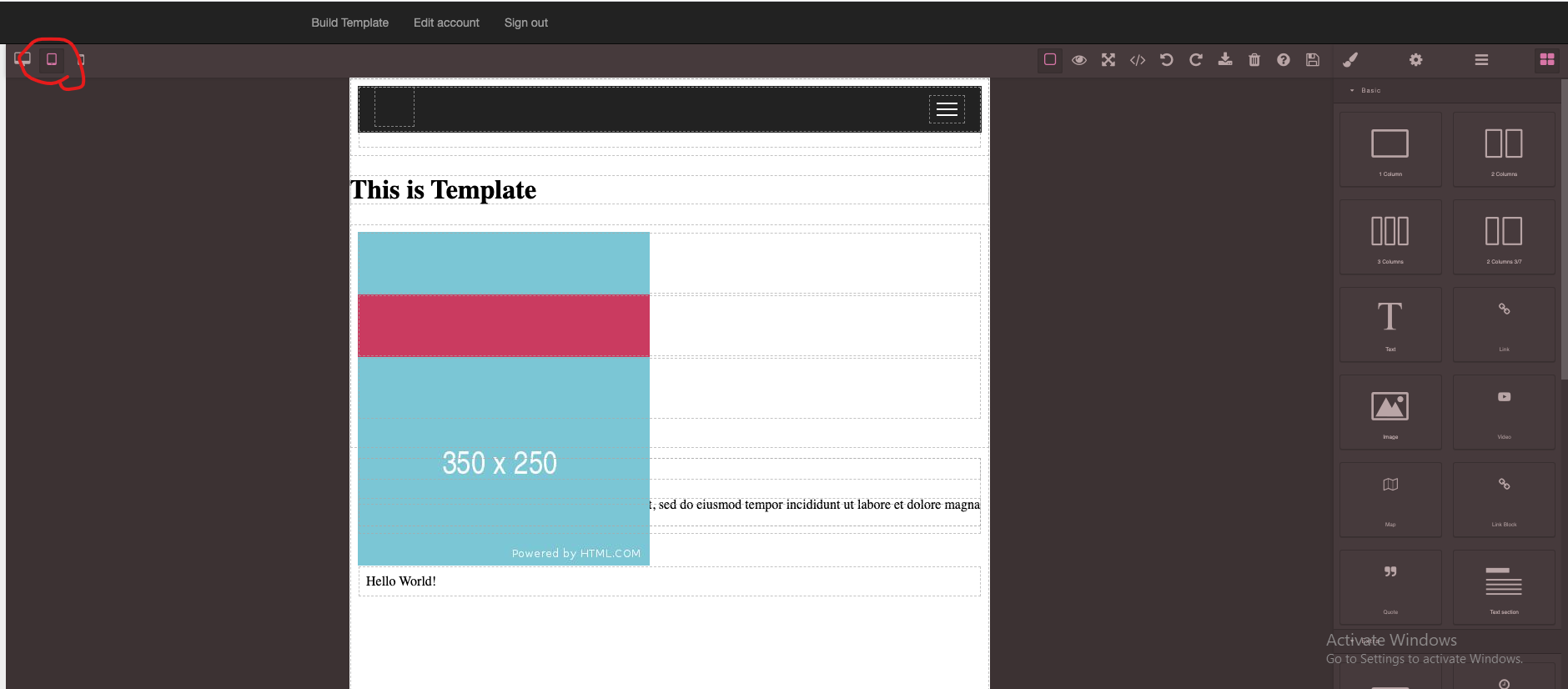 This is for Mobile
Please teach me how to solve it.
This is for Mobile
Please teach me how to solve it.
Answers (1)
@Excellent-Developer what exactly is the problem in the UI? If you're suggesting that the button for the device selection don't have the resolutions you need,then you can change that from the config file inside editor forlder. If you're suggesting that the UI inside the canvas is not auto-aligned a...
Related Questions and Answers
Continue research with similar issue discussions.
Issue #1801
CSS in Mobile View
I have developed a Grapesjs Application in which when I switch device from desktop to mobile it gets distorted. Please Help... Desktop View...
Issue #3315
Mm or cm Units are converted to px
I realized that mm or cm units are converted to px. How can i solve this problem? Thank you
Issue #1752
Add Image is not working in IE Browser
Uploading an image and adding to the template is working in Chrome but it is not working in IE browser. Please give me a solution how to fi...
Issue #2865
Enable 'view components' button on panel by default
this button is currently off by default. so you have to turn it on every time, which is not obvious to everyone. how do you make it active...
Paid Plugins That Match This Issue
Curated by issue keywords and label relevance to help you ship faster.
Loading paid plugin recommendations...
Check the open-source GrapesJS plugins on GitHub or run a quick search in our free catalog.
Browse free plugins →Premium plugins ship with support, regular updates, and production-ready features — save days of integration work.
Browse premium plugins →Related tutorials
In-depth guides on the same topic.
Tutorial
How to Build an AI-Powered Page Builder with GrapesJS in 2026
What we learned building GJSDocs — from simple AI text generation to structured, context-aware visual editing
Tutorial
UnStudio for GrapesJS: 4 Plugins to Build Better Visual Editors
Meet UnStudio, a new GrapesJS plugin studio with four tools, safer and better editor: Command Palette, Responsive Pack, Autosave & Restore, and Autofill
Tutorial
Claude Skill for GrapesJS: How AI Is Changing the Way We Build Visual Editors
We've released the Claude Skill for GrapesJS Development — a free, open-source skill that turns Claude into a developer who actually knows GrapesJS
Browse Plugin Categories
Jump directly to plugin category pages on the marketplace.