Add link on image in grapsjs editor
Question
Hi,
Add link (href) to image in grapesjs .
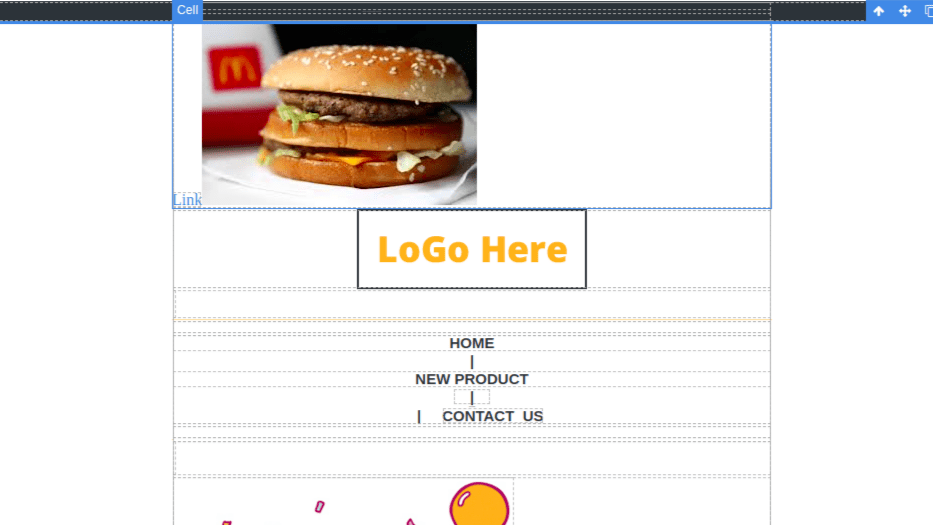
First we add image in grapesjs and then add link to that image, its shows " Link " text next to that image, but i was unable to add link to that image. here i am adding screenshot below, can you please help me out , how to add link in image
Answers (3)
@luvcharan reference from the demo:
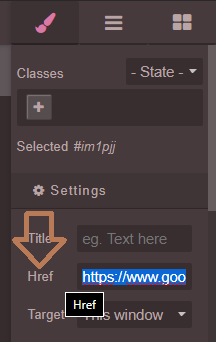
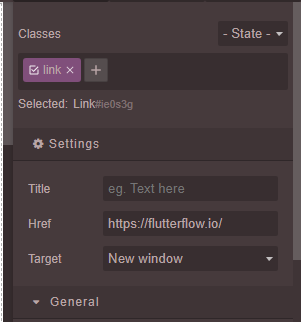
Hi @luvcharan you must use Link Block not Link.
- first add the link block.
- then drop your image inside link block.
- specify href for link block. cheers!
Hi Do the links not work in a demo, unpublished template.
I've been trying this and it's not working in preview
Related Questions and Answers
Continue research with similar issue discussions.
Issue #3171
Adding / Updating href trait does not add `<a></a>` wrapper to image.
Expected Behavior - when I update href trait value, the image should be wrapped inside a with href value set. i.e. <a href="google.com"><im...
Issue #3458
ADD CUSTOM BLOCKS (i.e iframe) and customise it like image i.e on double click it open assets options for video link in custom iframe block
WARNING READ and FOLLOW next 3 steps, then REMOVE them before posting the issueFollow CONTRIBUTING Guidelines https://github.com/artf/grape...
Issue #6318
Unable to use transparent fill in Block media svg
GrapesJS version[X] I confirm to use the latest version of [email protected] when this issue was filedWhat browser are you using? Fir...
Issue #5263
Deleting a component without deleting its corresponding style, will adding new components later cause style conflicts?
GrapesJS version [X] I confirm to use the latest version of GrapesJS What browser are you using? latest version of Chrome Reproducible demo...
Paid Plugins That Match This Issue
Curated by issue keywords and label relevance to help you ship faster.
Loading paid plugin recommendations...
Check the open-source GrapesJS plugins on GitHub or run a quick search in our free catalog.
Browse free plugins →Premium plugins ship with support, regular updates, and production-ready features — save days of integration work.
Browse premium plugins →Related tutorials
In-depth guides on the same topic.
Tutorial
GJS.Market Is Now Available for India 🇮🇳
GJS.Market is expanding its global presence with a dedicated experience for developers, agencies, SaaS companies, and digital creators in India
Tutorial
How to Build an AI-Powered Page Builder with GrapesJS in 2026
What we learned building GJSDocs — from simple AI text generation to structured, context-aware visual editing
Tutorial
How Much Does It Cost to Build a SaaS Page Builder in 2026?
How much does it cost to build a SaaS page builder in 2026? Explore realistic development costs, timelines, features, and how using GrapesJS can reduce
Browse Plugin Categories
Jump directly to plugin category pages on the marketplace.