Bug on resize image
It would be easier for everybody here to help you if you can provide a live demo. I experienced the same issue, but in my case, it was because I set the image height to auto. Here is the example of my old issue:
Read full answer below ↓Question
Hi ! I have some issues when i want resize an image. When i put an image and when i click one resizer handler, the image don't keep his height but expand it to 100% of parent container... I didn't found an option into the "resizable" option to disable that : editor.DomComponents.addType('image', { model: { defaults: { resizable: { step: 0.05, minDim:1, maxDim:100, unitHeight: '%', unitWidth: '%', currentUnit:0, } } } }); For context, the image has a absolute position. Thanks for help !
Answers (3)
It would be easier for everybody here to help you if you can provide a live demo. I experienced the same issue, but in my case, it was because I set the image height to auto.
Here is the example of my old issue:

Thanks but it's not the same issue. I take a video to show the problem :
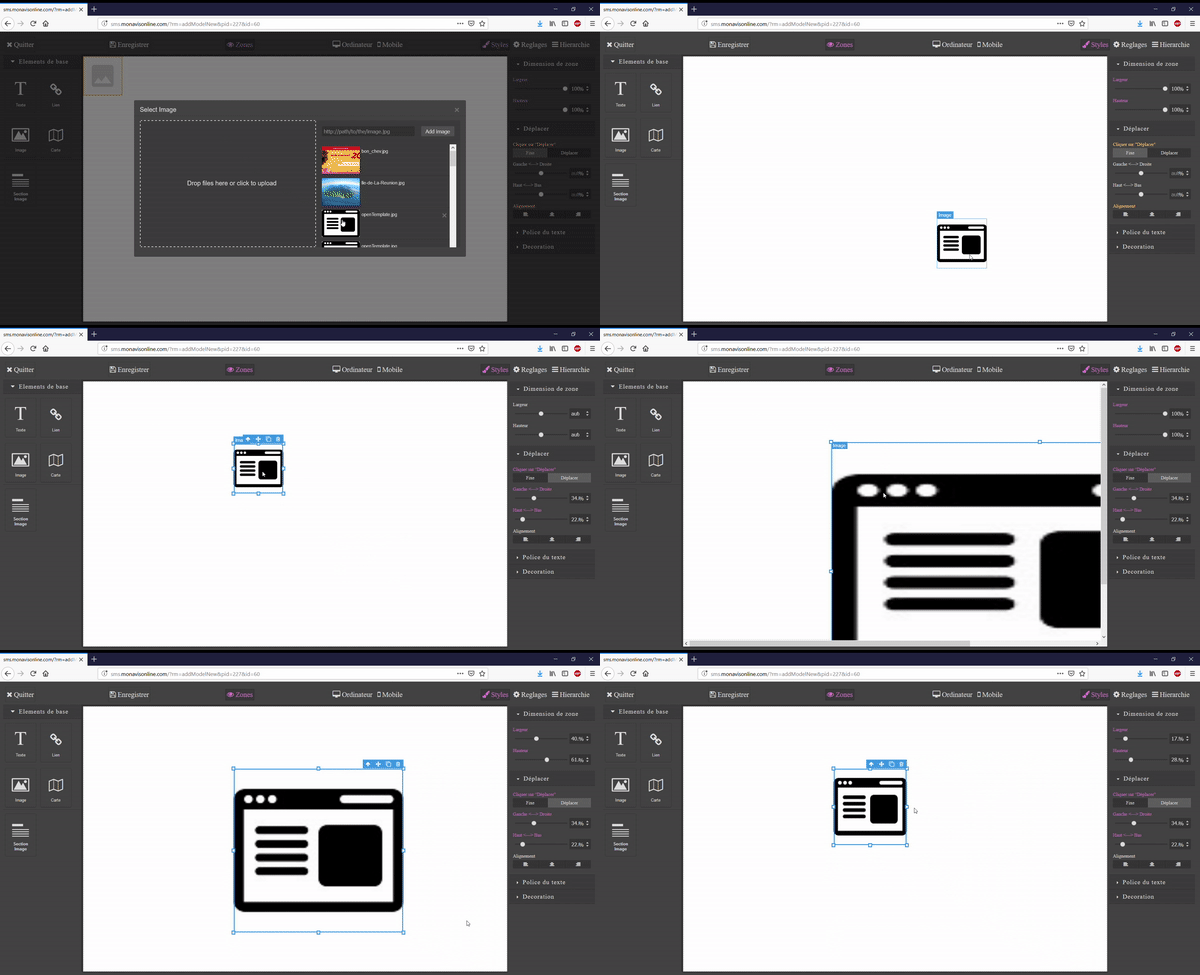
Thanks for the report @MisterFK can you provide a live demo of the issue, please?
Related Questions and Answers
Continue research with similar issue discussions.
Issue #998
Asset Manager sends empty request when uploading image
Description: GrapesJS editor is initialized in an editor.html file as follows: localhost:9001 is a local IIS server running PHP5. The conte...
Issue #1121
<Tbody> inside <Table>
Hi @artf , I created a new component with tagName = 'table'. When selected and one option of its toolbar I also created is clicked, a new m...
Issue #1221
Can't drag blocks
Hello, when I use grapesjs (with gjs-preset-webpage or gjs-preset-newsletter) I sometimes have a weird bug. I can't drag the blocks on the...
Issue #1282
AvoidInlineStyle true breaks saving properties
Case:Set avoidInlineStyle to trueDrag an image to the canvas, set it's width to 100% via Layout > WidthSave the canvasReload the canvas Exp...
Paid Plugins That Match This Issue
Curated by issue keywords and label relevance to help you ship faster.
Loading paid plugin recommendations...
Check the open-source GrapesJS plugins on GitHub or run a quick search in our free catalog.
Browse free plugins →Premium plugins ship with support, regular updates, and production-ready features — save days of integration work.
Browse premium plugins →Browse Plugin Categories
Jump directly to plugin category pages on the marketplace.