Create toolbar in bottom
If you make that cell as a custom component, you can manipulate its View PS: this new syntax requires version 0.14.50+
Read full answer below ↓Question
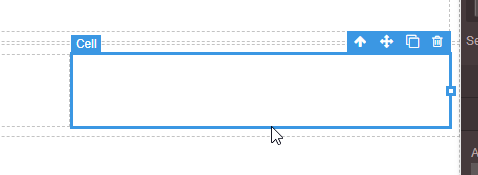
can I make a new toolbar that is located at the bottom (as shown by the cursor) when selected component? Thank's
Answers (3)
If you make that cell as a custom component, you can manipulate its View PS: this new syntax requires version 0.14.50+
not only in the cell, but for all components
Of course, you can apply the same technique to any component.
Related Questions and Answers
Continue research with similar issue discussions.
Issue #1695
Adding new trait to Video component
I want to add a new trait for existing VIDEO '' component. I follow the docs and I didn't find what I want. Now I got the new trait added t...
Issue #1870
Set data-gjs-type in tag i (Why iscomponent not working)
when i add block(tag i), data-gjs type is "I" (there is no problem from the trait that I made) i'm have trait but if save and reload, data-...
Issue #408
How to update toolbar of component?
Hi Artf, i was added new command to editable component, update style work well but i don't know how to update this toolbar after component...
Issue #1951
Change or add event on add component from block
is it possible ?, change the drag and drop event to on click when adding a new component, I want to add components by clicking the block th...
Paid Plugins That Match This Issue
Curated by issue keywords and label relevance to help you ship faster.
Loading paid plugin recommendations...
Check the open-source GrapesJS plugins on GitHub or run a quick search in our free catalog.
Browse free plugins →Premium plugins ship with support, regular updates, and production-ready features — save days of integration work.
Browse premium plugins →Related tutorials
In-depth guides on the same topic.
Browse Plugin Categories
Jump directly to plugin category pages on the marketplace.