
Grapesjs Twitch

What's Included
- Free to download & use
- Open for personal & commercial use
Support The Creator
Use one-time or monthly support to thank the creator for this free product.
GrapesJS Compatible
Tested with GrapesJS 0.18.x, 0.19.x, 0.20.x, 0.21.x
Open Source on GitHub
Free to use, fork, and contribute
Editor Compatible
Designed for the GrapesJS open-source editor
Free to Use
Open for personal and commercial projects
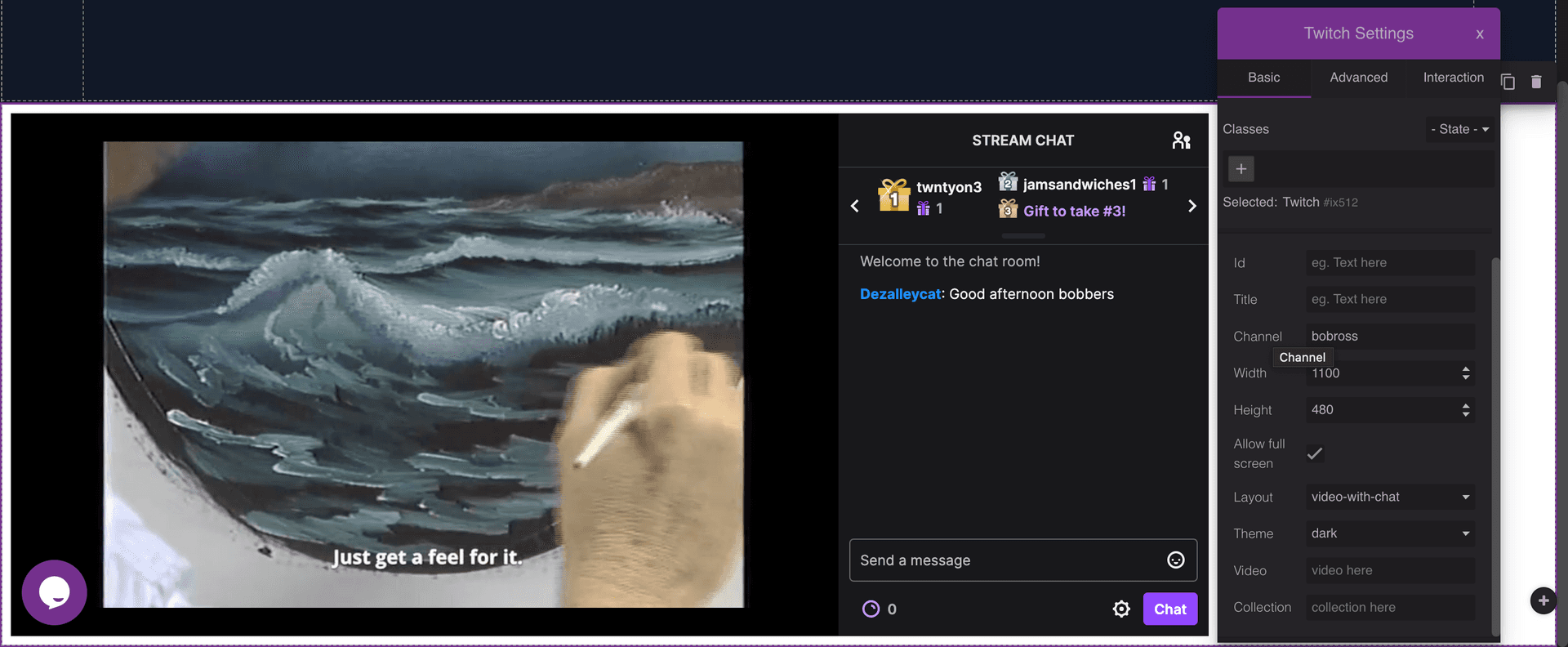
Twitch embeds are configured by a handful of parameters — a channel, a video, or a collection — and normally arrive as a block of pasted script. This plugin builds them as a proper GrapesJS component, following Twitch's own embed documentation.
What it adds
A twitch component and a Twitch block, filed under the Basic category by default. The three possible sources are exposed as traits, each with its own placeholder text, so the person editing picks one without knowing the embed API.
Options
script— the Twitch embed script URL, defaulting to the officialembed.twitch.tv/embed/v1.js.channelPlaceholder,videoPlaceholderandcollectionPlaceholder— the hint text shown in each trait input.labelandcategory— the block's name and its Block Manager category.blockandprops— extend the block definition and customise the component props.
Preview caveat
The Twitch embed expects a real origin, so previewing inside the editor is more accurate when the page is served from a server rather than opened from the filesystem. The author notes this explicitly.
Good to know
Install as grapesjs-component-twitch.
Ratings:
No reviews yet. Be the first to share your experience.
Questions & Answers
No questions yet. Have something to ask?
Common problems this plugin can help fix
Real community questions on the same topic — see how others worked around them.