
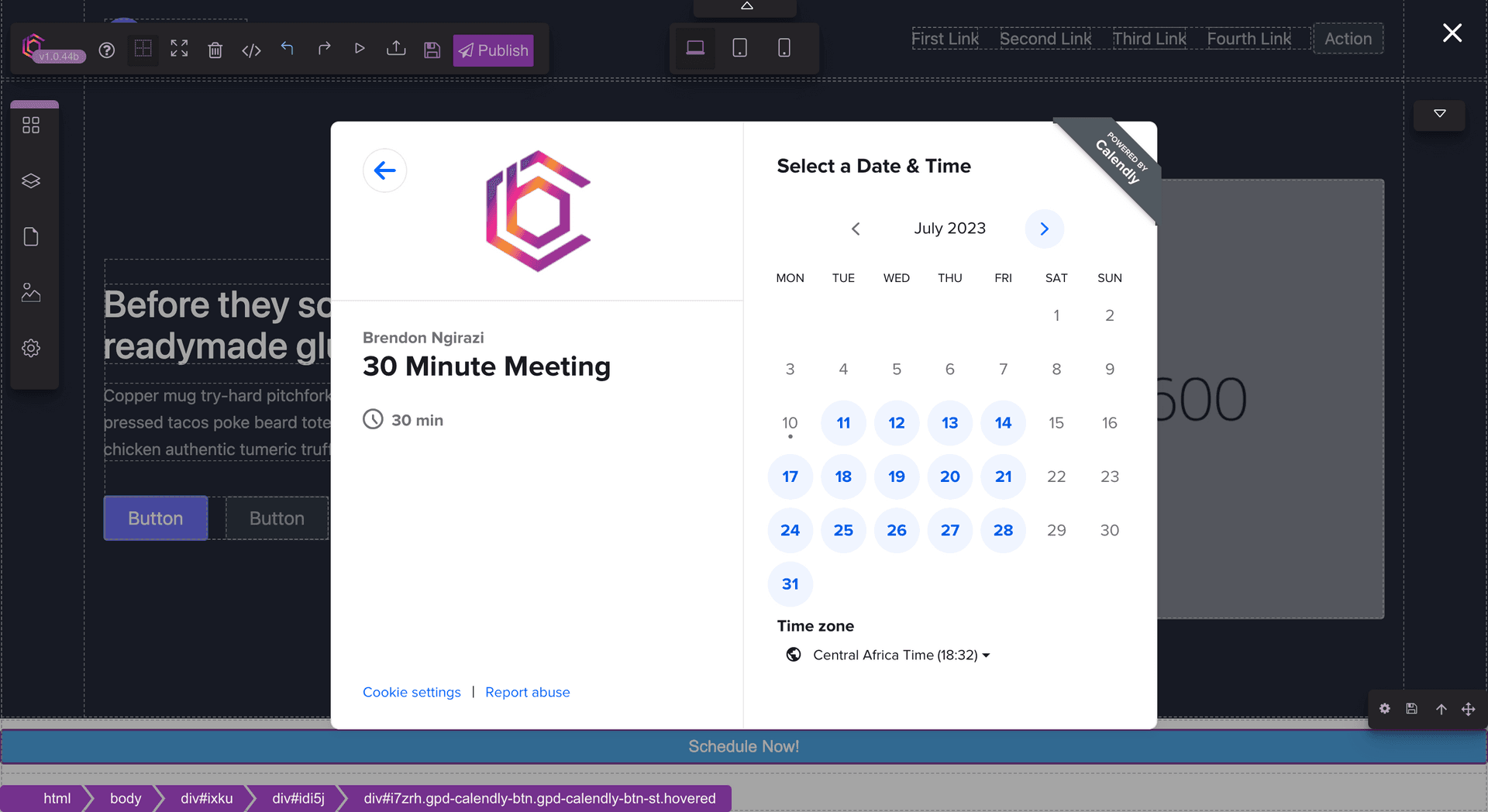
Grapesjs Calendly

What's Included
- Free to download & use
- Open for personal & commercial use
Support The Creator
Use one-time or monthly support to thank the creator for this free product.
GrapesJS Compatible
Tested with GrapesJS 0.18.x, 0.19.x, 0.20.x, 0.21.x
Open Source on GitHub
Free to use, fork, and contribute
Editor Compatible
Designed for the GrapesJS open-source editor
Free to Use
Open for personal and commercial projects
Booking widgets are usually added the awkward way: copy an embed snippet from Calendly, find somewhere to paste it, and hope it survives the next edit. This plugin registers Calendly as a first-class GrapesJS block instead.
What it adds
A single Calendly block. Drag it onto the canvas and the embed becomes a real component in the tree — visible in the Layer Manager, selectable, styleable, and safe from being deleted along with a block of pasted markup.
Why a block rather than an embed
Custom-code embeds are opaque to the editor. They cannot be styled through the Style Manager, they do not appear meaningfully in the layer tree, and a non-technical editor has no safe way to move or duplicate them. Registering the widget as a component makes it behave like everything else on the canvas — which matters most on the pages where a booking link is the conversion point.
Setup
Registration is a single entry in the plugins array; no plugin options are required. Include the GrapesJS stylesheet as usual and the block appears in the Block Manager.
Good to know
Install as grapesjs-calendly from npm or unpkg. BSD-3-Clause.
Ratings:
No reviews yet. Be the first to share your experience.
Questions & Answers
No questions yet. Have something to ask?
Common problems this plugin can help fix
Real community questions on the same topic — see how others worked around them.