
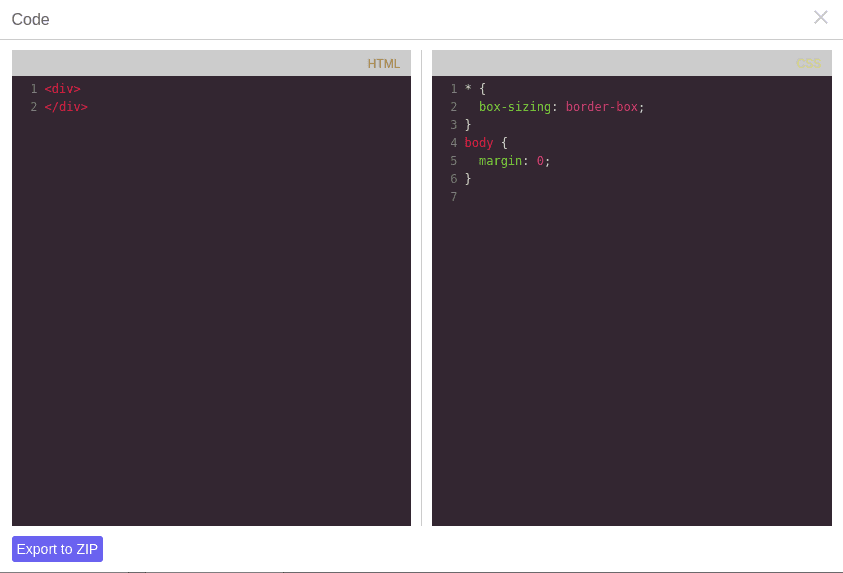
Export Zip

What's Included
- Free to download & use
- Open for personal & commercial use
Support The Creator
Use one-time or monthly support to thank the creator for this free product.
GrapesJS Compatible
Tested with GrapesJS 0.20.x, 0.19.x, 0.18.x, 0.17.x, 0.16.x
Open Source on GitHub
Free to use, fork, and contribute
Editor Compatible
Designed for the GrapesJS open-source editor
Free to Use
Open for personal and commercial projects
Getting a page out of GrapesJS usually means copying HTML and CSS from a modal. This plugin packages the whole project instead: a single command produces a downloadable ZIP with the file and folder layout you define.
The command
Everything runs through gjs-export-zip, which you can trigger from the export dialog's button or call directly with editor.runCommand('gjs-export-zip') from anywhere in your app.
Defining the archive
The root option describes the archive as a nested object: keys are folders and filenames, values are either literal strings or functions receiving the editor. Async functions are supported, so an img folder can fetch the images referenced by the current component tree before the archive is built. A typical root writes index.html from ed.getHtml() and css/style.css from ed.getCss().
Other options
filename— a function returning the archive name, for per-project naming.filenamePfx— the filename prefix used when no function is given. Defaults tograpesjs_template.addExportBtn— whether to add the export button inside the export dialog. On by default.btnLabel— the button label, defaulting toExport to ZIP.
Good to know
Install as grapesjs-plugin-export. BSD-3-Clause.
Ratings:
No reviews yet. Be the first to share your experience.
Questions & Answers
No questions yet. Have something to ask?
Common problems this plugin can help fix
Real community questions on the same topic — see how others worked around them.