
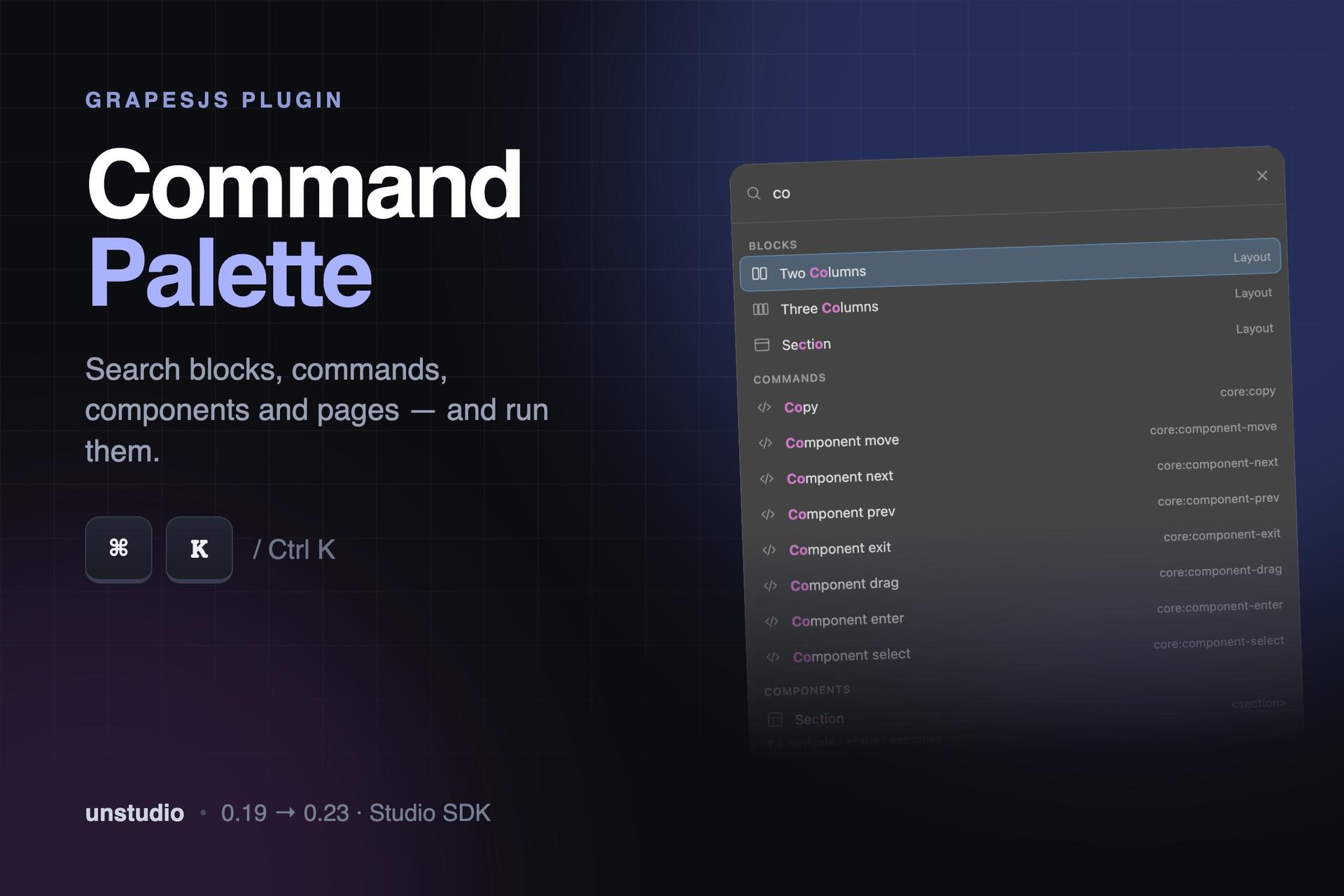
Command Palette — ⌘K for GrapesJS

What's Included
- Source code package (project files)
- Production-ready dist build
- GrapesJS Studio compatible
- Commercial license
- Future updates included
GrapesJS Compatible
Tested with GrapesJS 0.23.x, 0.22.x, 0.21.x, 0.20.x, 0.19.x
Source Code Included
Full source + production-ready dist build
Studio Ready
Fully compatible with GrapesJS Studio
Commercial License
Use in client projects without restrictions
Every tool your users already work in has ⌘K. Yours doesn't.
VS Code, Linear, Notion, Raycast, Figma. The muscle memory is there before anyone reads your documentation — people press it and expect something to happen.
Command Palette adds it to GrapesJS, wired to everything in the editor at once.
One shortcut, four sources
- Blocks— find and insert without hunting through categories
- Commands— anything registered in
editor.Commands, run instantly - Components— search the current page by name, tag or class; selecting one scrolls the canvas to it and selects it
- Pages— jump between them without leaving the keyboard
What you get
- Fuzzy matching with highlighted characters, zero dependencies
- Arrow keys, Enter, Esc — the palette never needs the mouse
- Recent actions surface first on an empty query
- Fully accessible: dialog role, focus trap, screen-reader labels
- Themes off the editor's own CSS variables, or override them
Extend it with your own sources
Thesourcesoption lets you register a search group of your own — your CMS entries, your design tokens, your API. Give it asearch()and arun()and it appears in the palette next to everything else. If you're embedding GrapesJS in a product, this is the fastest way to make the editor feel like part of your app rather than a widget inside it.
GrapesJS 0.19–0.23. Buy once, all future updates included.
Ratings:
1 reviews
Product Reviews (0)
No Reviews Found
Questions & Answers
No questions yet. Have something to ask?
Common problems this plugin can help fix
Real community questions on the same topic — see how others worked around them.
- #3687💬 4 answers
Keyboard shortcuts/Keymaps not working
- #6705💬 3 answers
TypeError: Cannot read properties of undefined (reading 'toLowerCase') in keyboard handler
- #5705💬 4 answers
Component tools misalign when the editor is resized
- #4148💬 3 answers
0.18.2 / 0.18.3 removes all on... HTML attributes when block is drag-dropped in the builder