
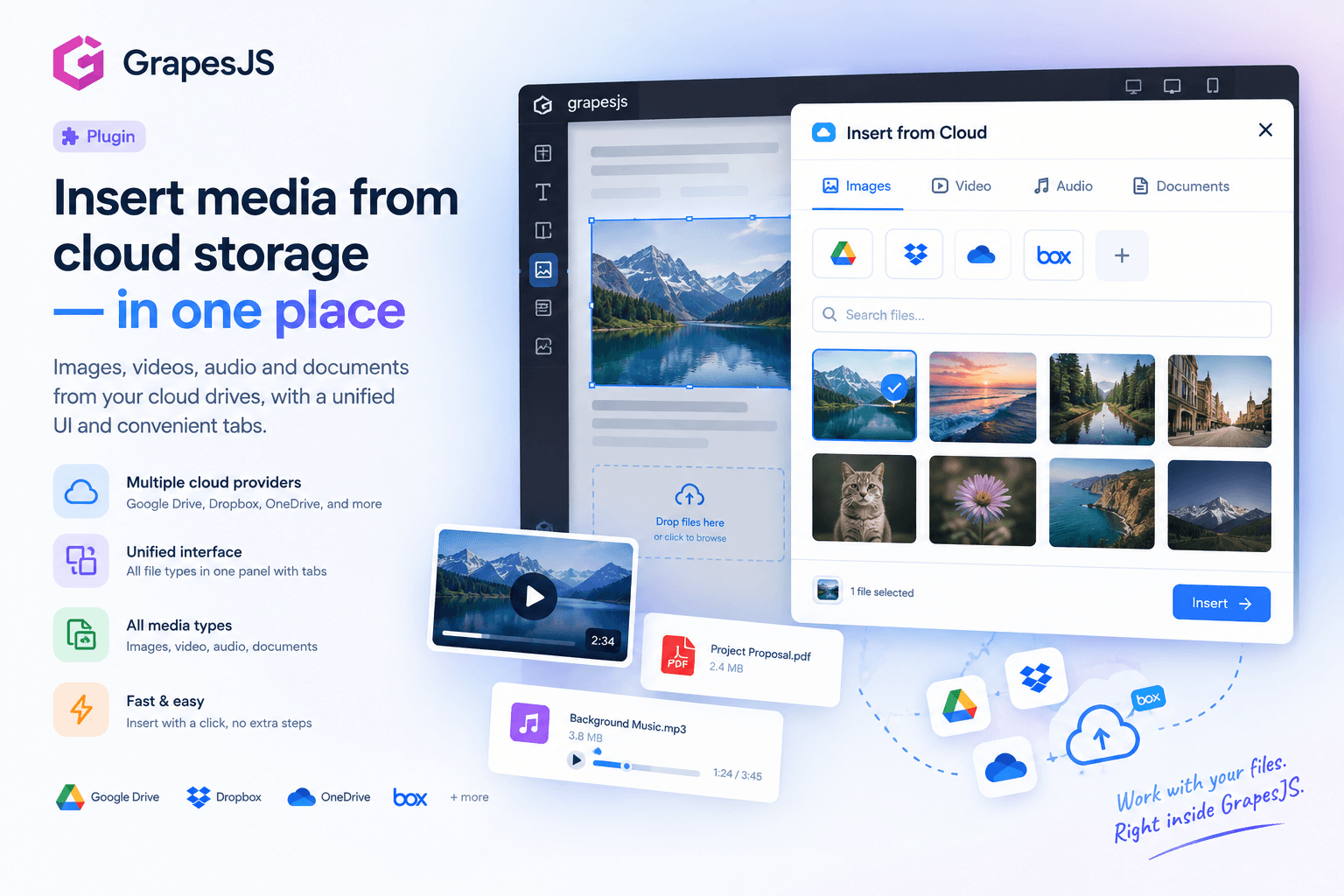
Cloud Assets Manager - Google Drive, OneDrive, DropBox, Box, S3

What's Included
- Free to download & use
- Open for personal & commercial use
Support The Creator
Use one-time or monthly support to thank the creator for this free product.
GrapesJS Compatible
Tested with GrapesJS 0.19.x, 0.20.x, 0.21.x, 0.22.x, 0.23.x
Free Download
Download and use in your projects for free
Editor Compatible
Designed for the GrapesJS open-source editor
Free to Use
Open for personal and commercial projects
One interface for all your files.
This GrapesJS plugin brings local files and cloud storage together in a single, familiar file manager. Browse your storage, find the file you need, and insert it directly into your GrapesJS project without switching between different services.
☁️ Multiple storage providers
Connect multiple storage services and access them directly from the editor:
- Dropbox
- Google Drive
- Microsoft OneDrive
- Box
- S3-compatible storage — AWS S3, MinIO, Wasabi, DigitalOcean Spaces, Cloudflare R2 and more
Cloud providers can be configured by the site owner, while visitors can also add their own S3-compatible storage directly from the interface.
📁 My Files
The built-in My Files tab provides everything you need for local content:
- Assets already added to the GrapesJS editor
- Upload files from your computer
- Insert files using a direct URL
The local tab can also be disabled when it isn't needed.
🔎 Search, filter and sort
Finding files is easy even with large storage collections.
- Search files by name
- Filter by file type
- Sort by columns
- Browse the contents of each storage provider independently
👁️ Three ways to browse
Choose the view that works best for your workflow:
- Explorer — familiar file manager layout
- Table — detailed file information and sortable columns
- Tree — hierarchical navigation through folders
🖼️ Insert by file type
The plugin automatically handles different content types and provides the appropriate insertion workflow for:
Images · Video · Audio · Documents
This makes the same interface useful for everything from website images to downloadable documents and media content.
☑️ Multiple selection
Select multiple files using familiar Ctrl + right-click and Shift + right-click interactions.
Then insert all selected files at once with group insertion.
🖱️ Context menu
Manage files directly from the explorer.
The context menu provides actions such as deleting files directly from the connected storage, without leaving the editor.
⬆️ Upload files and folders
Upload content directly to your connected storage.
You can either:
- Use the built-in upload form
- Drag and drop files into the window
- Upload multiple files at once
- Drag and drop entire folders for bulk upload
Built for GrapesJS
The plugin uses a dedicated Storage component group, with a separate component for each storage provider. This makes storage integrations modular and allows providers to work through the same unified interface.
Browse. Search. Manage. Insert.
Everything you need to work with local and cloud-hosted media — directly inside GrapesJS.
Ratings:
No reviews yet. Be the first to share your experience.
Questions & Answers
No questions yet. Have something to ask?
Common problems this plugin can help fix
Real community questions on the same topic — see how others worked around them.
- #4371✓ Solved · 4
All editors broken after last update that broke storage manager.
- #4370💬 3 answers
LayerManager becomes unresponsive after StorageManager.load()
- #3249💬 4 answers
QUESTION regarding JSON stored by the StorageManager
- #3179💬 4 answers
AssetManager seems to load assets from cache and doesnt update (Question)