Editor UI changes
You can change scss variables and and recompile to css: https://github.com/artf/grapesjs/blob/dev/src/styles/scss/gjsvariables.scss#L22
Read full answer below ↓Question
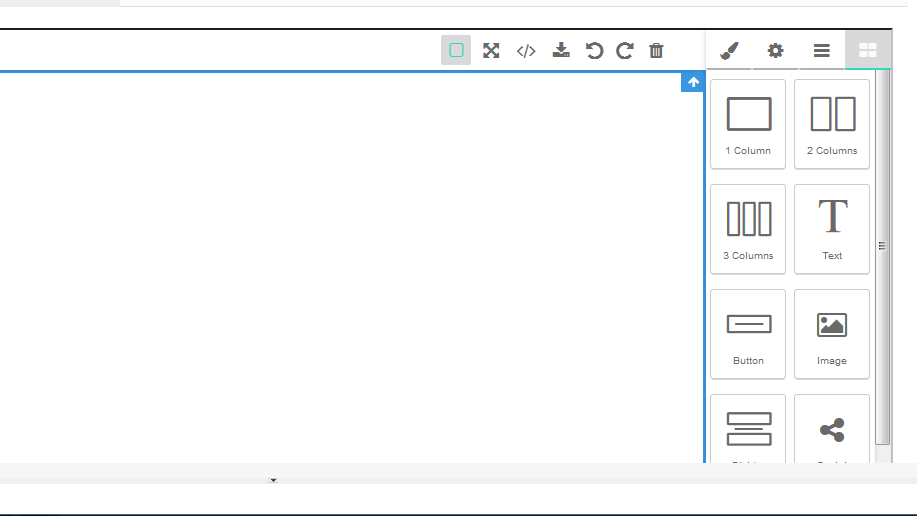
I would like to make the editor like the photo above. However, I can't find the css for the background or the panels. Any help provided would be fully appreciated.
Answers (2)
You can change scss variables and and recompile to css: https://github.com/artf/grapesjs/blob/dev/src/styles/scss/_gjs_variables.scss#L22
This thread has been automatically locked since there has not been any recent activity after it was closed. Please open a new issue for related bugs.
Related Questions and Answers
Continue research with similar issue discussions.
Issue #1294
How to add category for default block manager?
@artf I want put all default blocks to category named "Basic". But I can't find any documents about it. I use editor.BlockManager.getAll()....
Issue #401
Cannot upload images
Hi, while uploading an image through asset manager, I get the following error: Assetmanager configuration at editor init looks like Folder...
Issue #362
How to create custom link components that prompts users to type link/choose link similar to Images Component Modal
Image Components have logic to call Modal and prompt user's interaction for options/configuration of image url. Would like to do similar to...
Issue #824
Is it possible to remove "views" of editor Panel
I wish to remove/hide the below mentioned "view" from the Panel. Is it possible via API or I need to externally hide using css ? editor.Pan...
Paid Plugins That Match This Issue
Curated by issue keywords and label relevance to help you ship faster.
Loading paid plugin recommendations...
Check the open-source GrapesJS plugins on GitHub or run a quick search in our free catalog.
Browse free plugins →Premium plugins ship with support, regular updates, and production-ready features — save days of integration work.
Browse premium plugins →Related tutorials
In-depth guides on the same topic.
Browse Plugin Categories
Jump directly to plugin category pages on the marketplace.