Editor's strange behavior!
Question
When I enter the editor and use setComponents or addComponents to add components in the store, the first class of the first element will be added to the class of a certain element inexplicably. Does anyone know the reason? I need help! ! !
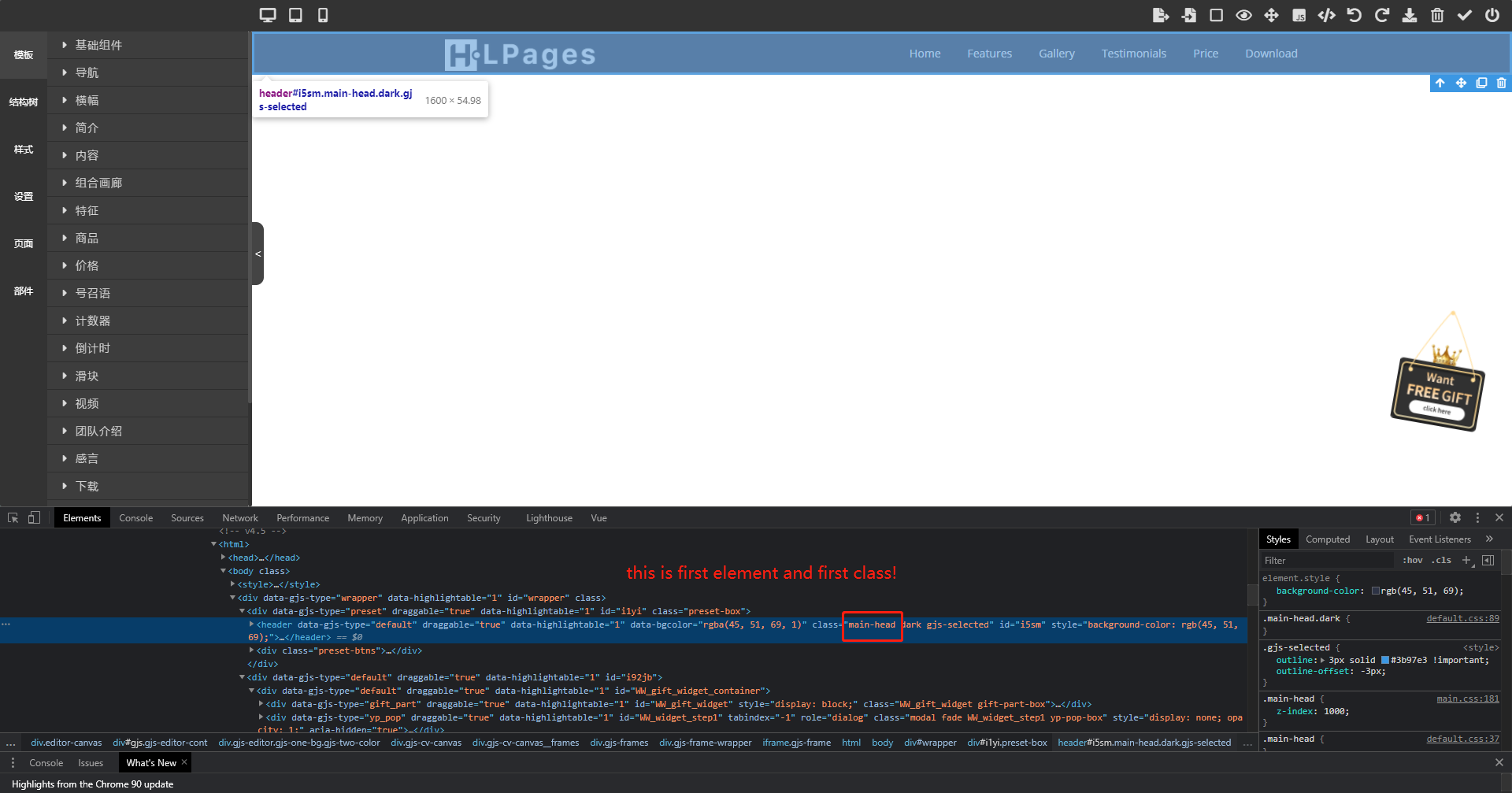
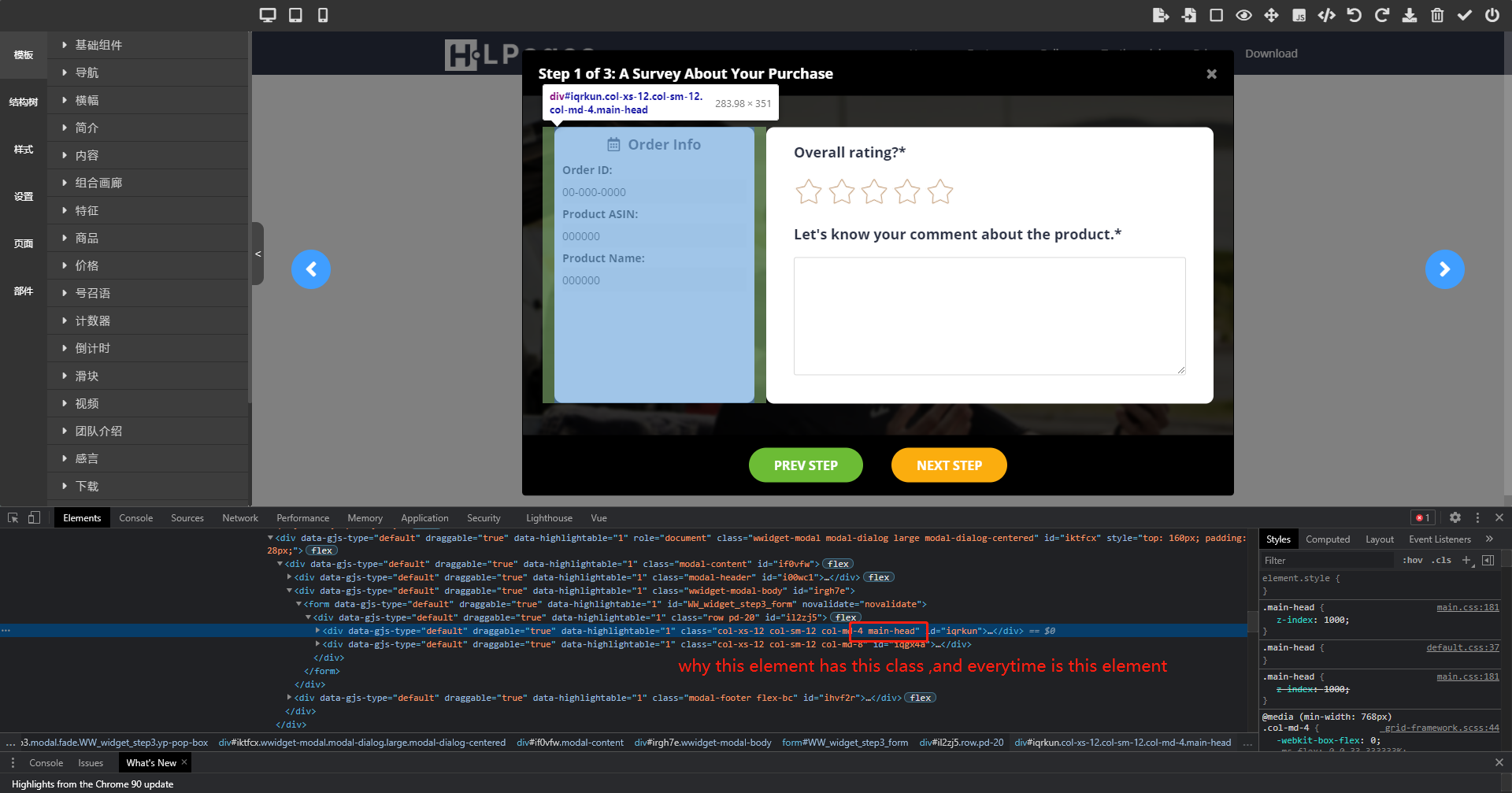
Answers (3)
@artf
That class is coming from your app so there could be thousands of reasons, we can't help you just by looking at 2 screenshots. If you think there is a bug, open the issue correctly (by following the template) and create a reproducible demo.
Thanks for reporting this, @sizhousama. Great question about Editor's strange behavior!. The recommended approach with Components is to use the event-driven API. Start here: Check the GrapesJS documentation for your specific module Look for the on() event listener method Most operations can be achi...
Related Questions and Answers
Continue research with similar issue discussions.
Issue #3171
Adding / Updating href trait does not add `<a></a>` wrapper to image.
Expected Behavior - when I update href trait value, the image should be wrapped inside a with href value set. i.e. <a href="google.com"><im...
Issue #3401
Can style manager always generate IDs instead of using already defined element's class ?
When we style an element in the editor, if this element doesn't have neither a class or an id, the style manager generate a new id with the...
Issue #3316
The editor does not remove the dead script blocks
Version: 0.16.34 Are you able to reproduce the bug from the demo? [ ] Yes [x ] No As I understand the code import dialog skips all the HTML...
Issue #5556
Too many classes will cause the webpage to crash
GrapesJS version [X] I confirm to use the latest version of GrapesJS What browser are you using? latest version of Chrome Reproducible demo...
Paid Plugins That Match This Issue
Curated by issue keywords and label relevance to help you ship faster.
Loading paid plugin recommendations...
Check the open-source GrapesJS plugins on GitHub or run a quick search in our free catalog.
Browse free plugins →Premium plugins ship with support, regular updates, and production-ready features — save days of integration work.
Browse premium plugins →Related tutorials
In-depth guides on the same topic.
Tutorial
Introducing Search on GJS.Market
GJS.Market now has one search across everything we publish — plugins, articles, community questions, guides, authors and services. Press ⌘K from any page.
Tutorial
GJS.Market Is Now Available for India 🇮🇳
GJS.Market is expanding its global presence with a dedicated experience for developers, agencies, SaaS companies, and digital creators in India
Tutorial
How to Build an AI-Powered Page Builder with GrapesJS in 2026
What we learned building GJSDocs — from simple AI text generation to structured, context-aware visual editing
Browse Plugin Categories
Jump directly to plugin category pages on the marketplace.