How can I update the nodeValue (text value) of components by inputs forms
Question
Hello.
Grapesjs is a great tool. Thanks for it.
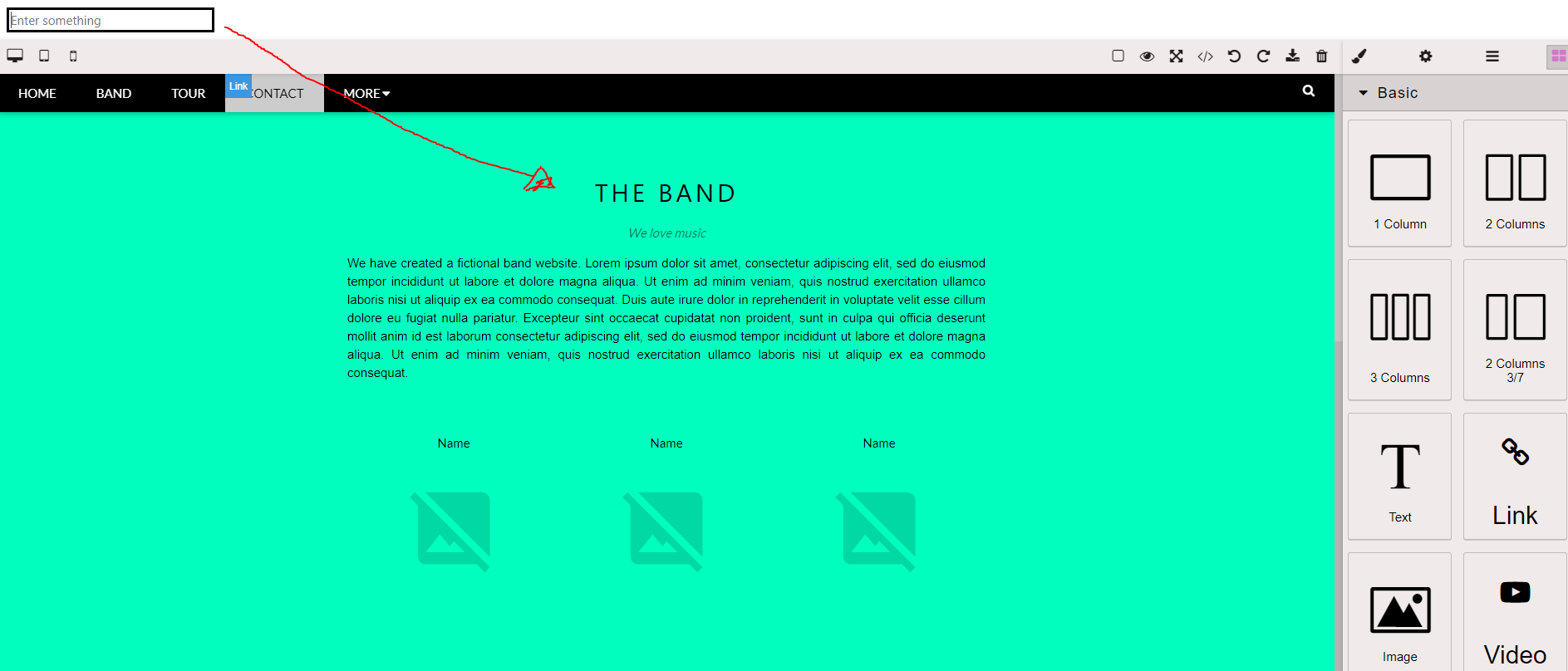
I want to update the text value of a component by inputs, how can I do that?? if a user filled the input box with something like: TEA SITE, the title should change to it
Answers (4)
Just find the component and update it as you wish
const typedByUser = 'type something...';
const cmp = editor.getWrapper().find('.any-query-selector')[0];
cmp && cmp.components(typedByUser);
I'm also want something similar with my grapes app, but using react to update a text component via a control input. Somebody can help with that?
it works, thanks
Thanks for reporting this, @D-Rosa99. Great question about How can I update the nodeValue (text value) of components by inputs forms. The recommended approach with Components is to use the event-driven API. Start here: Check the GrapesJS documentation for your specific module Look for the on() even...
Related Questions and Answers
Continue research with similar issue discussions.
Issue #3239
How to update attribute/properties dynamically from Component Script?
We have a use case where we want to insert charts dynamically using Highcharts Editor. I have created a component, which on drag and drop,...
Issue #3258
Prevent/Disable Custom Blocks from being dropped inside other Custom Blocks
Hello, I have a custom component, let's call it a Section Block. I want to prevent the user from dropping Section Blocks inside other Secti...
Issue #3211
How to move components
Hello dear: I want move a component to first/end in the wrapper programmatically, i think something like editor.getWrapper().add(editor.sel...
Issue #3171
Adding / Updating href trait does not add `<a></a>` wrapper to image.
Expected Behavior - when I update href trait value, the image should be wrapped inside a with href value set. i.e. <a href="google.com"><im...
Paid Plugins That Match This Issue
Curated by issue keywords and label relevance to help you ship faster.
Loading paid plugin recommendations...
Check the open-source GrapesJS plugins on GitHub or run a quick search in our free catalog.
Browse free plugins →Premium plugins ship with support, regular updates, and production-ready features — save days of integration work.
Browse premium plugins →Related tutorials
In-depth guides on the same topic.
Tutorial
Introducing Search on GJS.Market
GJS.Market now has one search across everything we publish — plugins, articles, community questions, guides, authors and services. Press ⌘K from any page.
Tutorial
GJS.Market Is Now Available for India 🇮🇳
GJS.Market is expanding its global presence with a dedicated experience for developers, agencies, SaaS companies, and digital creators in India
Tutorial
How to Build an AI-Powered Page Builder with GrapesJS in 2026
What we learned building GJSDocs — from simple AI text generation to structured, context-aware visual editing
Browse Plugin Categories
Jump directly to plugin category pages on the marketplace.