Prevent Table cell from automatically resizing on dropping a Text component inside
This is how the <table> works, you should specify a fixed width to your cells to avoid it
Read full answer below ↓Question
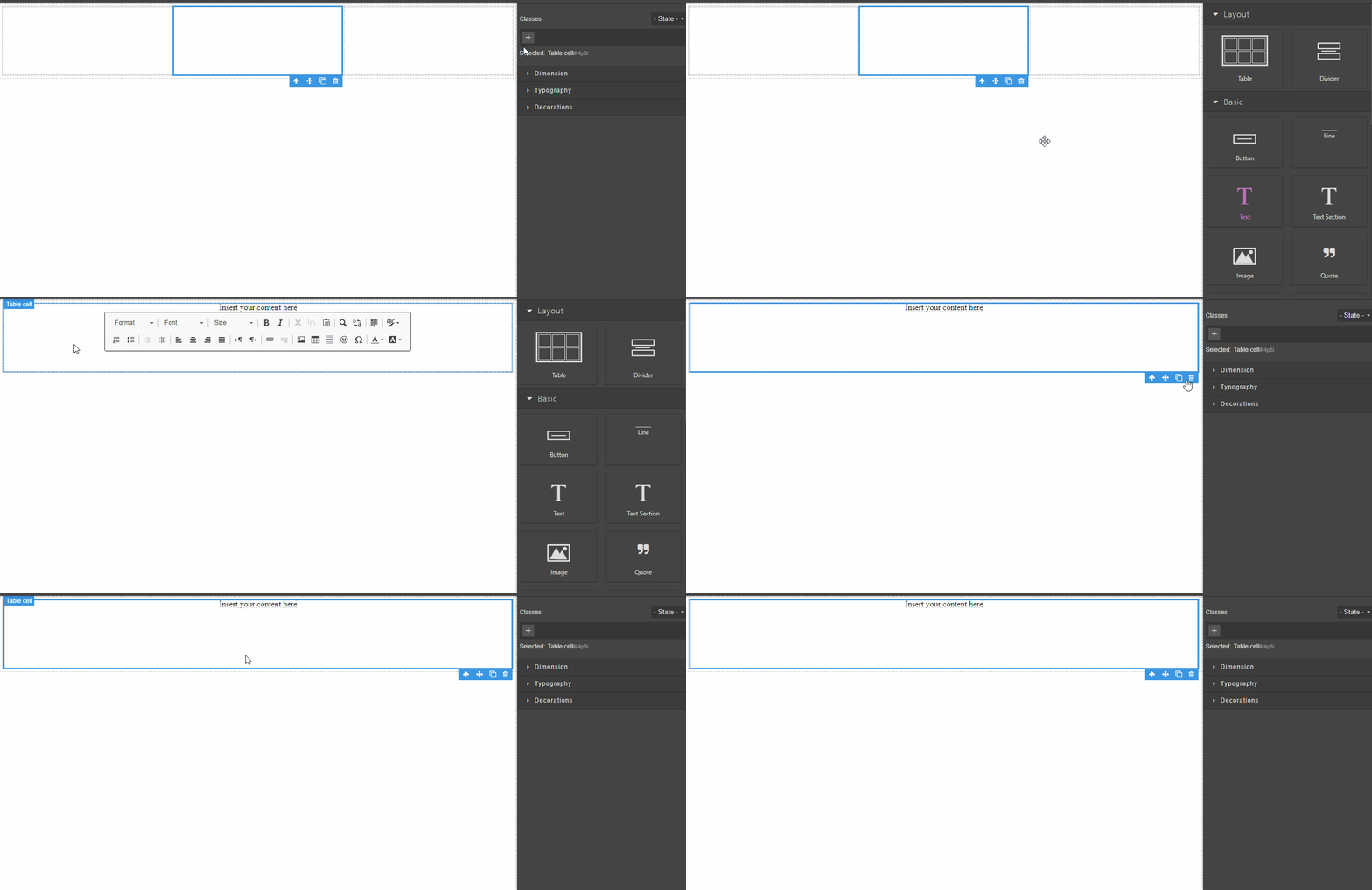
I have a Table with say 1 row and 3 cells. When I drag and drop a Text component inside one of the cells, that cell enlarges and occupies the entire width of the table. How can I prevent that from happening and make the Text component take the width of the cell.
Answers (1)
This is how the <table> works, you should specify a fixed width to your cells to avoid it
Related Questions and Answers
Continue research with similar issue discussions.
Issue #2129
How to append a button inside default modal and catch it's click event
I want a form inside a modal (using the default modal ), on click of the submit button make an ajax call. I have created a new component wh...
Issue #5037
How to drag external text into particular index inside the textable component?
GrapesJS version [X] I confirm to use the latest version of GrapesJS What browser are you using? Chrome Reproducible demo link NA Describe...
Issue #3579
RTE misplaced when opened right after dropping `activeOnRender` component
Version: 0.17.4 Are you able to reproduce the bug from the demo?[x] Yes[ ] No Steps to reproduce:Go to the demoDrop a "Text" block inside t...
Issue #2552
Only allow one component to be dropped
Sorry for the newbie question, but say I have a text field component and I only want to allow the user to drop a specific number of them in...
Paid Plugins That Match This Issue
Curated by issue keywords and label relevance to help you ship faster.
Loading paid plugin recommendations...
Check the open-source GrapesJS plugins on GitHub or run a quick search in our free catalog.
Browse free plugins →Premium plugins ship with support, regular updates, and production-ready features — save days of integration work.
Browse premium plugins →Related tutorials
In-depth guides on the same topic.
Tutorial
GrapesJS custom components guide (2026)
Define custom GrapesJS components with DomComponents.addType: detection with isComponent, a model with traits and defaults, and a view for canvas behavior.
Tutorial
How to integrate GrapesJS into a Svelte app (complete guide 2026)
A step-by-step guide to embedding the GrapesJS drag-and-drop editor in a SvelteKit app — install, mount it client-side, persist content, and export clean HTML/C
Tutorial
GrapesJS vs Gutenberg: How to Build a Custom WordPress Page Builder
Compare GrapesJS and Gutenberg, learn when to use each, and follow a step-by-step guide to build a production WordPress page builder with GrapesJS.
Browse Plugin Categories
Jump directly to plugin category pages on the marketplace.