Hiding text editor
Can you provide a live example? I'd expect the toolbar to be hidden due to display none
Read full answer below ↓Question
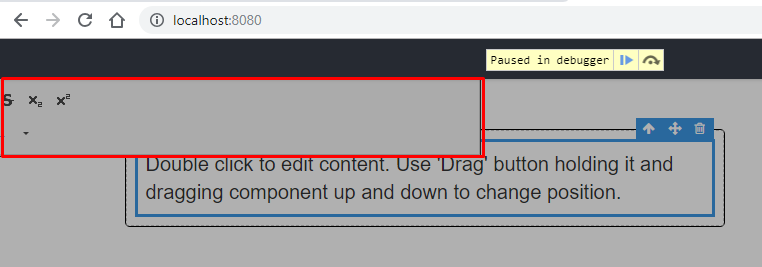
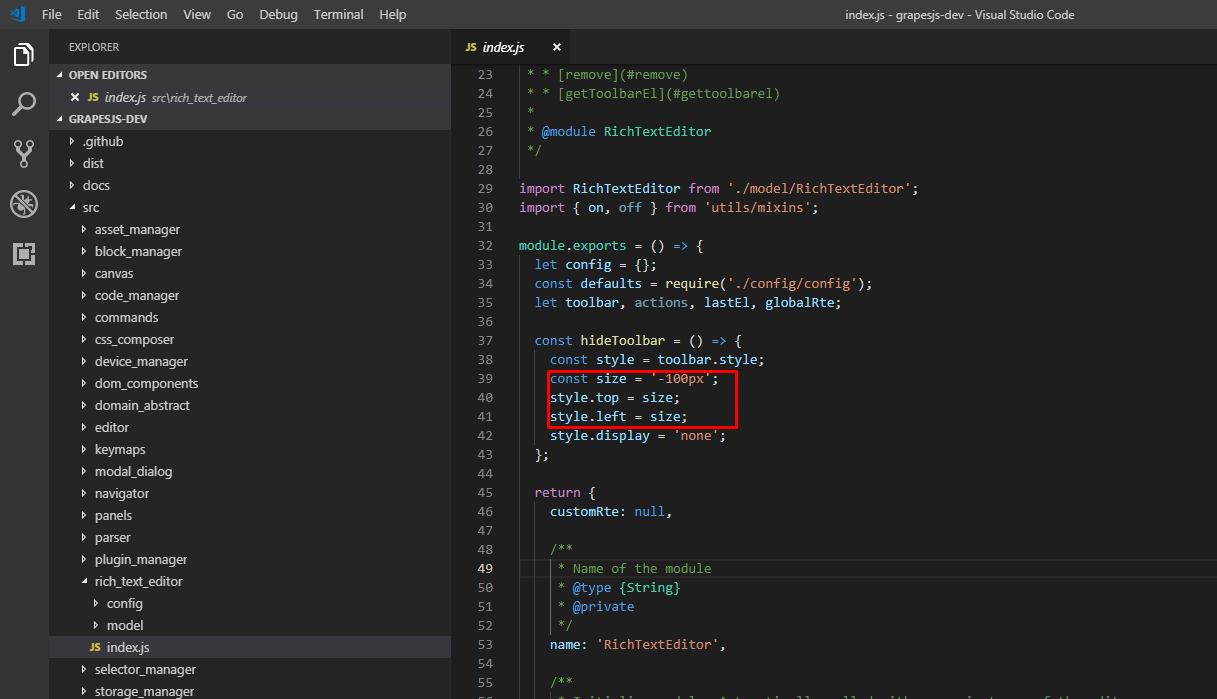
Your method "hideToolbar " does not provide for a situation where the text editor is greater than 100px. As a result, its piece is visible in some situations (for example, at the beginning of the customRte.enable method)
Answers (3)
Can you provide a live example? I'd expect the toolbar to be hidden due to display none
Can you provide a live example? I'd expect the toolbar to be hidden due to display none If you connect CKEDITOR according to this instruction: https://grapesjs.com/docs/guides/Replace-Rich-Text-Editor.html#interface Put a breakpoint at the beginning of the enable method and make a double click on t...
Just need to take into account that I have a large size ckeditor (more than 100px)
Related Questions and Answers
Continue research with similar issue discussions.
Issue #508
If you add a checkbox trait, it does not render correctly in the settings panel unless there is also a text trait
A text trait and a checkbox: Results in: If checkbox only: The checkbox overlaps the label:
Issue #1434
Toolbar Hide text element
@artf Please check you demo page text is hiding under the toolbar. how can we update the toolbar position?
Issue #394
Text: New div is created every time I hit enter instead of creating a </br>
Hi @artf Is there a reason why when inserting text a new div is created for every break instead of a standard </br> Is it possible to disab...
Issue #1567
Rte toolbar bug
Hello all, I am using the latest grapesjs stable version (40) and I noticed the following bug in the rich text editor: If the user drags an...
Paid Plugins That Match This Issue
Curated by issue keywords and label relevance to help you ship faster.
Loading paid plugin recommendations...
Check the open-source GrapesJS plugins on GitHub or run a quick search in our free catalog.
Browse free plugins →Premium plugins ship with support, regular updates, and production-ready features — save days of integration work.
Browse premium plugins →Related tutorials
In-depth guides on the same topic.
Tutorial
Super Tooltip for GrapesJS — Version 0.1.5 Released 🎉
We’re excited to announce the v 0.1.5 update of Super Tooltip, our floating‑menu and tooltip plugin for GrapesJS
Tutorial
GrapesJS in 2026: The Complete Guide to the Open-Source Web Builder Framework
Master GrapesJS in 2026. Architecture, code examples, React integration, plugin development, Studio SDK, and how it compares to other projects
Browse Plugin Categories
Jump directly to plugin category pages on the marketplace.