Component Drag Event
In your case, I think it would be better listen to inner components changes (eg. what if I delete all children components?), but currently, there is no such an event, so I'll try to add it for the next release. It should be something like this
Read full answer below ↓Question
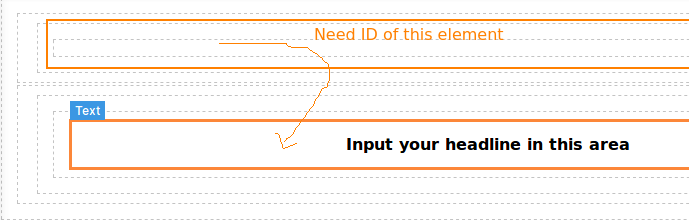
I want to know how can I get that component from which element is dragged and drop to the other component. I need to add a class if component become empty if element is dragged and droped to the outside element. I can get the component which dragged and in which it droped but not from where it dragged. Any Help would be appreciated.
Answers (3)
In your case, I think it would be better listen to inner components changes (eg. what if I delete all children components?), but currently, there is no such an event, so I'll try to add it for the next release. It should be something like this
@YashPrince how did you get the id of the dragged component and where it was dropped
This thread has been automatically locked since there has not been any recent activity after it was closed. Please open a new issue for related bugs.
Related Questions and Answers
Continue research with similar issue discussions.
Issue #1951
Change or add event on add component from block
is it possible ?, change the drag and drop event to on click when adding a new component, I want to add components by clicking the block th...
Issue #673
How to render block manager outside container?
I'm new to this great library and it seems very neat and clean BUT here is the problem that I have. I'm having gjs rendered in the middle,...
Issue #563
Table <thead> and <tbody> tag gets Omitted
Hello, There is new issue with GrapesJS (maybe). I've created new component using bm.add() in which I've used a table element with <thead>...
Issue #1111
How to add parent class when drag element
Hi @artf, Hope you are doing fine. Please let us know how we can add the parent class of div when new element is dragged inside that div li...
Paid Plugins That Match This Issue
Curated by issue keywords and label relevance to help you ship faster.
Loading paid plugin recommendations...
Check the open-source GrapesJS plugins on GitHub or run a quick search in our free catalog.
Browse free plugins →Premium plugins ship with support, regular updates, and production-ready features — save days of integration work.
Browse premium plugins →Related tutorials
In-depth guides on the same topic.
Tutorial
Super Tooltip for GrapesJS — Version 0.1.5 Released 🎉
We’re excited to announce the v 0.1.5 update of Super Tooltip, our floating‑menu and tooltip plugin for GrapesJS
Tutorial
GrapesJS in 2026: The Complete Guide to the Open-Source Web Builder Framework
Master GrapesJS in 2026. Architecture, code examples, React integration, plugin development, Studio SDK, and how it compares to other projects
Browse Plugin Categories
Jump directly to plugin category pages on the marketplace.