Reordering components in the canvas
Never had time to debug it but I think it caused somehow by components with float: right style applied
Read full answer below ↓Question
I've noticed some inconsistencies when moving DOM components around in the canvas. Description in the gif below using the Webpage Demo:
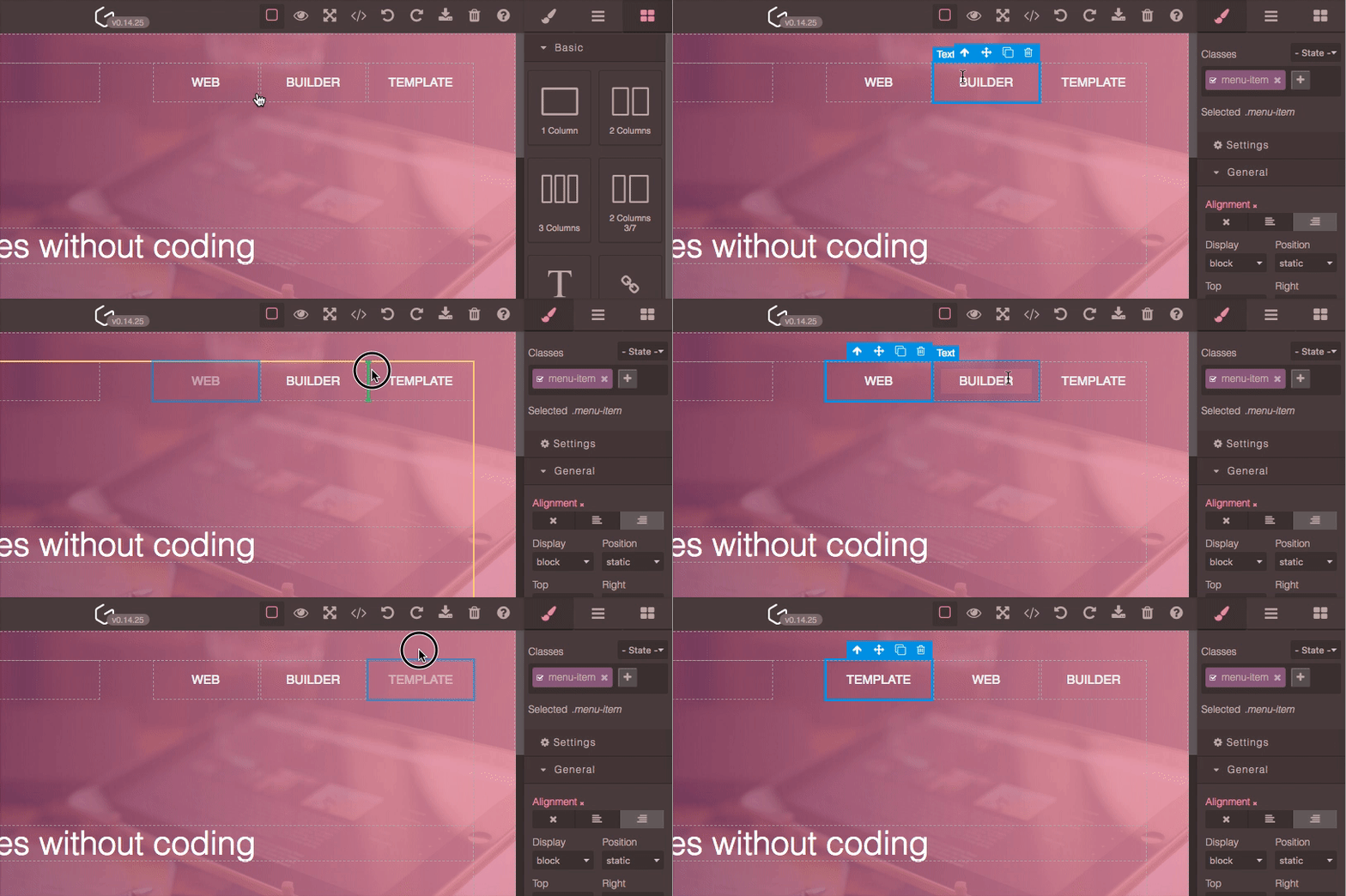
In my case, I do see the DOM component "moves" being reflected when I output editor.DomComponents.getComponents(). They actually get reordered, but the Canvas does not reflect those moves sometimes.
Answers (2)
Never had time to debug it but I think it caused somehow by components with float: right style applied
Yes, it is related to the float right property. Actually, that is the real behavior of the float right property (the last html element appears the first) so I do not see an easy solution.
Related Questions and Answers
Continue research with similar issue discussions.
Issue #1711
Error in prompt position after moving canvas
1、移动画布 2、点击layerManager(如果不点击layerManager 不会出错) 3、画布里的提示框位置出错 1、 moving canvas 2、 click layerManager (If you don't click layerManager, it w...
Issue #2748
Slider doesn't work with a non-integer step value
Default StyleManager property "slider" doesn't work with a non-integer step value. GrapesJS version: 0.16.1 In many cases, it’s convenient...
Issue #2364
How to add toolbar functionality to the layers panel.
I am trying to add the toolbar to the layers panel and I am not sure how to go about this. Is there any way to accomplish this? toolbar Whe...
Issue #1470
Possible memory leaks
Hi, I am working on a project with Angular 6 and I am investigating a memory leak after destroying the editor on _previousAttributes and po...
Paid Plugins That Match This Issue
Curated by issue keywords and label relevance to help you ship faster.
Loading paid plugin recommendations...
Check the open-source GrapesJS plugins on GitHub or run a quick search in our free catalog.
Browse free plugins →Premium plugins ship with support, regular updates, and production-ready features — save days of integration work.
Browse premium plugins →Browse Plugin Categories
Jump directly to plugin category pages on the marketplace.