Countdown type "datetime-local" not working in Mozilla Browser
The countdown is a plugin, so you should open all the relative issues here https://github.com/artf/grapesjs-component-countdown ... already told you hereJust create a custom trait (eg. by using some date picker) and use it inside the plugin dateInputType: 'your-date-picker'
Read full answer below ↓Question
Hi @artf,
Hope you are doing fine.
Few days back i have asked question from you in reference #750 regarding how to set timezone in countdown element and you said we can use its different options so i have used "datetime-local" to show time but its not working in mozilla browser.please let us know how we can resolve this:
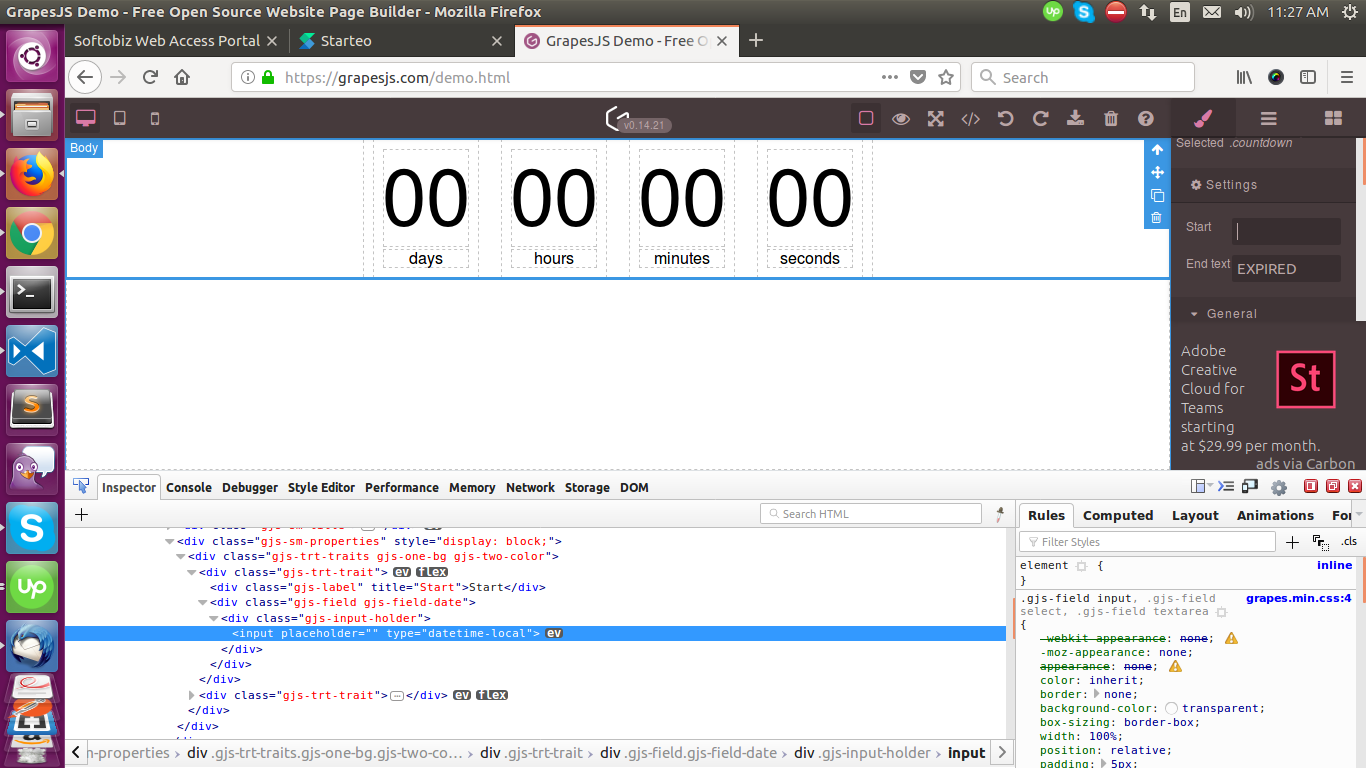
Help Us to resolve this. Thanks in Advance.
Answers (2)
The countdown is a plugin, so you should open all the relative issues here https://github.com/artf/grapesjs-component-countdown ... already told you hereJust create a custom trait (eg. by using some date picker) and use it inside the plugin dateInputType: 'your-date-picker'
This thread has been automatically locked since there has not been any recent activity after it was closed. Please open a new issue for related bugs.
Related Questions and Answers
Continue research with similar issue discussions.
Issue #1850
How to show blocks under different tabs
Hello @artf , Hope you are doing fine. I was trying to show all the blocks under different tabs. For example: displaying sections, columns...
Issue #1232
How to change the margin from px to rem
Hi @artf, Hope you are doing fine. I have changed the margin settings from "px" to "rem" in one of the element using below code: { property...
Issue #750
How we can set the time and time zone in count down
Hi @artf , Please let us know that how we can set the time and timezone in count down as it is important in countdown element.Also, we come...
Issue #968
Traits not showing with reference code: How to show traits along with style manager as in demo
Hi @artf, We found that when we download the latest grapesJs package in that traits tab are showing in different and online demo shows the...
Paid Plugins That Match This Issue
Curated by issue keywords and label relevance to help you ship faster.
Loading paid plugin recommendations...
Check the open-source GrapesJS plugins on GitHub or run a quick search in our free catalog.
Browse free plugins →Premium plugins ship with support, regular updates, and production-ready features — save days of integration work.
Browse premium plugins →Related tutorials
In-depth guides on the same topic.
Browse Plugin Categories
Jump directly to plugin category pages on the marketplace.