Create new element block
Question
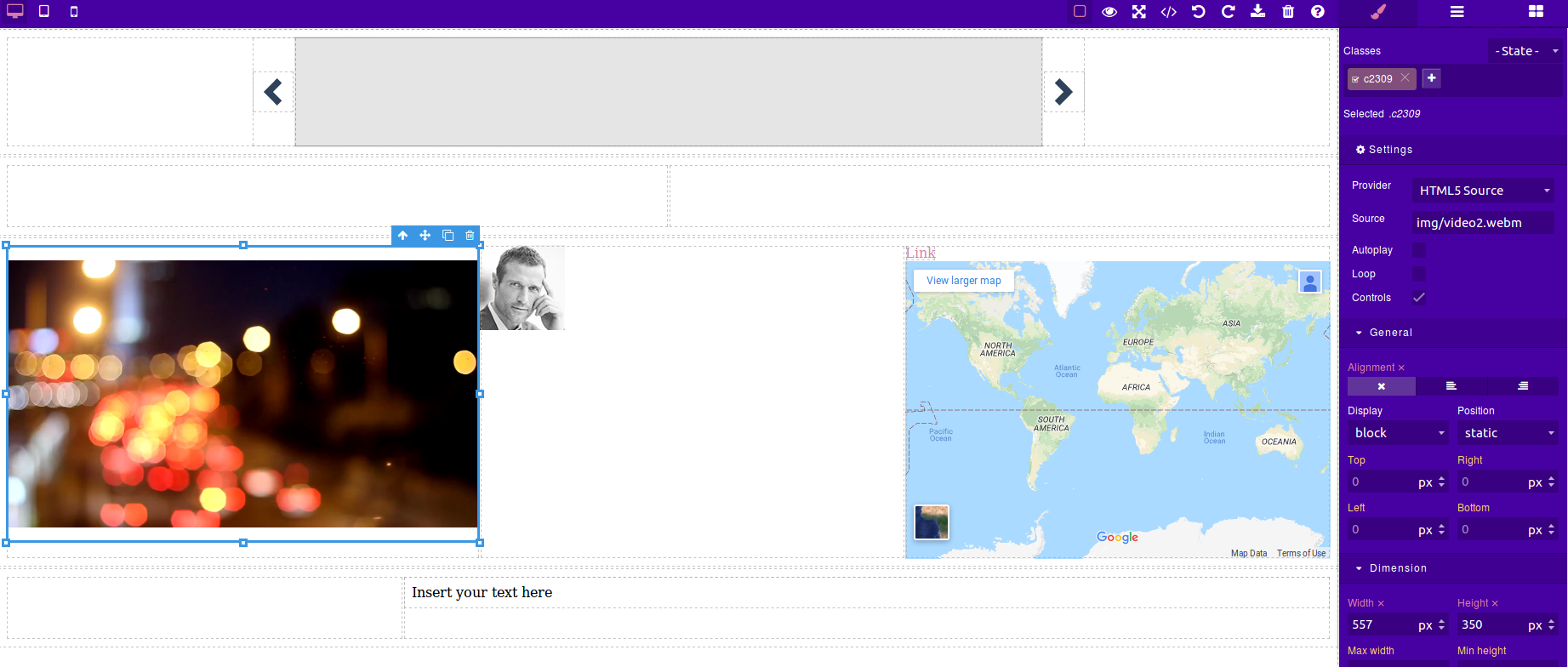
I need to add new element in basic block section.I checked we have a gapejs-preset-webpage.js where i can add the elements but in the whole editor module its minified version is used,so i need to include the minified version and can not include gapejs-preset-webpage.js .Is there any way i can add the new elements.I have attached the screenshot where i need to add the new element.
Answers (2)
This thread has been automatically locked since there has not been any recent activity after it was closed. Please open a new issue for related bugs.
Related Questions and Answers
Continue research with similar issue discussions.
Issue #1661
I've created html table and cannot drag new elements to table cells
Hello. if I create html table with next block of code, everything works, I'm able to drop a Quote, for example, to any cell: But next code...
Issue #563
Table <thead> and <tbody> tag gets Omitted
Hello, There is new issue with GrapesJS (maybe). I've created new component using bm.add() in which I've used a table element with <thead>...
Issue #599
Set Device Height along with Device Width
Hi I want to add new devices with both width and height, Is there any way I can do this? An other issue is that when I give width of device...
Issue #795
Editor.getSelected() in run:open-assets
Hello! I want without having to create a new block button, and stopping the event associated to the image that this run:open-assets get the...
Paid Plugins That Match This Issue
Curated by issue keywords and label relevance to help you ship faster.
Loading paid plugin recommendations...
Check the open-source GrapesJS plugins on GitHub or run a quick search in our free catalog.
Browse free plugins →Premium plugins ship with support, regular updates, and production-ready features — save days of integration work.
Browse premium plugins →Related tutorials
In-depth guides on the same topic.
Browse Plugin Categories
Jump directly to plugin category pages on the marketplace.