
Blocomposer
Apr 21, 2026 • 6 months ago
5 min read1,330 views
The Problem with Building a Template Builder from Scratch
If you have ever tried to build a visual editor or template builder for your product, you already know how quickly it gets complicated. GrapesJS is one of the best open-source page builder engines available. It handles the hard parts — the canvas, drag and drop, component trees, style management, storage. But out of the box, it comes with a UI that does not look like something you would ship to customers. Styling it, restructuring it, and wiring it into a modern React app takes weeks of work before you have written a single line of product logic. That is the gap grapesjs shadcn fills.What You Get on Day One
Grapesjs shadcn is a complete editor starter built on top of GrapesJS, with a polished UI built using shadcn/ui and Tailwind CSS. You get a working visual builder the moment you run it.That means:
- A clean, professional-looking editor your users will actually want to use
- A drag-and-drop canvas with blocks, layers, and pages already working
- A full style manager with categorised controls for spacing, typography, borders, and more
- Dark and light mode out of the box
- Google Fonts integration built in
- A rich text editor built on ProseMirror
- An asset manager for images
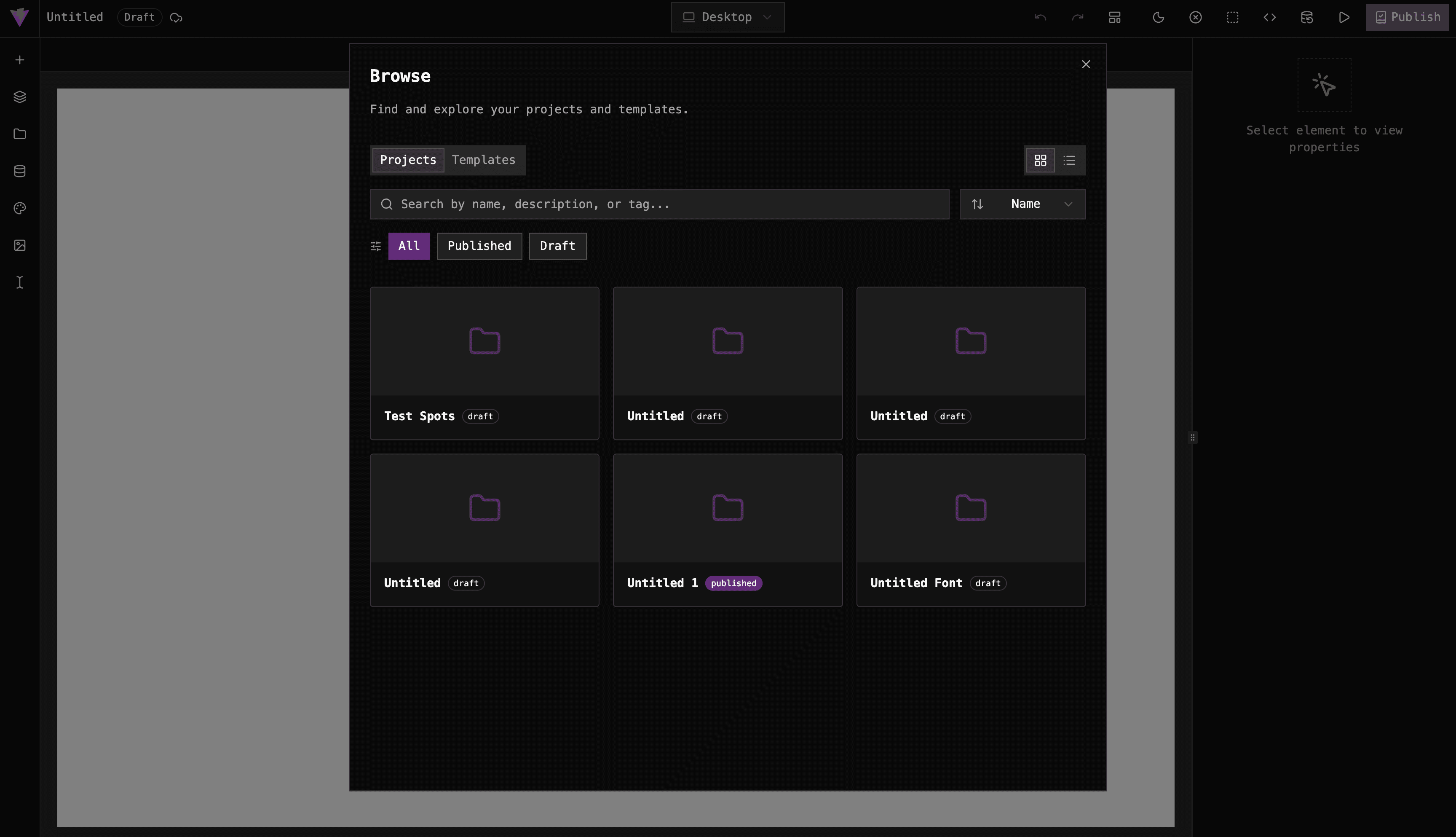
- A project manager for saving and loading templates
- Datasource support for dynamic, data-driven content
Purpose-Built for Template Builders
A template builder has a specific set of requirements. Users need to be able to create a design once and reuse it, with placeholder content that gets swapped out when the template is used for real. Grapesjs shadcn is built with this workflow in mind.Symbols let you define reusable components that share state across a project. Change one, and all uses of it update. That is exactly what you need for things like shared headers, footers, and repeated content blocks in a template library.
The project manager treats completed designs as reusable templates. Users can publish a design and it becomes available as a starting point for new projects. This gives you the create-once, reuse-many workflow that a template builder is built around.
Datasources let you connect template components to real data collections. Instead of hard-coded placeholder text, components can bind to a schema — so the template understands the shape of the content it will receive. This is the foundation for dynamic templates that render differently based on real data.
The query builder and condition components let you add logic to templates. A component can be set to show or hide based on data conditions, making templates that adapt to their content rather than just wrapping static content in a nice layout.
You Are Not Starting from Scratch, But You Are Not Locked In
The structure of grapesjs shadcn is designed to be modifiable. The editor layout, panels, config, and UI components are all in plain React files. There is no framework magic hiding anything from you. If you need to change how blocks are organized, swap out a panel, or wire the editor into your own backend, you can find the relevant file and change it.
The project separates concerns cleanly:
- The main editor layout is in one place
- GrapesJS config is broken into focused files by feature
- Panels and UI components are self-contained and easy to find
Less Time on Infrastructure, More Time on Your Product
The honest reason to use grapesjs shadcn is time. Building a template builder is not just about the canvas. It is the blocks panel, the layers view, the style controls, the asset manager, the font picker, the project manager, the rich text editor, the datasource UI. Each of those pieces takes time to build and polish individually.
grapesjs shadcn gives you all of that working together on day one, styled consistently, and structured so you can actually maintain and extend it.
If you are building a template builder and you are using React, this is the fastest legitimate starting point available.
- Get the project on gjs.market
- UI tour project on github
- Codebase tour on github