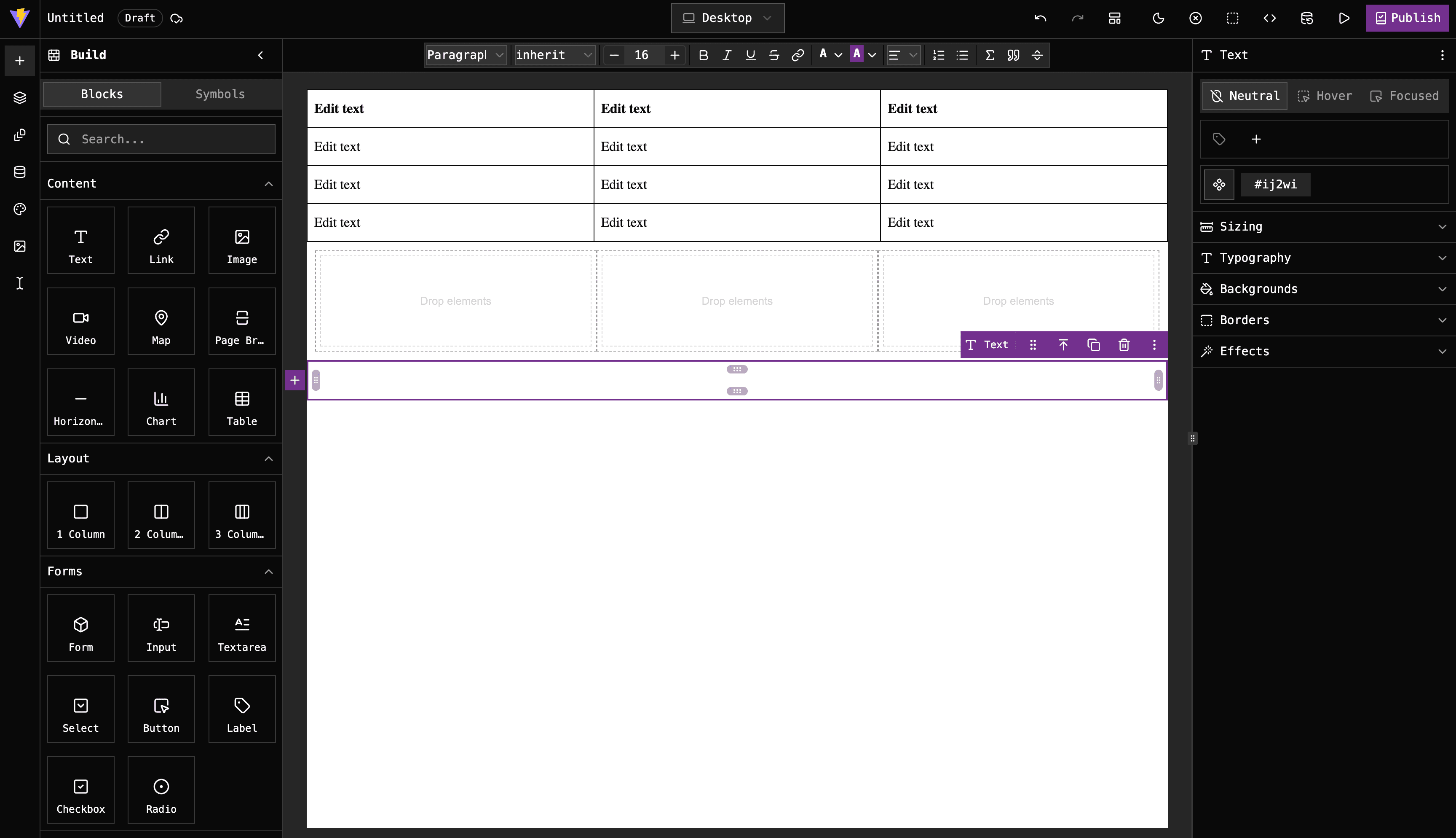

Our latest release focuses entirely on removing development friction, polishing user experience, and packing the editor with powerful, data-driven features. Here is a breakdown of what’s new.
Built for Production Speed
We’ve implemented various bug fixes and UI/UX improvements across the entire workspace to ensure a seamless workflow.
This release is laser-focused on one main goal: getting users to production quickly. Instead of leaving you with a blank slate, we’ve baked in sensible presets and UI layout patterns that we've found improve real-world UX over years of building template-based editors.
Smart Text Editing & Math Formulas
The Rich Text Editor (RTE) received two massive functionality upgrades:
KaTeX Integration:
You can now natively render and edit complex mathematical formulas directly on the canvas using KaTeX syntax.
 Variable Insert Command:
Typing / inside the text editor opens a command menu, letting you quickly insert dynamic variables from connected datasources.

Dynamic Datasources & Selector Fixes
Connecting design to data is now much more robust:
Selector Stability: We’ve fixed legacy issues related to renaming CSS selectors, ensuring your design system doesn't break during layout changes.
Data-Bound Properties: Traits and styles can now connect directly to datasource values. You can map component attributes (like an image URL or text alignment) dynamically based on the active dataset.

Component Dragging & Custom Blocks
We completely re-architected how blocks interact with the canvas:
Sensible Defaults: New custom default blocks come equipped with predictable empty states, pre-configured traits, and most relevant style properties.
Visual Drag Previews: No more dragging blind. As you drag a component from the side panel onto the canvas, you will see a live preview of the element exactly where it's going to land.
Advanced Charts, Tables, & Custom Selects
To showcase the deeper capabilities of our framework, we have introduced two major components built on top of custom canvas spots and traits:
The Chart Component:
Visually plot data directly in the page layout.

The Table Component:
Effortlessly build structured rows and columns.

Select Options Trait UI: We’ve rolled out a sleek, custom trait UI specifically for configuring select options, making long lists of drop-down properties simple to manage.
Lightning-Fast Building with Canvas Spots
We want to minimize repetitive drag-and-drop actions. This update introduces contextual canvas spots that let you click to instantly add components before or after a selected element.
Additionally, we've optimized Columns: when a column layout is empty, you can add child components inside with a single click, no dragging required. Resizable components also now display exact live dimensions as you scale them, giving you immediate spatial awareness.

Visual Polish & Better Icons
Finally, we went through the interface to standardize and improve icon assets. The layout looks sharper, actions feel more intuitive, and the overall visual feedback aligns perfectly with modern UI expectations.
Ready to try it out? Get the latest version here