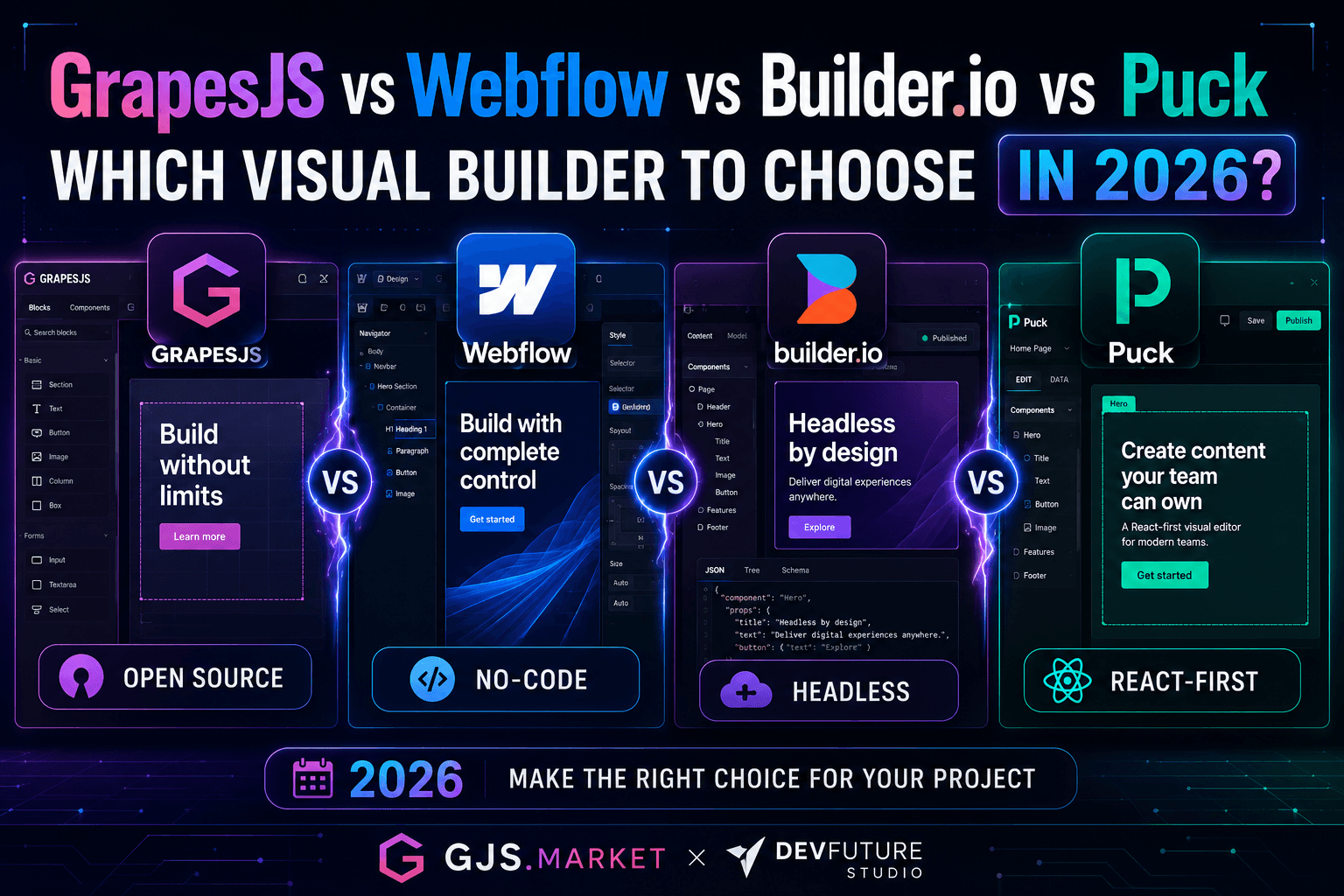

The 2026 Visual Builder Landscape
Visual builders stopped being a "no-code curiosity" around 2023 and became core infrastructure. Three forces pushed them there.
First, AI-assisted editing moved from gimmick to default. Webflow shipped AI credits across every workspace in May 2026. Builder.io's Visual Copilot turns Figma into production React in one click. Both Anthropic's MCP and structured agent workflows are now first-class citizens in these tools.
Second, React Server Components and edge rendering broke the old "WYSIWYG bolted onto a Node server" model. Modern builders need to output server components, stream from the edge, and pass Core Web Vitals without retrofitting.
Third, the build-vs-buy line moved. Open-source options like Puck and GrapesJS got production-ready, while SaaS players raised prices and added enterprise features the mid-market doesn't always need. The result: more real choice than at any point in the last decade — and more rope to hang yourself with if you pick wrong.
This guide grades the four most relevant options across eight criteria, with the verdict you'd get from a practitioner who has shipped on each.
What Is a Visual Builder in 2026?
A visual builder is a tool that lets non-developers compose pages (or any UI surface) by dragging real components onto a canvas, then outputs production code, JSON, or a hosted page. It is not the same as:
- A website builder like Wix or Squarespace — those are end-to-end hosted products with locked templates. Visual builders, by contrast, output to your own stack or embed inside your own app.
- A page builder like Elementor — those are WordPress plugins coupled to one CMS. Visual builders are CMS-agnostic or bring their own headless CMS.
- A headless CMS like Sanity or Contentful — those store structured content but don't render a visual canvas of the actual page. Modern visual builders often include a headless CMS, but the canvas is the differentiator.
The category split in 2026 runs along one axis: SaaS vs self-hosted. Webflow and Builder.io are SaaS — you log in, they host the editor (and optionally the site). GrapesJS and Puck are libraries — you install them, you host them, you own the data. The pricing, DX, and lock-in implications fall out from that split.
How I Graded Them — Eight Criteria
- Pricing & licensing — Real total cost of ownership, not headline numbers.
- Developer experience (DX) & extensibility — How fast can you add a custom component, plug in your own data source, or theme the editor?
- Output quality — Is the HTML clean? Does it pass Lighthouse? Does it ship server components?
- Framework integration — React, Next.js, Vue, Svelte, vanilla.
- Hosting & deployment model — SaaS, self-hosted, hybrid, edge-friendly.
- Collaboration & team features — Multi-seat, roles, branching, review workflows.
- AI features in 2026 — Generation, design-to-code, agents, MCP support.
- Community, ecosystem & longevity — GitHub stars, commit cadence, plugin ecosystem, funding signals.
GrapesJS — The Framework You Build On
Overview
GrapesJS is a free, open-source web builder framework — not a finished product. You install it, configure it, and ship your own visual builder around it. It has roughly 26,000 GitHub stars and 4,600 forks as of April 2026, and the core repo was last updated April 28, 2026, so it's actively maintained.
On top of the framework, the team now offers the GrapesJS Studio SDK (@grapesjs/studio-sdk on npm, currently around v1.0.62) — a batteries-included, commercial-licensed embeddable editor. Think of GrapesJS the framework as React, and Studio SDK as Next.js: same family, different starting point.
Key Features in 2026
- Headless framework: bring your own UI for blocks, panels, and asset manager
- Studio SDK adds Page Manager, Symbols, Style Catalog, multi-page sites with SEO controls, white-label theming
- MJML support for email builders
- React wrapper (
@grapesjs/react) for declarative integration - Agent Skills repo for Studio SDK published in March 2026 — early MCP-style integration
Pros
- True open-source core (BSD-3 license) — no vendor lock-in
- The most flexible canvas on this list; anything is overridable
- Battle-tested in production CMS, email, and SaaS builders since 2016
- Studio SDK option when you want a faster on-ramp with vendor support
Cons
- Steep learning curve compared with SaaS options
- The framework's UX is dated out of the box — you will rebuild the chrome
- No native React component model (it's HTML/CSS first, with a React wrapper)
- Documentation has gaps; you'll read source code
Pricing
- Framework: free, BSD-3-Clause
- Studio SDK: free tier available; paid tiers gated by domain license. Public pricing is not fully published; commercial deals are negotiated [VERIFY: GrapesJS Studio SDK paid tier pricing as of May 2026]
Best Use Case
You are building a SaaS product where your customers need a visual editor — an email tool, a landing page builder for an e-commerce platform, a form builder. You need the editor to look like your brand and store data your way.
Quick Plugin Example
import grapesjs from 'grapesjs';
const editor = grapesjs.init({
  container: '#gjs',
  plugins: ['gjs-blocks-basic'],
  storageManager: { type: 'remote', stepsBeforeSave: 1 },
  blockManager: {
    blocks: [{
      id: 'pricing-card',
      label: 'Pricing Card',
      category: 'Marketing',
      content: `<div class="pricing-card">
        <h3>Pro</h3><p>$29/mo</p><button>Buy</button>
      </div>`,
    }],
  },
});Webflow — The Marketing Team's Default
Overview
Webflow is the closest thing to an industry standard for design-led marketing sites. It is fully SaaS, fully hosted, and as of May 13, 2026 has restructured its plans to consolidate the old CMS and Business plans into a single Premium Site Plan.
Key Features in 2026
- New Premium Site Plan at $25/month (annual) or $39/month (monthly), with 20,000 CMS items and 40 CMS Collections
- New Team Plan at $2,500/mo on an annual contract, bundling a Site and Workspace, 10 seats, localization, priority support, collaboration features, 30TB bandwidth, and higher CMS API limits
- AI credits included in every Workspace plan; credit limits won't be enforced until June 29, 2026
- AEO (Answer Engine Optimization) agents on the Team plan — Webflow's bet that LLM-driven search needs distinct optimization
- Claude connector launched February 2026, enabling MCP-driven CMS updates
- Webflow Cloud for hosting custom app code alongside marketing pages
Pros
- Best-in-class designer UX — you can build pixel-perfect responsive sites without writing CSS
- CMS scales to 20,000 items per site without add-ons on Premium
- Hosting, CDN, SSL, and SEO controls are built in
- Mature ecosystem of agencies, templates, and tutorials
Cons
- Fully SaaS — you cannot self-host
- Per-seat pricing adds up fast: Workspace seats come in three tiers: Full Seat ($39/mo), Limited Seat ($15/mo), and Free Seat ($0) for reviewers
- Limited code-level extensibility compared with React-native tools
- Migration off Webflow is painful — you own the design files, not the rendering pipeline
Pricing in Practice
For most B2B marketing teams: Premium Site Plan ($25/mo) + Workspace base + 2–3 Full Seats ($39/mo each) typically lands around $120–$180/mo all-in, before add-ons like Localize or Optimize (which starts at $299/mo).
Best Use Case
A 5-to-50-person company with a marketing team that needs to ship landing pages, blog posts, and product pages without a dev queue. Bonus points if you have a brand designer who already lives in Figma.
Real-World Scenario
You're a Series B SaaS company. Your team includes one in-house brand designer, two content marketers, and zero front-end developers focused on the marketing site. Webflow will save you from hiring one.
Builder.io — The Headless AI Bet
Overview
Builder.io is a visual headless CMS with the most aggressive AI roadmap in the category. In 2026 it positions itself less as a "page builder" and more as a collaborative development platform where engineers (in Claude Code or Cursor) and non-devs (in Builder's visual editor) work on the same components.
Key Features in 2026
- Visual Copilot 2.0 — Figma to interactive React/Vue/Angular/Svelte in one click, using your own components
- Fusion — AI visual development that runs in VS Code, Cursor, or a standalone desktop app; generates PRs against your repo
- Builder 2.0 — push your branch, hand off design review and QA to the rest of the team
- A/B testing & personalization built into the editor
- MCP and Claude Code integration for agent-driven content updates
- Multi-framework SDKs: React, Next.js, Vue, Angular, Svelte, Qwik, React Native
- SOC 2 Type II compliant
Pros
- Strongest design-to-code AI on this list as of mid-2026
- Genuinely framework-agnostic — same content powers React and Vue
- Works against your existing React component library, not a walled garden
- Has a real free tier with 14-day Pro trial
Cons
- Pricing climbs steeply at the enterprise tier — expect five-figure annual contracts once you need SSO, A/B testing, and custom roles
- Steeper learning curve than Webflow for non-technical editors
- You depend on Builder's SaaS for editing and content delivery
- Editing experience for marketers is more "headless CMS" than "Webflow-smooth"
Pricing
Builder offers a free tier, then paid plans (historically Pro, Enterprise, and now Develop/Publish/Fusion bundles). Builder.io has 6 pricing editions, with public pricing limited and the higher tiers gated by sales conversations [VERIFY: Builder.io public Pro tier pricing as of May 2026].
Best Use Case
You run a React or Next.js commerce site (think headless Shopify or BigCommerce frontend) and your marketing team needs to ship landing pages and PDPs without filing dev tickets. You already have a design system in Figma.
Real-World Scenario
A DTC brand on Next.js + Shopify Hydrogen. Engineers ship the component library; marketers compose pages from those components in Builder; Visual Copilot turns new Figma sections into real code in minutes, not days.
Puck — The Developer-First Open-Source Pick
Overview
Puck is the visual editor you actually install in your React app. It is MIT-licensed, built by the agency Measured, sits at around 12.6K stars and 896 forks on GitHub, and is being actively shipped in May 2026.
It is the closest thing to a "missing standard library" for visual editing in React: just a component, with a JSON config in, a JSON data blob out, and your own components doing the rendering.
Key Features in 2026
- React-only, MIT-licensed
- JSON data model — store anywhere (Postgres, S3, your existing headless CMS)
- React Server Components support (opt-in)
- Iframe-based viewport simulation for responsive editing
- Permissions API for feature toggling
- Live syncing between editor sessions (collaboration)
- Positions itself as "the agentic visual editor for your design system" — primed for agent-driven editing
Pros
- Zero vendor lock-in; output is JSON you own
- Trivial to integrate with Next.js App Router and Server Components
- Tiny surface area — you can read the source in an afternoon
- MIT license makes it commercial-friendly
- Pairs with your existing CMS — Sanity, Payload, Contentful — without conflict
Cons
- React-only (no Vue, Angular, Svelte)
- No hosted editor — you provide the UI shell, auth, and storage
- Smaller ecosystem of pre-built blocks compared with GrapesJS
- No built-in CMS, A/B testing, or analytics; assemble those yourself
Pricing
Free, MIT. Measured offers paid consulting and enterprise support if you need it.
Best Use Case
You have a Next.js or Remix app, a strong design system, and you want to give marketers (or internal users, or your customers) a way to compose pages from your real components — without paying SaaS rent or sending your data to a third party.
Quick Config Example
import { Puck } from "@measured/puck";
const config = {
  components: {
    HeroBlock: {
      fields: {
        title: { type: "text" },
        cta: { type: "text" },
      },
      defaultProps: { title: "Ship faster", cta: "Get started" },
      render: ({ title, cta }) => (
        <section className="hero">
          <h1>{title}</h1>
          <button>{cta}</button>
        </section>
      ),
    },
  },
};

export default function Editor({ data, onPublish }) {
  return <Puck config={config} data={data} onPublish={onPublish} />;
}
In my experience shipping a SaaS landing page system with Puck, the entire visual editing layer was about 400 lines of integration code. The JSON-in / JSON-out model meant we could version-control page content alongside our application code — something every SaaS option on this list makes harder.
Head-to-Head Comparison Table
| Criterion | GrapesJS | Webflow | Builder.io | Puck |
|---|---|---|---|---|
| Pricing & licensing | ✅ Free OSS + paid Studio SDK | ⚠️ $25–$2,500+/mo SaaS | ⚠️ Free → enterprise SaaS | ✅ MIT, free |
| DX & extensibility | ✅ Total — but you build the UI | ⚠️ Limited to Webflow's API | ✅ Strong, real component imports | ✅ Excellent for React devs |
| Output quality | ✅ Clean HTML/CSS | ✅ Production-ready | ✅ Your components, your code | ✅ Your components, your code |
| Framework integration | ⚠️ HTML-first, React wrapper | ❌ None (HTML/CSS export only) | ✅ React, Next, Vue, Angular, Svelte | ⚠️ React/Next only |
| Hosting model | ✅ Self-host | ❌ SaaS-only | ⚠️ SaaS editor, self-host frontend | ✅ Self-host |
| Team collaboration | ⚠️ DIY | ✅ Mature, per-seat | ✅ Strong, branch-based | ⚠️ Basic live sync |
| AI in 2026 | ⚠️ Early Agent Skills | ✅ AI credits, AEO agents | ✅ Visual Copilot 2.0, Fusion | ⚠️ Agent-friendly by design |
| Community & longevity | ✅ 26K stars, 10+ yrs | ✅ Public company, huge agency network | ✅ Well-funded, active | ✅ 12.6K stars, fast-growing |
Scoring legend: ✅ strong, ⚠️ partial/conditional, ❌ weak.
Decision Framework: Choose X If…
Choose Webflow if your marketing team has a designer but no front-end engineer, and you're happy renting the platform. You'll trade lock-in for the fastest path from Figma to a live, on-brand site.
Choose Builder.io if you already run a React or Next.js stack, have a real design system, and want AI to do the Figma-to-code work while non-devs compose pages from real components. The Visual Copilot + Fusion + Claude Code workflow is genuinely ahead of the field in mid-2026.
Choose Puck if you're a developer who wants visual editing inside an app you already control. No SaaS, no rent, no data exfiltration. You'll write more code than with Builder.io, but you'll own everything.
Choose GrapesJS (Studio SDK) ifyour users — not your team — need a visual builder. SaaS products embedding an email builder, a landing page builder, or a document builder for their customers should start here, not by building one from scratch.
2026 Trends Shaping the Choice
AI is now the editor. Every serious player has shipped AI features that go beyond "generate a hero image." Webflow's AEO agents try to optimize for LLM-driven discovery. Builder.io's Visual Copilot 2.0 generates interactive components from Figma. Puck and GrapesJS are exposing agent-friendly APIs (Agent Skills, JSON configs) so external agents can edit pages programmatically.
MCP and agent workflows. Anthropic's Model Context Protocol changed what "headless" means. Webflow's Claude connector, launched in February 2026, lets AI tools manage CMS content and run audits through the Webflow MCP server. Builder.io ships Slack and Jira agent entry points. If you expect AI agents to update content in 2026 and 2027, ask each vendor for their MCP story.
React Server Components. Puck added opt-in RSC support. Builder.io's Next.js SDK supports RSCs natively. Webflow's hosted output doesn't apply here (it's not React). GrapesJS sits outside the React lifecycle entirely.
Edge rendering and Core Web Vitals. Webflow Cloud, Builder.io's CDN, and Puck-on-Vercel all hit good Lighthouse scores out of the box. GrapesJS output depends entirely on the host stack — it's only as fast as you make it.
Migration Considerations
Switching costs vary wildly:
- Off Webflow: Painful. You can export static HTML/CSS, but the CMS data needs custom scripting. Plan for 2–6 weeks of engineering for a medium content site.
- Off Builder.io: Easier — content is already JSON via the SDK, and your components are already in your repo. You're mostly migrating away from the editor UI, not the rendered output.
- Off Puck: Trivial. JSON in, JSON out. You can write a one-off script to transform Puck data into any other CMS schema.
- Off GrapesJS: Output is HTML/CSS, which is portable, but any custom blocks you built are GrapesJS-shaped. Expect a rebuild if your UX is non-trivial.
The general rule: the more SaaS, the higher the exit cost. Build your migration plan before you sign the contract, not after.
FAQ
1. Which visual builder is best for React developers in 2026? Puck for full ownership and zero lock-in. Builder.io if you also need AI-assisted design-to-code and collaborative editing with non-devs.
2. Is GrapesJS still maintained in 2026? Yes. The core repo was last updated April 28, 2026, and the Studio SDK is on version 1.x with active releases. It's one of the longest-lived projects in the category.
3. What's the best open-source alternative to Webflow? There's no like-for-like replacement, because Webflow bundles editor + hosting + CMS + CDN. For the editor alone, Puck (React) or GrapesJS (HTML) are the strongest open-source picks. You'll pair either with your own hosting and CMS.
4. Can Puck replace a headless CMS like Sanity or Contentful? Not exactly. Puck handles visual page composition — it outputs JSON describing a layout. Sanity and Contentful handle structured content — articles, products, authors. Most teams use Puck with a headless CMS, not instead of one.
5. How much does Builder.io actually cost? Free tier exists; Pro pricing is published per workspace; Enterprise is sales-led and typically lands in the five-figure annual range once you need SSO, A/B testing, and custom roles. [VERIFY: Builder.io current public Pro tier price]
6. Does Webflow support React or Next.js? Not natively. Webflow outputs its own HTML/CSS/JS. You can use Webflow Cloud to host Next.js apps alongside marketing pages, but the visual editor itself is not React-based. If your stack is React-first, Builder.io or Puck is a better fit.
7. Which builder has the best AI features in 2026? Builder.io's Visual Copilot 2.0 leads on design-to-code. Webflow leads on built-in AI credits for non-technical editors and AEO agents for content optimization. Pick based on whether your bottleneck is generating code or editing content.
8. Can I self-host Builder.io? No. Builder.io is SaaS; the editor and content delivery run on their cloud. Your rendered frontend can run anywhere (Vercel, AWS, etc.), but the editor cannot. If self-hosting is a hard requirement, choose Puck or GrapesJS.
Conclusion
There is no single "best" visual builder in 2026 — there is the right one for your stack, team, and risk tolerance.
If you run a marketing team and want results in a week, Webflow is still the safest bet. If you live in React and want AI to flatten the design-to-code gap, Builder.io is the most ambitious option on the market. If you want zero lock-in and full control, Puck is the cleanest open-source play. And if you're shipping a builder to your own customers inside a SaaS product, GrapesJS Studio SDK is the most mature embeddable framework.
Run a one-week spike on the top two for your use case. Build the same landing page in each. The right answer will be obvious by Friday.
5. Suggested Image / Diagram Concepts
Diagram 1 — Category map A 2×2 matrix with axes "SaaS ↔ Self-hosted" (x-axis) and "Marketing team users ↔ Developer/product users" (y-axis). Webflow sits top-left (SaaS, marketing), Builder.io top-center, Puck bottom-right (self-hosted, developer), GrapesJS Studio SDK bottom-left. Alt text: "2x2 positioning matrix of visual builders in 2026 plotting hosting model against primary user, with Webflow, Builder.io, Puck, and GrapesJS placed in their respective quadrants."
Diagram 2 — Architecture flow Side-by-side data flow diagrams: Webflow (Editor → Webflow Cloud → Visitor); Builder.io (Editor → Builder CDN → Your Next.js app → Visitor); Puck (Your Editor UI → Your Database → Your App → Visitor); GrapesJS Studio SDK (Embedded Editor in Your SaaS → Your Backend → Your Customers). Alt text: "Architecture diagram comparing how Webflow, Builder.io, Puck, and GrapesJS deliver content from the editor to the end user, highlighting which components each vendor owns versus which you own."
Diagram 3 — Decision flowchart A vertical flowchart: start with "Who edits the pages?" → branch to "Your marketing team" or "Your product's customers" → each path branches again on "Do you need self-hosting?" → ends at the recommended tool for each leaf. Alt text: "Decision flowchart that recommends GrapesJS, Webflow, Builder.io, or Puck based on who edits the pages and whether self-hosting is required."
Quick Verdict
- Webflow — The default for design-led marketing sites; SaaS-only, polished UX, now with AI credits and AEO agents baked in. Best for: in-house marketing teams shipping CMS-heavy sites.
- Builder.io — A headless visual CMS with the strongest AI story (Visual Copilot, Fusion, Claude Code handoffs). Best for: React/Next.js commerce and marketing teams that need designers and PMs to ship without devs.
- Puck — MIT-licensed React component that drops into your app. JSON output, no SaaS, no lock-in. Best for: product engineers adding visual editing to an existing React app or building their own CMS layer.
- GrapesJS — A framework you build on top of, plus a commercial Studio SDK to embed a ready-made builder in your product. Best for: SaaS companies shipping a white-label page or email builder to their own customers.
One-line decision rule: If your end user is a marketer using your product, build with GrapesJS or Puck. If your end user is your own marketing team, use Webflow or Builder.io.