
Filestack

What's Included
- Free to download & use
- Open for personal & commercial use
Support The Creator
Use one-time or monthly support to thank the creator for this free product.
GrapesJS Compatible
Tested with GrapesJS 0.20.x, 0.19.x, 0.18.x, 0.17.x, 0.16.x
Open Source on GitHub
Free to use, fork, and contribute
Editor Compatible
Designed for the GrapesJS open-source editor
Free to Use
Open for personal and commercial projects
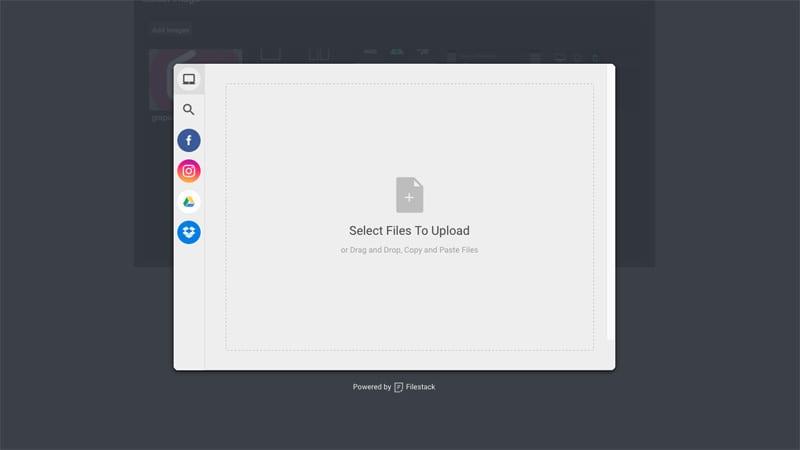
The GrapesJS Asset Manager uploads from the local disk. Filestack adds the sources people actually keep images in — cloud drives, social accounts, a plain URL — behind one picker. This plugin swaps the default uploader for it.
Options
key— your Filestack API key. Required; the plugin cannot initialise without it.filestackOpts— options passed to the Filestack picker, defaulting to{ accept: 'image/*', maxFiles: 10 }.btnEl— supply your own element to trigger the picker, instead of the default button.btnText— the default button's label, defaulting toAdd images.onComplete— a callback receiving both the uploaded blobs and the assets inserted into the Asset Manager, for wiring uploads into your own backend.
Version constraint
This is the one thing to check before installing. The plugin works with filestack-js up to v0.11.5 only and is not compatible with filestack-js v1 or above, which changed the picker API. Pin the dependency accordingly.
Good to know
The plugin registers under the name gjs-plugin-filestack while the npm package is grapesjs-plugin-filestack.
Ratings:
No reviews yet. Be the first to share your experience.
Questions & Answers
No questions yet. Have something to ask?
Common problems this plugin can help fix
Real community questions on the same topic — see how others worked around them.