
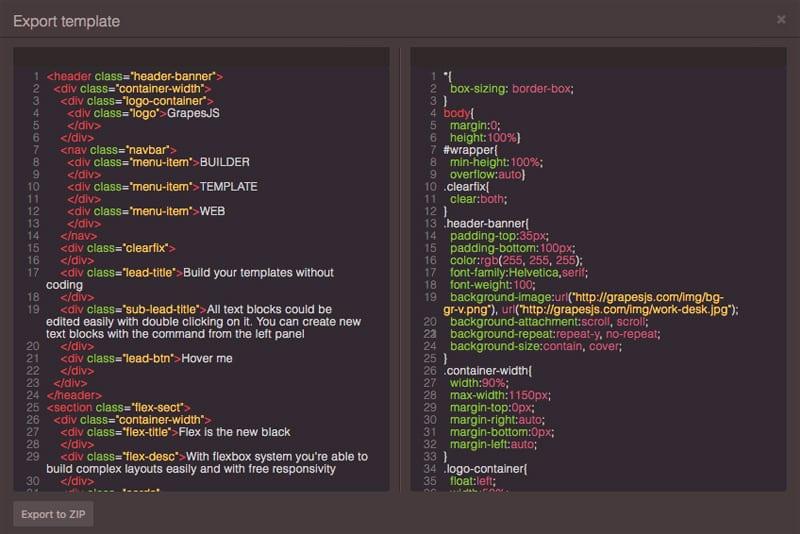
Code Editor

What's Included
- Free to download & use
- Open for personal & commercial use
Support The Creator
Use one-time or monthly support to thank the creator for this free product.
GrapesJS Compatible
Tested with GrapesJS 0.16.x, 0.17.x, 0.18.x
Open Source on GitHub
Free to use, fork, and contribute
Editor Compatible
Designed for the GrapesJS open-source editor
Free to Use
Open for personal and commercial projects
GrapesJS ships a code viewer: it shows the HTML and CSS a page produces, read-only. This plugin makes that view editable, so a developer can drop into code, make a change and push it back onto the canvas without leaving the editor.
How it installs
Unlike most GrapesJS plugins, this one is not registered through the plugins array. It exposes two things on the global window['grapesjs-code-editor'] object: a codeCommand that you add to commands.defaults, and a panels definition passed as the editor's panels option. Wiring it up therefore takes two lines in your init config rather than one.
Why edit rather than view
Two-way code editing closes the gap between visual editing and hand-written markup. Anything the Style Manager cannot express — a media query, a pseudo-element, a utility class — can be typed directly and still round-trips through the canvas.
Good to know
Install as grapesjs-code-editor. GrapesJS is a peer dependency, so install it separately. BSD-3-Clause.
Ratings:
No reviews yet. Be the first to share your experience.
Questions & Answers
No questions yet. Have something to ask?
Common problems this plugin can help fix
Real community questions on the same topic — see how others worked around them.