Preserve aspect ratio while resizing?
I had a max-width on my images which was skewing them when I resized them too large, whoops! Greate, I close this thenIs there a way to disable certain handles? Besides w/ CSS Each component has a resizable property where you can also pass an object as options for the Resizer
Read full answer below ↓Question
When a user resizes an image, I'm trying to maintain the original aspect ratio, as there's little need to skew an image. I believe I've found the code handling this behavior. However, it's unclear to me whether I should modify the Start key or something else. @artf - Any suggestions? I'm looking to integrate this helper function:
Answers (3)
I had a max-width on my images which was skewing them when I resized them too large, whoops! Greate, I close this thenIs there a way to disable certain handles? Besides w/ CSS Each component has a resizable property where you can also pass an object as options for the Resizer
@AustinTBiggs did you try to use corner handlers? By default, the ratio is preserved, otherwise you can hold shift to turn it off
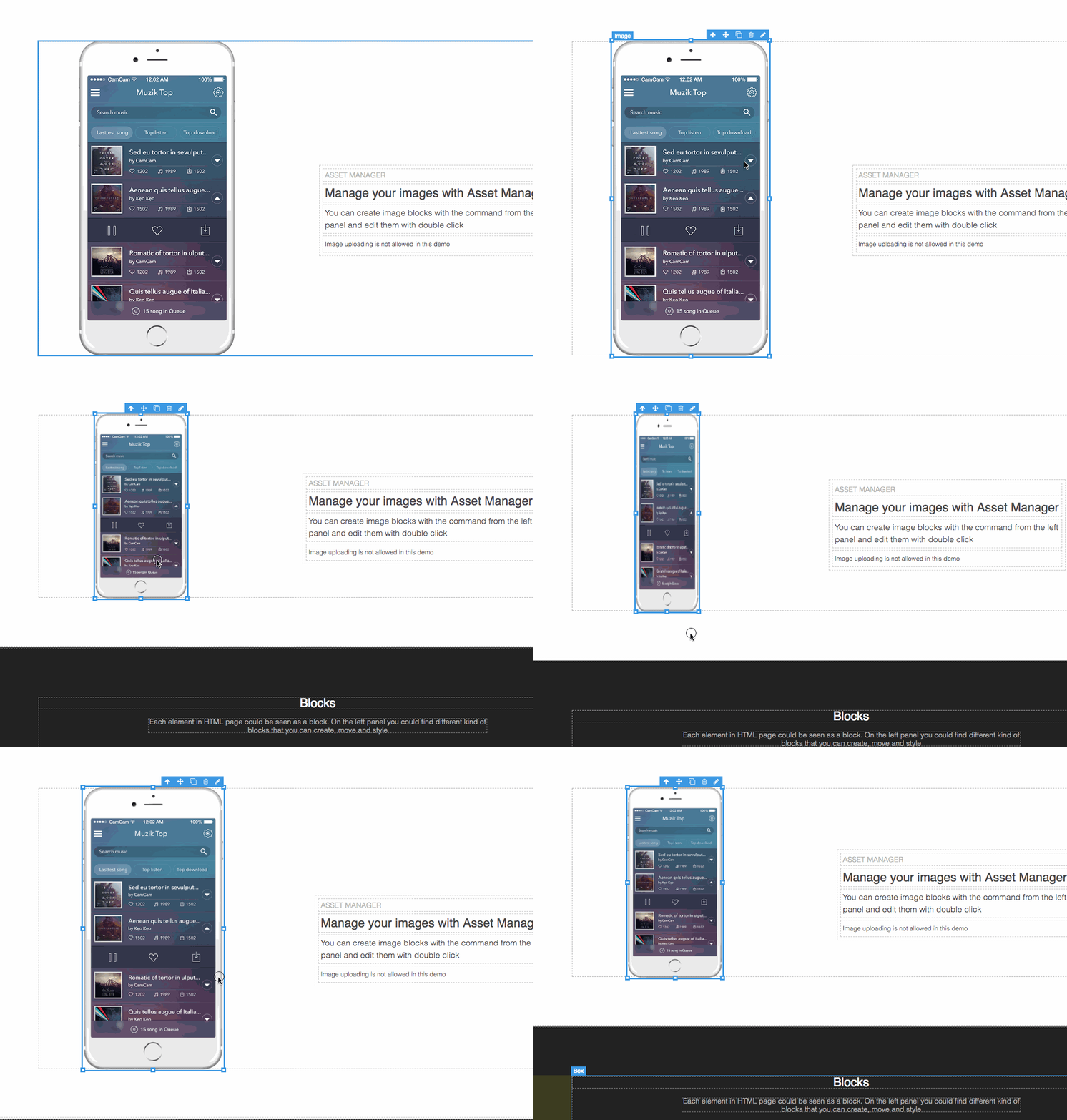
I had a max-width on my images which was skewing them when I resized them too large, whoops!
@artf - Is there a way to disable certain handles? Besides w/ CSS
Related Questions and Answers
Continue research with similar issue discussions.
Issue #455
Need help: Ask for user input for text/imageurl/hyperlink
we are building template where it will render div with background image and on hover it will display some text, also there will be hyper li...
Issue #850
Component:Moved Event
What I'm trying to accomplish: I have a piece of code I need to run when a component is "dropped". I put "dropped" in quotes, because it ne...
Issue #1227
Re-render view in editor's canvas whenever Trait value changes
Is there any possible way in grapesjs that whenever a user changes the value of a Trait of a custom component the render function should li...
Issue #1954
Creating image map on canvas
Hi, Is there anyway to create image map like functionality on canvas. User should be able to select particular area for linking. Example th...
Paid Plugins That Match This Issue
Curated by issue keywords and label relevance to help you ship faster.
Loading paid plugin recommendations...
Check the open-source GrapesJS plugins on GitHub or run a quick search in our free catalog.
Browse free plugins →Premium plugins ship with support, regular updates, and production-ready features — save days of integration work.
Browse premium plugins →Related tutorials
In-depth guides on the same topic.
Browse Plugin Categories
Jump directly to plugin category pages on the marketplace.